Ryan Clark

As the Modern Workplace Architect at Mr. SharePoint, I help companies of all sizes better leverage Modern Workplace and Digital Process Automation investments. I am also a Microsoft Most Valuable Professional (MVP) for SharePoint and Microsoft 365.

A man with short curly hair and a beard is smiling. He is wearing a dark plaid suit jacket, a black shirt, and a dark tie. The background is softly blurred.
A simple flowchart with colored diamond and oval shapes connected by arrows, illustrating a decision-making process on a blue background.

Power Automate Multiple Conditions: The Beginner’s Guide

Struggling to manage complex decisions in your automated workflows? In this guide, you will learn six essential methods for managing multiple conditions in Power Automate. Let’s get started. How to Manage Power Automate Multiple Conditions To build these intelligent workflows, Power Automate provides a suite of tools and techniques for handling multiple conditions. Here are the six essential methods you need to know: Method 1: Use Trigger Conditions to Filter Runs The most efficient way to apply logic is to use a trigger condition. This acts as a gatekeeper that checks your criteria before a flow even starts. Instead of […]

Power Automate Multiple Conditions: The Beginner’s Guide Read More »
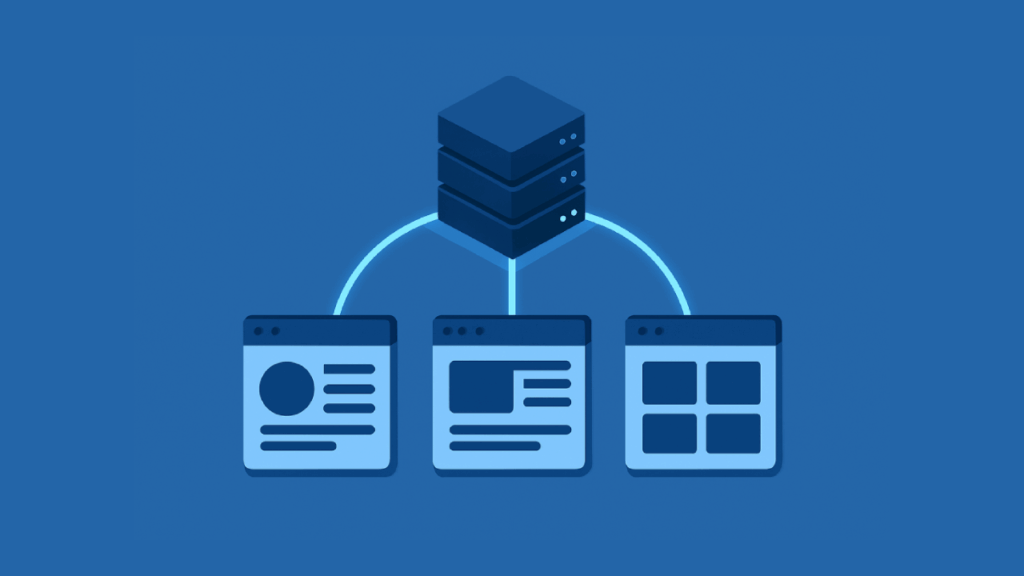
Illustration of a server connected to three web browser windows, signifying data distribution or networked web applications, all in shades of blue.

How to Share Site-Level Term Set In SharePoint Online

Need to share a local SharePoint term set with other sites? In this guide, I will explain the best methods to share your site-level term sets across your SharePoint Online environment. Let’s get started. Term Set Scopes (Global vs. Site-Level) Before you can share a term set, you need to know where it lives. SharePoint’s taxonomy has two main scopes: global, for your whole tenant, and site level, for a specific site collection. What is the SharePoint Term Store? The term store, SharePoint’s central database for managed metadata, uses a clear hierarchy for logical term management. Here is a breakdown of its structure: Think

How to Share Site-Level Term Set In SharePoint Online Read More »

A central white cube connects to various geometric shapes—cylinder, cone, and cubes—by white lines on a blue background, representing a network or system diagram.

How to Customize SharePoint Site Navigation: Hubs, Global, & Local Menus

Want to improve your SharePoint site’s usability? In this guide, you will learn how to manage navigation on individual sites, across a group of sites using hubs, and more. Let’s get started. About SharePoint Navigation Before you start making changes, it’s helpful to understand the basic ideas behind SharePoint’s navigation system. Why Good Navigation Matters SharePoint navigation refers to the menus and links that help users find their way around. A well-planned navigation system makes content easy to find, which helps with collaboration and makes the user experience better. Think of it as the main map to your company’s information

How to Customize SharePoint Site Navigation: Hubs, Global, & Local Menus Read More »

Abstract illustration with cubes gear cloud chart and database connected on a blue background

Power Platform Terminology Explained: From Power Apps to Dataverse

Ever felt lost in a sea of tech jargon when trying to understand Microsoft’s Power Platform? In this guide, I’ll break down all the essential terms in plain English, from canvas to component framework. Let’s get started. What is the Microsoft Power Platform? Microsoft’s Power Platform is a low-code suite for building custom apps, automating workflows, and analyzing data. Non-developers can create solutions by connecting to Microsoft services like Office 365 and Azure. This approach is built on a few key ideas: All these tools share a common language for logic called Power Fx. If you’ve ever written a formula

Power Platform Terminology Explained: From Power Apps to Dataverse Read More »

Isometric illustration of a web interface with content blocks and analytics chart

Best SharePoint Web Parts to Enhance UX (Complete Guide)

Want to build a SharePoint site that people actually enjoy using? In this guide, I’ll show you the best web parts for site design and enable everyone to find what they need. Let’s get started. Foundational Web Parts for Visuals and Communication First impressions matter. These web parts are key for creating a visually appealing and informative homepage that draws people in. 1. Hero Web Part The hero web part is ideal for a prominent, visual banner highlighting key content. It grabs a user’s attention right away and points them to key initiatives or links. Here’s a quick look at its features and limitations: This web

Best SharePoint Web Parts to Enhance UX (Complete Guide) Read More »

Isometric illustration of Microsoft Forms connecting to SharePoint database

How to Use Microsoft Forms with SharePoint for Data Collection

Tired of manually copying and pasting information from forms into spreadsheets? In this guide, I’ll show you three distinct methods for connecting Microsoft Forms with SharePoint. Let’s get started. Forms and SharePoint Microsoft Forms and SharePoint Lists are designed to work in tandem. Forms is the friendly front door for collecting information, while SharePoint is where that information is stored. The Easy-to-Use Data Capture Tool Think of Microsoft Forms as the clipboard of your digital workplace. It’s a straightforward tool for creating surveys, quizzes, and registration pages. Its main job is to make data entry easy for everyone, regardless of

How to Use Microsoft Forms with SharePoint for Data Collection Read More »

Microsoft 365 vs Google Workspace icons split on a blue background

Microsoft 365 vs Google Workspace for Small Businesses (Comparison)

Microsoft or Google? In this guide, I’ll compare the key differences between Microsoft 365 and Google Workspace, their price, features, tools, etc. Let’s get started. Which Suite Should You Choose? (Quick Verdict) If you’re short on time, here’s a quick summary of which platform generally wins for different business needs: Category Winner Why? Best Value (Starting Price) Microsoft 365 Lower entry price ($6 vs. $7) and far more storage (1 TB vs. 30 GB) on the basic plan. Best for Team Collaboration Google Workspace Its web-based apps offer a smoother, truly real-time co-editing experience. Best for Desktop App Users Microsoft

Microsoft 365 vs Google Workspace for Small Businesses (Comparison) Read More »

Digital cubes flowing into cloud illustrating data migration

The Best Metalogix Alternatives for Data Migration (In-Depth Comparison)

Is your organization ready to make the leap to Microsoft 365, but daunted by the complexity of data migration? In this guide, we’ll explore the best commercial and free alternatives, diving deep into their features and pricing. Let’s get started. What is Metalogix? Quest Metalogix suite, with Content Matrix as its core, is a robust solution for SharePoint-to-SharePoint migrations. It migrates directly from older SharePoint versions (2007, 2010) to SharePoint Online, bypassing costly and time-consuming upgrades. Its key strengths include: This makes it a formidable tool for organizations modernizing complex, long-standing SharePoint environments. However, this power comes with its own

The Best Metalogix Alternatives for Data Migration (In-Depth Comparison) Read More »

Isometric illustration of secure sharepoint vault with external users

SharePoint File Sharing With External Users (Step-By-Step)

Need to share SharePoint files with people outside your company, but worried about keeping your data secure? In this guide, I’ll walk you through how to configure the right sharing settings, what the experience looks like, and more. Let’s get started. How External Sharing Works in SharePoint Before changing any settings, it’s good to know a few core concepts that govern how external sharing in SharePoint functions. The system is built on a clear hierarchy that gives administrators both broad and specific control over how data is shared. What’s the Difference Between External Users and Guest Users? The terms can

SharePoint File Sharing With External Users (Step-By-Step) Read More »

Illustration of a cloud icon connected by a dotted line to a yellow folder with a green sync icon in the middle on a solid blue background

How to Open SharePoint in File Explorer (Step-by-Step)

Want to manage your SharePoint files without ever leaving your desktop? In this guide, I will show you the best and most reliable way to open SharePoint in File Explorer. We’ll also look at outdated methods you should avoid and provide simple fixes for common sync issues. Let’s get started. The Best Way: Using the OneDrive Sync Client The simplest and most reliable way to connect SharePoint to your computer is with the OneDrive sync client. This is integrated into Windows 10 and 11, and it’s designed to create a stable link between cloud and local files. By the way, this is the official

How to Open SharePoint in File Explorer (Step-by-Step) Read More »

Scroll to Top