
Table of Contents:
Last Updated on May 26, 2026
Microsoft or Google?
In this guide, I’ll compare the key differences between Microsoft 365 and Google Workspace, their price, features, tools, etc.
Let’s get started.
Which Suite Should You Choose? (Quick Verdict)
If you’re short on time, here’s a quick summary of which platform generally wins for different business needs:
| Category | Winner | Why? |
| Best Value (Starting Price) | Microsoft 365 | Lower entry price ($6 vs. $7) and far more storage (1 TB vs. 30 GB) on the basic plan. |
| Best for Team Collaboration | Google Workspace | Its web-based apps offer a smoother, truly real-time co-editing experience. |
| Best for Desktop App Users | Microsoft 365 | Unmatched features and power in desktop apps, especially Excel for complex data work. |
| Easiest to Use | Google Workspace | Simpler interfaces and a much lower administrative burden for owners without an IT background. |
| Best for Security | Microsoft 365 | The Business Premium plan includes enterprise-level security tools that are essential for regulated industries. |
| Best for Cloud Storage Growth | Google Workspace | Flexible pooled storage is more cost-effective for teams with growing or uneven data needs. |
Sign up for exclusive updates, tips, and strategies
Comparing Plans and Price
The monthly cost is a major factor for any small business.
Though prices seem similar, the value in apps, storage, and security differs significantly across plans.
Microsoft 365 Business Plans
Microsoft’s plans for small businesses are designed to scale with your needs, from simple web access to full-featured security.
Here is a look at the three main options for teams up to 300 users:
- Business Basic ($6/user/month): Web and mobile apps, Teams, email, and 1 TB of storage
- Business Standard ($12.50/user/month): Adds full desktop versions of Office apps
- Business Premium ($22/user/month): Includes all apps plus advanced security and device management
The Business Basic plan is a great entry point, offering a massive 1 TB of storage that directly competes with Google’s starter plan.
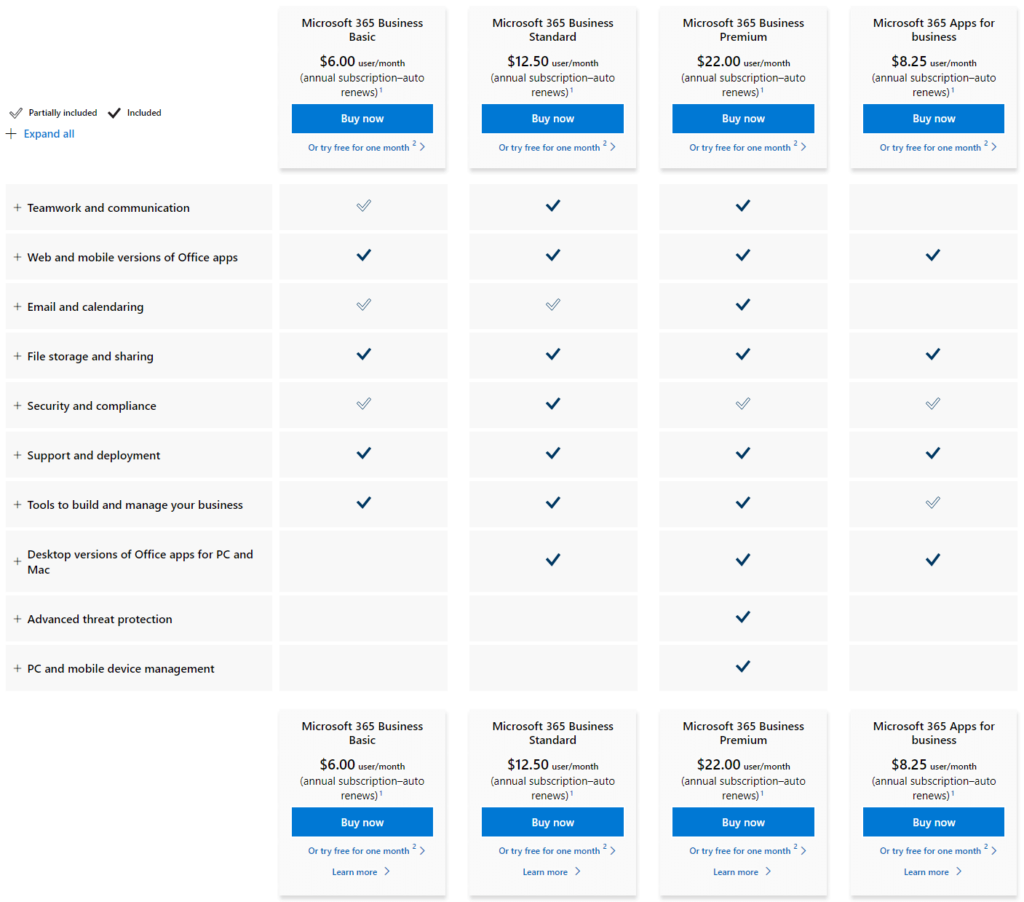
However, the lack of desktop apps is a key limitation for many businesses used to the full Office experience.
Upgrading to Business Standard is the most common step, as it unlocks the familiar desktop software that powers many workflows.
Business Premium is ideal for companies handling sensitive data or needing secure device management.
Google Workspace Business Plans
Google’s business plans are simple and focus on scaling cloud storage and adding key security features as you grow.
The plans, which are also for businesses up to 300 users, include:
- Business Starter ($7/user/month): Core web apps with a limited 30 GB of storage
- Business Standard ($14/user/month): Storage increases to 2 TB per user and adds meeting recordings
- Business Plus ($22/user/month): Storage expands to 5 TB per user and adds compliance tools like Google Vault
The Business Starter plan’s 30 GB storage is a significant drawback for businesses handling files regularly.
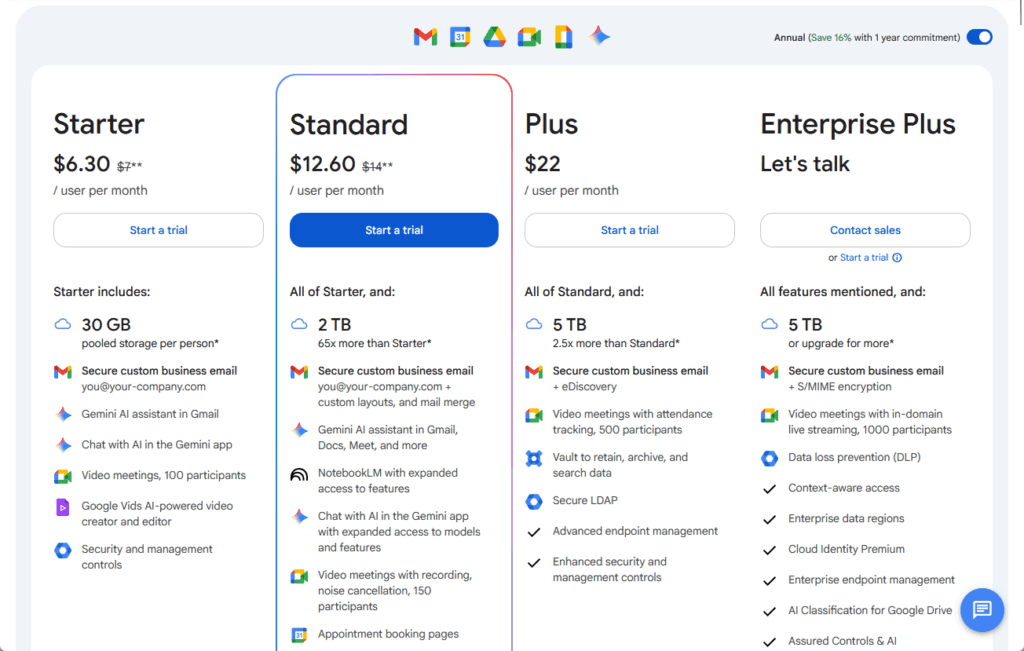
This makes the Business Standard plan the true starting point for most companies considering Google’s ecosystem.
The jump to Business Standard provides a huge increase in value, mainly through the massive 2 TB of pooled storage per user.
Business Plus is for businesses needing data archiving for legal reasons or more control over employee devices.
The Cost of AI (Copilot vs. Gemini)
Both platforms now offer AI assistants.
Microsoft’s Copilot is a powerful add-on but comes at a steep price of $30 per user per month.
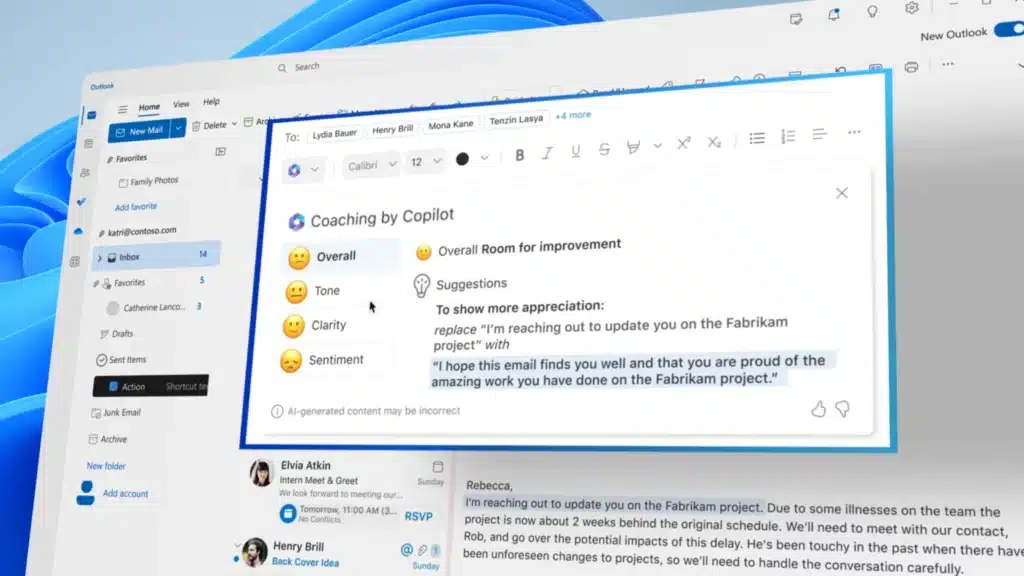
Google’s approach is different as it integrates Gemini AI into existing plans, with advanced features in higher tiers.
This makes AI much more accessible for businesses on a budget.
Price and Value Comparison Table
Seeing the features laid out side-by-side is the easiest way to spot the key differences.
I consolidated here the most critical details to help you compare the plans directly:
| Feature | M365 Business Basic | GW Business Starter | M365 Business Standard | GW Business Standard | M365 Business Premium | GW Business Plus |
| Annual Price/User | $6.00 | $7.00 | $12.50 | $14.00 | $22.00 | $22.00 |
| Core Apps | Web & Mobile Only | Web & Mobile Only | Desktop, Web, Mobile | Web & Mobile Only | Desktop, Web, Mobile | Web & Mobile Only |
| Cloud Storage | 1 TB per user | 30 GB pooled | 1 TB per user | 2 TB pooled | 1 TB per user | 5 TB pooled |
| Video Meetings | 300 participants | 100 participants | 300 participants | 150 participants | 300 participants | 500 participants |
| Advanced Security | Basic | Basic | Basic | Basic | Yes (Defender, Intune) | Yes (Vault, Adv. MDM) |
| AI Assistant | Basic Copilot | Gemini (included) | Basic Copilot | Gemini (included) | Basic Copilot | Gemini (included) |
Core Apps: Desktop Power vs. Cloud Speed
Beyond price, the applications themselves are at the heart of the debate.
Do you need the deep functionality of traditional desktop software or the speed of cloud-native apps?
Microsoft 365 (Feature-Rich Desktop Apps)
Microsoft Word, Excel, and PowerPoint are the long-standing industry standard.
Their desktop versions contain powerful features developed over many years.
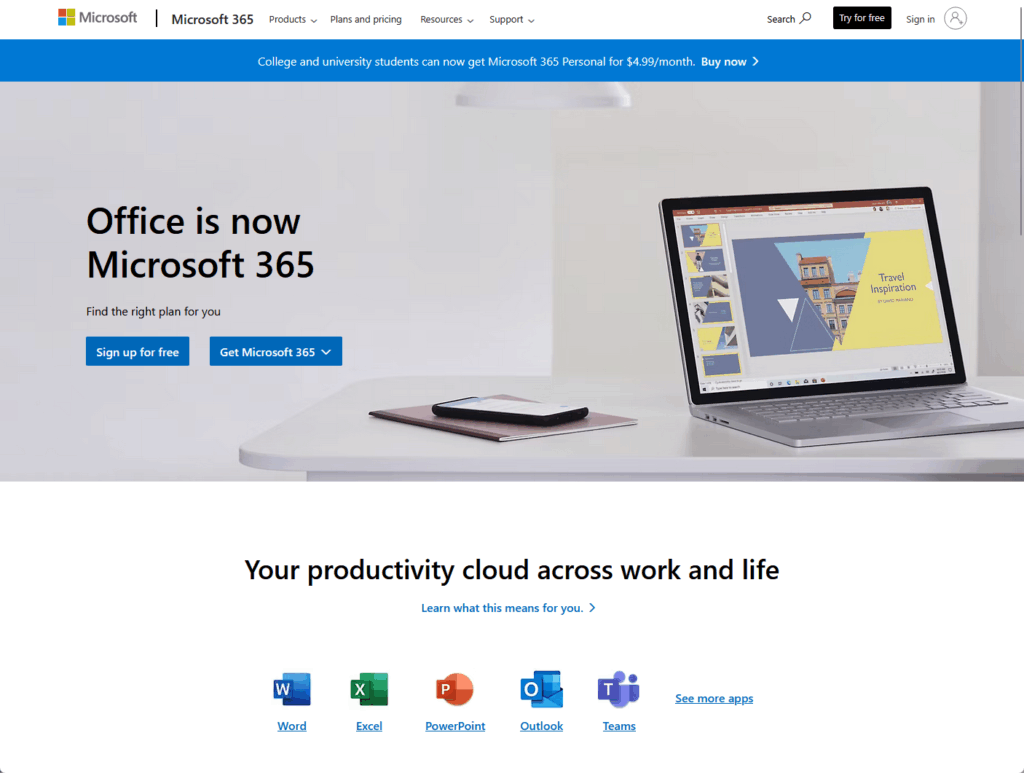
The suite is particularly strong for businesses that rely on specific, advanced functions:
- Complex financial modeling in Excel
- Advanced data analysis with PivotTables
- Custom automation using macros
- Detailed document formatting in Word
For many businesses, the full power of desktop Excel is a must-have.
These capabilities are essential for roles like accountants and financial analysts.
The web-based versions are functional for simple tasks but are not full replacements for the desktop apps.
Google Workspace (Simple and Fast Web Apps)
Google Docs, Sheets, and Slides were built from the ground up for the web.
Their primary strengths are speed and simplicity, not an exhaustive list of features.
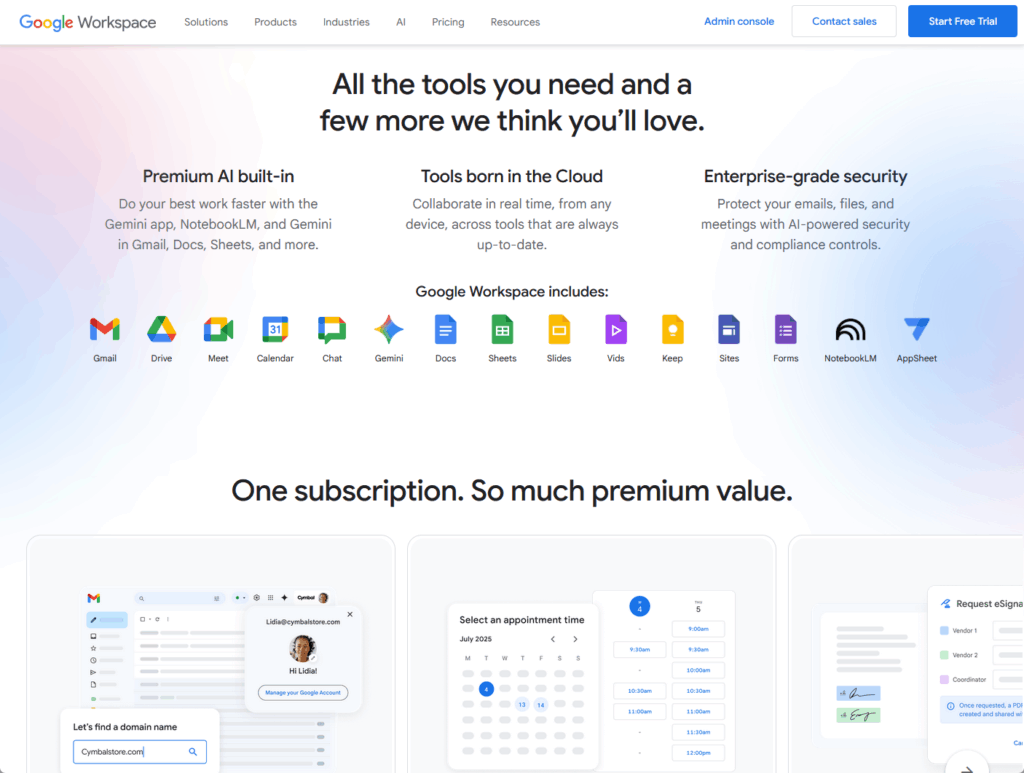
These apps excel at core business tasks that prioritize efficiency, such as:
- Quickly loading documents in a browser
- Handling most day-to-day tasks smoothly
- Allowing for easy onboarding of new users
- Providing a clean, uncluttered interface
The minimalist design helps new employees get up to speed quickly.
This makes them ideal for teams who prefer straightforward tools and are perfect for users who value ease of use over deep functionality.
Working Offline and File Compatibility
The ability to work without an internet connection is a key difference.
- Microsoft 365: Offers robust, full-featured offline access through desktop apps
- Google Workspace: Provides a basic offline mode that requires browser setup first
Microsoft’s offline experience is the clear winner for mobile workers or those with unreliable internet.
On the other hand, file compatibility is another crucial point for professional communication.
Sending documents in native Microsoft formats ensures they look perfect when opened by clients or partners.
Collaboration: Teams vs. Meet & Chat
How your team communicates is vital.
Microsoft and Google have different ideas about how to structure that communication.
Microsoft Teams (The All-in-One Hub)
Microsoft Teams is designed to be a central “virtual office” for all your work.
It brings together everything a team needs into a single, structured interface.
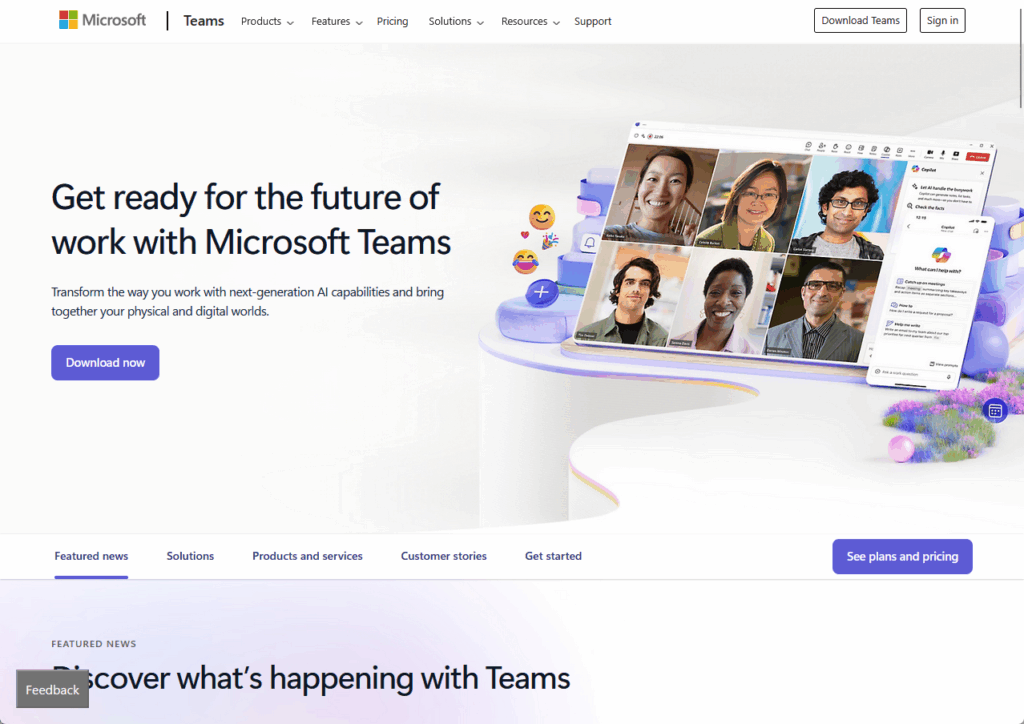
This integrated approach is built around several key components:
- Persistent chat channels
- Integrated file storage
- Built-in video meetings
- Third-party app integrations
This structure helps keep project communication and files neatly organized.
It creates a permanent, searchable record of all team activity (some users may find the feature-rich environment complex).
The constant notifications can also be overwhelming for some.
Google Meet & Chat (Flexible Approach)
Google takes a more modular and lightweight approach to team communication.
It uses separate, purpose-built tools that work together seamlessly.
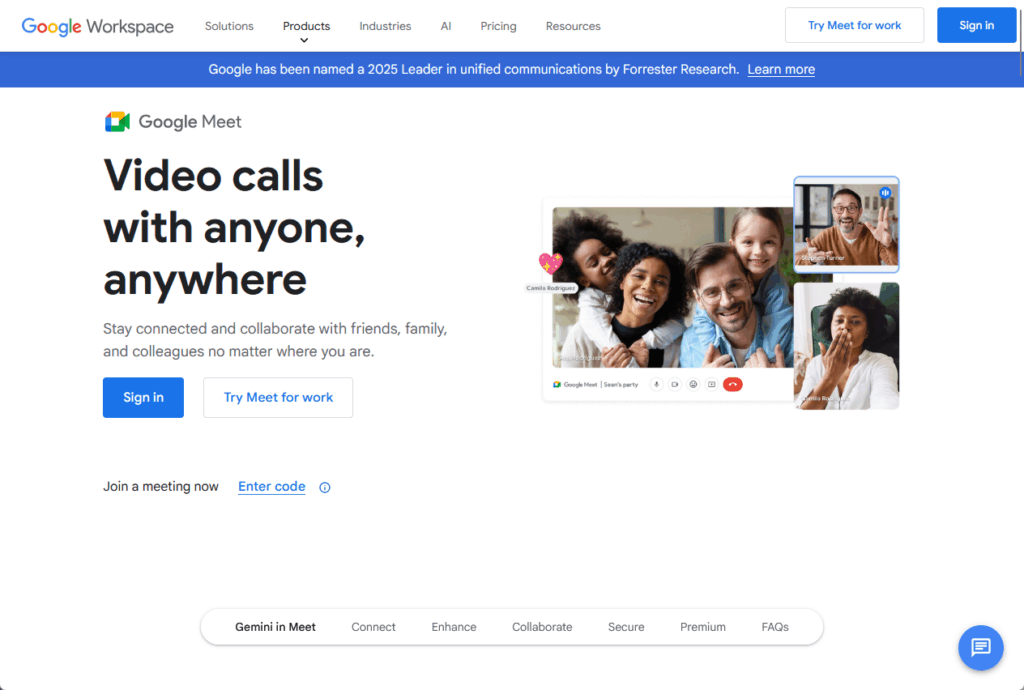
The core of Google’s collaboration suite includes:
- Google Meet for video calls
- Google Chat for instant messaging
- Integration with Calendar and Drive
This design offers teams greater freedom to develop their own preferred workflows.
However, this flexibility puts the responsibility for organization on the team itself.
Without clear protocols, communication can sometimes become scattered across different apps.
The specific features available for meetings and collaboration vary by plan.
Here’s a breakdown of the key capabilities:
| Feature | Microsoft 365 (All Plans) | Google Workspace Starter | Google Workspace Standard/Plus |
| Max Meeting Participants | 300 | 100 | 150 / 500 |
| Meeting Recording | Yes | No | Yes |
| Breakout Rooms | Yes | No | Yes |
| Real-time Co-authoring | Good, but can lag | Excellent, instant | Excellent, instant |
Cloud Storage: OneDrive vs. Google Drive
Your cloud storage is where your company’s most important information lives.
The two platforms handle storage in very different ways.
Individual vs. Pooled
This is a critical difference:
- OneDrive (Microsoft): Provides 1 TB of storage per user in separate containers
- Google Drive: Offers a flexible, shared pool of storage for the entire team
Google’s pooled model is far more flexible.
If a graphic designer needs 3 TB of space and an admin only needs 50 GB, the pooled model handles this easily.
Microsoft’s model requires purchasing costly storage add-ons for designers, even if the full 1 TB isn’t utilized by other team members.
Sync Performance and User Interface
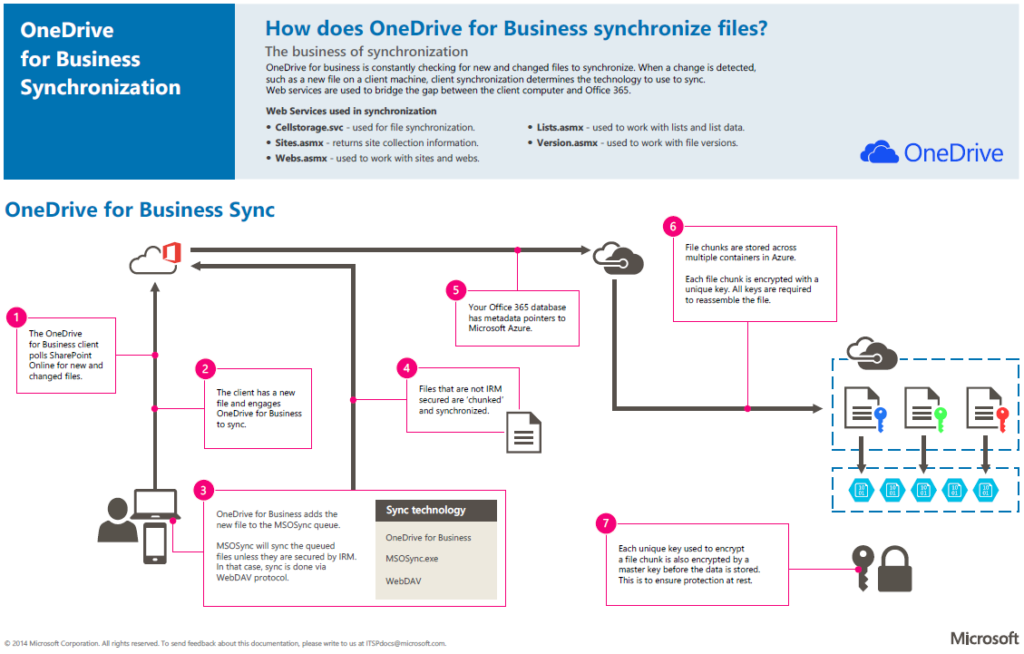
When it to syncing large files, OneDrive is often faster because it uses “block-level syncing.”
This means it only uploads the parts of a file that have changed, saving bandwidth and time.
Google Drive, on the other hand, has a much better search function.
Google’s core technology enables easy searching of text within documents and objects in images.
The Real Cost of Storage
The choice between storage models has real financial implications for growing businesses.
This becomes clear when you consider businesses with specific data needs:
- Creative agencies with large media files
- Video production companies handling raw footage
- Any business where data usage varies greatly between team members
For these businesses, Google’s pooled model is often more cost-effective in the long run.
It provides a built-in buffer for growth and avoids the extra cost of individual storage add-ons.
Security Features by Plan
For any business, protecting data is not optional.
Both platforms are secure, but they package their most advanced security features differently.
Baseline Security
At the entry level, both platforms provide the essential security measures every business needs.
These foundational protections include the following:
- Multi-factor authentication (MFA)
- Encryption for data in transit and at rest
- Spam and malware filtering for email
These features provide a solid, out-of-the-box defense against common cyber threats.
They ensure that even on the most basic plans, your business data has a fundamental layer of protection.
M365 Premium vs. GW Plus (Advanced Security)
The most significant security differences emerge when comparing the top-tier plans.
Each platform bundles its most powerful tools at this level, but they focus on solving different challenges.
Here’s a look at the main focus of each premium plan:
- Microsoft 365 Business Premium: Active threat defense and device management
- Google Workspace Business Plus: Data compliance and legal archiving
Microsoft’s plan is like a comprehensive security system.
It gives you tools like Microsoft Defender for endpoint protection and Microsoft Intune to manage and secure all employee devices.
This makes it ideal for businesses that need to actively defend against cyber threats.
Google’s plan, featuring Google Vault, acts as a secure archive for businesses requiring data retention and search for legal or compliance.
Security Feature Comparison Table
For any business handling sensitive data, this is arguably the most important comparative tool.
Here’s a table that clearly maps specific security functions to each paid plan:
| Security Feature | M365 Basic/Standard | M365 Business Premium | GW Standard | GW Business Plus |
| Advanced Email Security | Standard | Yes (Defender) | Yes (Sandbox) | Yes (Sandbox) |
| Device Management (MDM) | Basic | Advanced (Intune) | Standard | Advanced |
| Archiving & eDiscovery | No | Yes | No | Yes (Google Vault) |
| Data Loss Prevention (DLP) | No | Yes | No | Yes |
Ease of Use for Business Owners
If you’re a founder who also has to be the IT manager, simplicity is a huge plus.
Admin Consoles
This is a clear win for Google Workspace.
The Google Admin console is clean, centralized, and easy for a non-technical person to understand and manage.
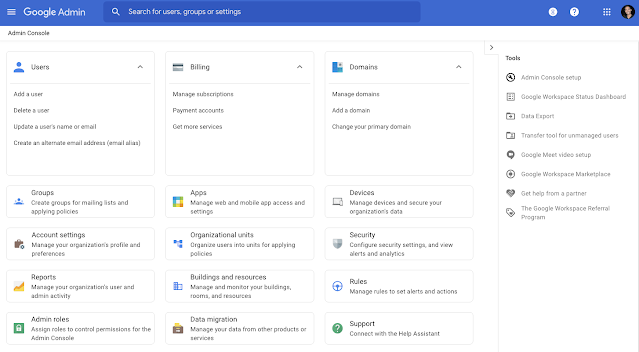
You can set up new users and manage settings in minutes.
The Microsoft 365 admin side is much more complex, with multiple, interconnected admin panels.
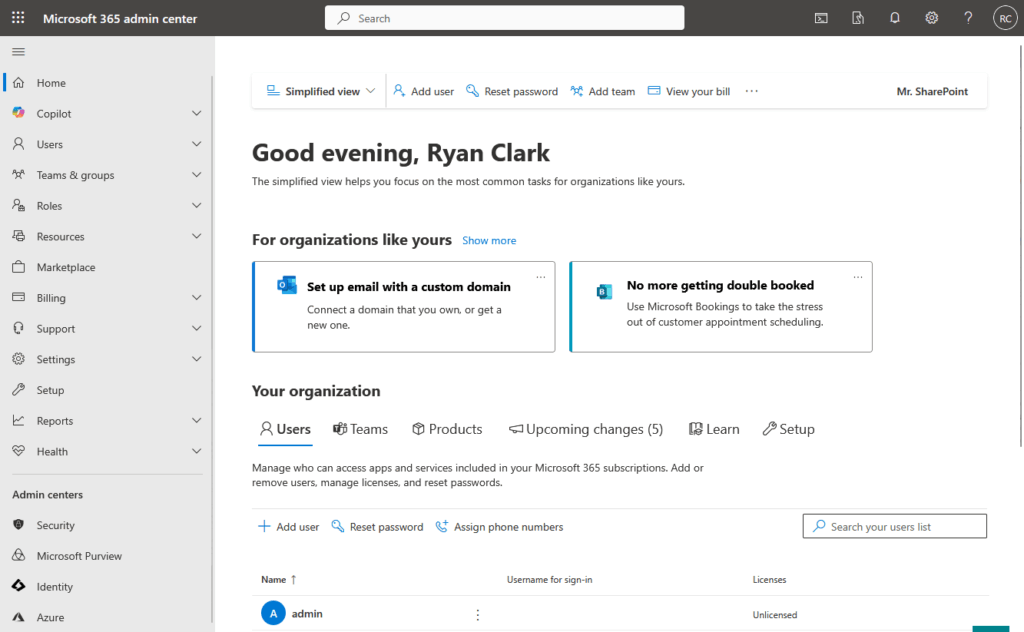
This power is great for experienced IT pros but can be confusing for a business owner who just needs to get things done.
The “Hidden Cost” of Complexity
Microsoft 365’s complexity can be costly for small businesses, especially those without IT support.
These costs can show up in several ways:
- Time spent on complex configurations
- Money paid to IT consultants
- Longer employee onboarding times
This is a significant operational and financial advantage for lean organizations.
A non-technical founder can realistically set up and manage a Google Workspace environment themselves.
In contrast, they might need to hire an expert to properly configure Microsoft 365’s security policies and settings.
Support Models
When you run into problems, the path to a solution differs between the two providers.
Here’s how their support models generally work:
- Microsoft: Relies on a network of certified partners
- Google: Offers direct support channels
Microsoft’s partner-led support can provide expert, hands-on assistance, but it typically comes at an additional cost.
Google’s direct support is included, and because the platform is simpler, businesses often find they need less help to begin with.
This self-sufficiency can be a major benefit for startups and small teams.
App Integrations and Ecosystems
No platform does everything. Both rely on third-party apps to add more functionality.
Microsoft AppSource vs. Google Workspace Marketplace
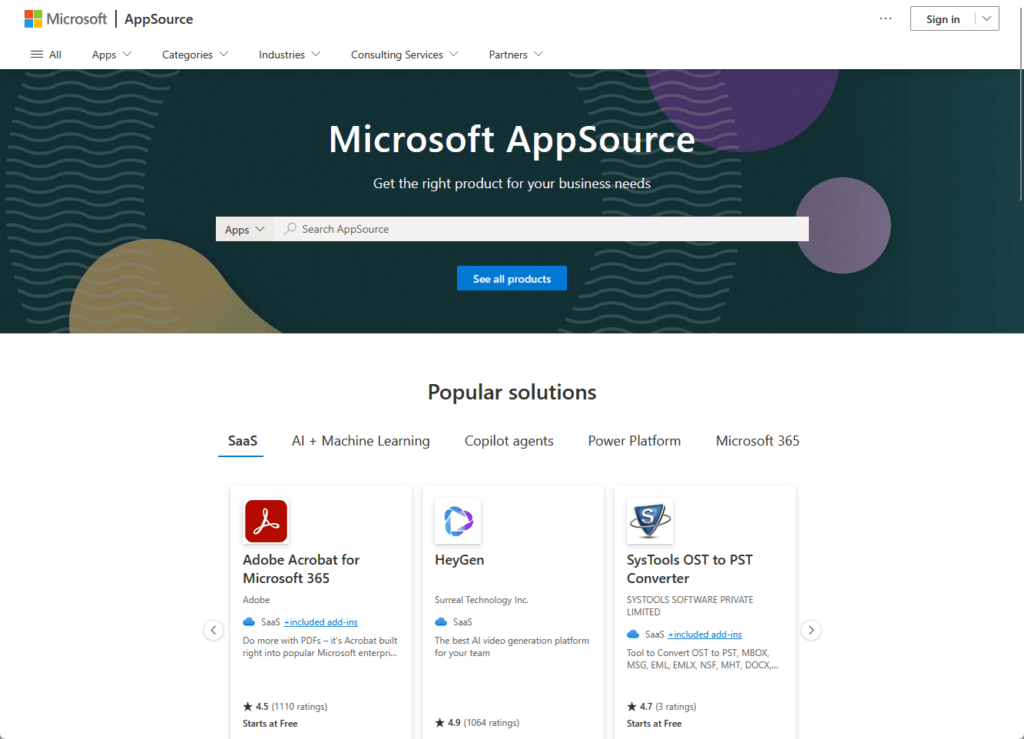
Microsoft AppSource is built to keep you within the Microsoft universe.
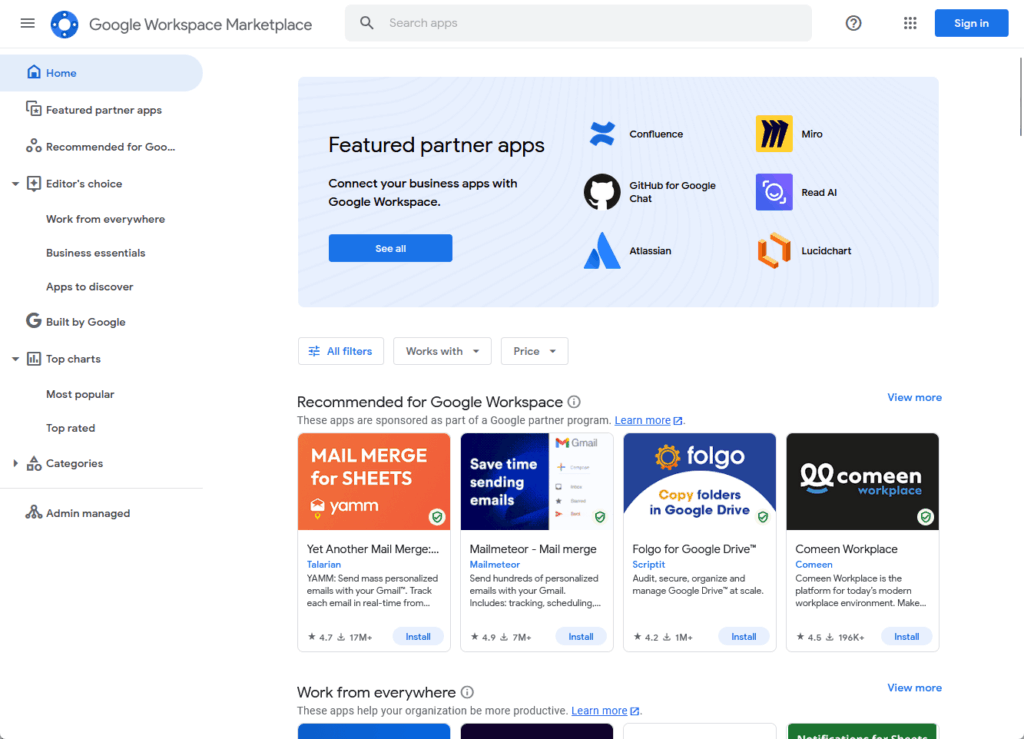
Google Workspace Marketplace is designed to connect with other popular tools.
Each marketplace is built around a different philosophy:
- Microsoft: Promotes its own ecosystem
- Google: Connects to third-party apps
Microsoft heavily features integrations with its own powerful platforms like Dynamics 365 and Power BI.
Google’s marketplace makes it easy to connect the tools you may already use, like Asana or Zoho.
This makes Microsoft a good fit for businesses that want an all-in-one solution from a single vendor.
Long-Term Strategic Choice
Choosing a productivity suite is an important strategic decision for any business.
This decision sets a path for your company’s software stack:
- Microsoft: Creates a tightly integrated ecosystem
- Google: Preserves flexibility and choice
Starting with Microsoft 365 makes it much more likely you will adopt other Microsoft products later on.
This creates a powerful, unified system, but it also increases the cost and complexity of switching in the future.
Choosing Google Workspace allows you to build a more diverse tech stack with best-in-class tools from various providers.
Making the Right Choice
The best choice between Microsoft 365 and Google Workspace comes down to your company’s culture, workflow, and priorities.
One is not better than the other, but one is likely a better fit for you. 🙂
Who should choose Microsoft 365?
- Your team relies on the advanced features of desktop Excel or Word.
- You are in a regulated industry (like finance or healthcare) and need top-tier security from day one.
- Your employees are already very familiar with the classic Office apps.
- You need excellent, full-featured offline capabilities for mobile workers.
Who should choose Google Workspace?
- Your team is remote or hybrid and needs the best real-time collaboration tools.
- You have no dedicated IT staff and need a platform that is easy to manage.
- You work with large files and need flexible, cost-effective cloud storage.
- Your team works primarily in a web browser and values speed and simplicity.
Do you have any questions about Microsoft 365 or Google Workspace? Let me know below.
For any business-related queries or concerns, contact me through the contact form. I always reply. 🙂




























