Ryan Clark

As the Modern Workplace Architect at Mr. SharePoint, I help companies of all sizes better leverage Modern Workplace and Digital Process Automation investments. I am also a Microsoft Most Valuable Professional (MVP) for SharePoint and Microsoft 365.

A man with short curly hair and a beard is smiling. He is wearing a dark plaid suit jacket, a black shirt, and a dark tie. The background is softly blurred.
The Ultimate SharePoint Glossary for Beginners

The Ultimate SharePoint Glossary for Beginners (2026 Edition)

Confused by SharePoint terms like “hub site” or “metadata”? In this glossary, I will explain the most important concepts for beginners when it comes to SharePoint. Let’s get started. The SharePoint Universe: Core Concepts To start, you need to understand the environment. This first section explains what SharePoint is, how it’s deployed, and the two different user experiences you might see. Understanding these core concepts is the first step toward using the platform well. 🙂 What is SharePoint? A High-Level View Microsoft SharePoint is a web-based platform that organizations use to create websites. It works as a company’s private internet, […]

The Ultimate SharePoint Glossary for Beginners (2026 Edition) Read More »
Blue graphic with Microsoft Teams logo connected to icons for tasks, growth, ideas, and settings

Best Microsoft Teams Apps for Productivity: My Picks (2026)

Want to make your team more productive in your Microsoft Teams workspace? In this guide, I will show you my top apps that I’m positive can improve your workflows in Teams. Let’s get started. Part 1: The Project Management Heavyweights These apps are comprehensive systems for managing work. They offer deep features for teams that need a central platform to track complex projects from start to finish. 1. ClickUp This app is designed to replace many tools. It handles your tasks, documents, and company goals in one place. Key features: You can quickly create a new ClickUp task directly from

Best Microsoft Teams Apps for Productivity: My Picks (2026) Read More »

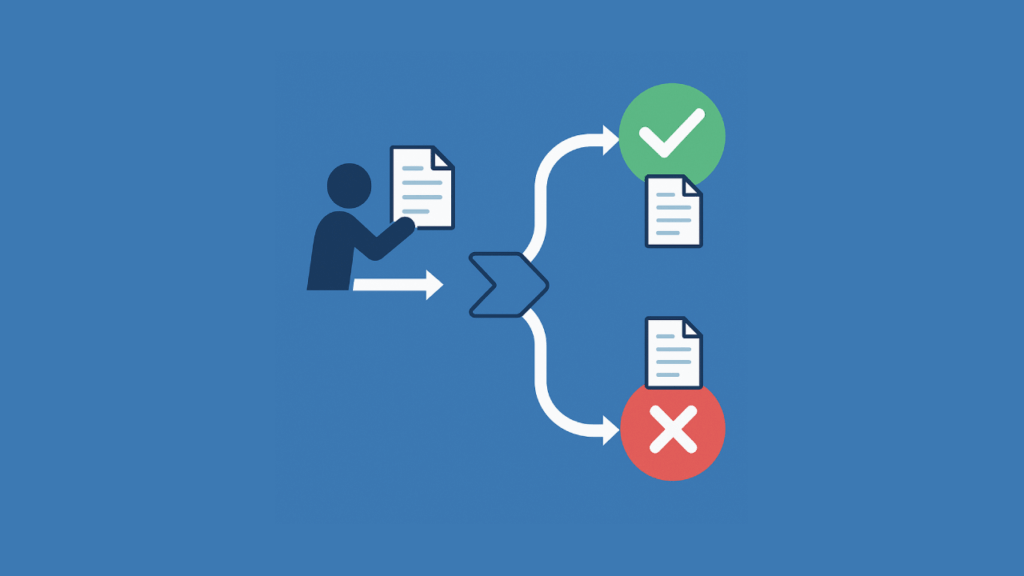
Illustration of automated document approval flow with approval/rejection paths

How to Create a Document Approval Workflow in Power Automate (2026)

Struggling with manual document approvals? In this guide, let’s talk about how you can build powerful workflows in Power Automate from start to finish. Let’s get started. Designing the SharePoint Backbone Automated workflows succeed with a strong foundation, like a well-made SharePoint document library. The library acts as the central database for the approval process, tracking status, logging history, and providing metadata. To construct this data source, you will create three critical columns to manage the process: Approval Status This is a Choice column, typically named Approval Status. It’s the most important field for tracking a document’s position in the

How to Create a Document Approval Workflow in Power Automate (2026) Read More »

Blue graphic with central Power Automate icon connected to HR-related icons for people, tasks, and growth

Best Power Automate Templates for HR Processes (2026 Guide)

Want to simplify your team’s repetitive HR routine tasks? In this guide, let’s talk about the best Power Automate solutions specifically made for HR. Let’s get started. Three Ways to Build Your HR Automations When you decide to implement automated workflows for a process, you have a few ways to get started. Your choice depends on how complex your task is and how much control you need over the final product. Using a Copilot Prompt (The Fast Way) This is the quickest way to get an automation running. Basically: This method works well for simple repetitive tasks, like sending notifications

Best Power Automate Templates for HR Processes (2026 Guide) Read More »

Graphic showing SharePoint and Zoho WorkDrive icons side by side with a handshake in between

SharePoint vs Zoho WorkDrive: Which Is Better for Team Collaboration?

Not sure between SharePoint and Zoho WorkDrive? In this guide, let’s talk about the key differences that can help you pick the right platform for your team. Let’s get started. What Is SharePoint? SharePoint’s been around the block. First launched back in 2001, it’s grown through a bunch of versions. From MOSS to SharePoint Foundation, classic SharePoint Server, and now SharePoint Online inside Microsoft 365. These days, it powers over 200 million users worldwide. It’s the go-to for a lot of big companies, especially if you’re already deep into Microsoft 365. Because SharePoint isn’t just for storing docs anymore, it’s

SharePoint vs Zoho WorkDrive: Which Is Better for Team Collaboration? Read More »

Stylized shield with cloud, lock, and checkmark icons on a solid blue background

Best Microsoft 365 Compliance Practices for 2026 (Simple Steps for Real Results)

Are you prepared for the compliance changes in Microsoft 365? In this guide, let’s talk about the latest, practical practices to help your business stay audit-ready today. Let’s get started. Why Compliance Is Critical Compliance is a serious business requirement. Whether you’re in healthcare, finance, or any other regulated industry, you know regulators are only getting stricter. The risks? Fines, lawsuits, reputation hits, and even operational shutdowns if you drop the ball. The pressure is even higher thanks to evolving regulations like: Microsoft 365 is at the heart of daily business for millions of organizations. This means the platform you

Best Microsoft 365 Compliance Practices for 2026 (Simple Steps for Real Results) Read More »

Modern SharePoint Web Parts: List of All Available Web Parts

Modern SharePoint Web Parts: List of All Available Web Parts (Updated)

Want to know all the web parts in SharePoint? Let’s talk about all the modern SharePoint Online web parts with a quick and practical summary for each. Let’s get started. 1. Banner The Banner web part is now a true out-of-the-box superstar in SharePoint. It’s not just a boring title section anymore as you can add banners anywhere on your page: full-width, inside columns… Wherever you need some visual punch or want to show off an announcement. What’s cool is that you get multiple layouts to play with: fade, author, image and heading, color block, overlap, and plain. Plus, you

Modern SharePoint Web Parts: List of All Available Web Parts (Updated) Read More »

5 AvePoint Alternatives for SharePoint Management

5 AvePoint Alternatives for SharePoint Management (2026)

Want to switch from AvePoint? In this guide, let’s break down the best AvePoint alternatives, talk about what works, and how they compare. Let’s get started. 1. ShareGate ShareGate isn’t just a migration tool; it’s a Swiss Army knife for SharePoint and M365. You can use it to migrate across: You keep metadata, permissions, and version history; basically, if it’s on your site, ShareGate moves it, with no problem. As for the UI, you get a clean desktop app with drag-and-drop, bulk edits, and PowerShell for those who need more. Plus, you get: Pricing starts around $5,995/year per admin seat

5 AvePoint Alternatives for SharePoint Management (2026) Read More »

How to Set Up SharePoint Permissions for External Users

How to Set Up SharePoint Permissions for External Users (2026)

Looking for a way to add external users? In this guide, let’s take a look at the steps to take to set up permissions and protect your data with confidence. Let’s get started. Step 1: Assess Tenant-Wide External Sharing Settings Ask yourself: What level of access makes sense for your business? Start by visiting the SharePoint admin center to set the baseline for external sharing across all sites. In the admin center, go to “Policies” > “Sharing” to find these options: If your site is connected to a Microsoft 365 group, external users can be managed through group membership as

How to Set Up SharePoint Permissions for External Users (2026) Read More »

Best SharePoint Use Cases for Remote Teams to Skyrocket Productivity

Best SharePoint Use Cases for Remote Teams to Skyrocket Productivity (2026)

Curious about getting more done with SharePoint? In this guide, I will tell you about the different use cases for SharePoint that can help boost remote teams. Let’s get started. 1. Real-Time Collaboration With co-authoring, your whole team can work together on Word, Excel, or PowerPoint files at the same time. You see updates instantly, and everyone edits one document, so no more version confusion or duplicate files. SharePoint and OneDrive can: If someone edits the same section as you, SharePoint will show a quick notice so you can resolve it. It works best in the Office web apps, but

Best SharePoint Use Cases for Remote Teams to Skyrocket Productivity (2026) Read More »

Scroll to Top