
Table of Contents:
Last Updated on July 15, 2025
Not sure between SharePoint and Zoho WorkDrive?
In this guide, let’s talk about the key differences that can help you pick the right platform for your team.
Let’s get started.
SharePoint’s been around the block. First launched back in 2001, it’s grown through a bunch of versions.
From MOSS to SharePoint Foundation, classic SharePoint Server, and now SharePoint Online inside Microsoft 365.
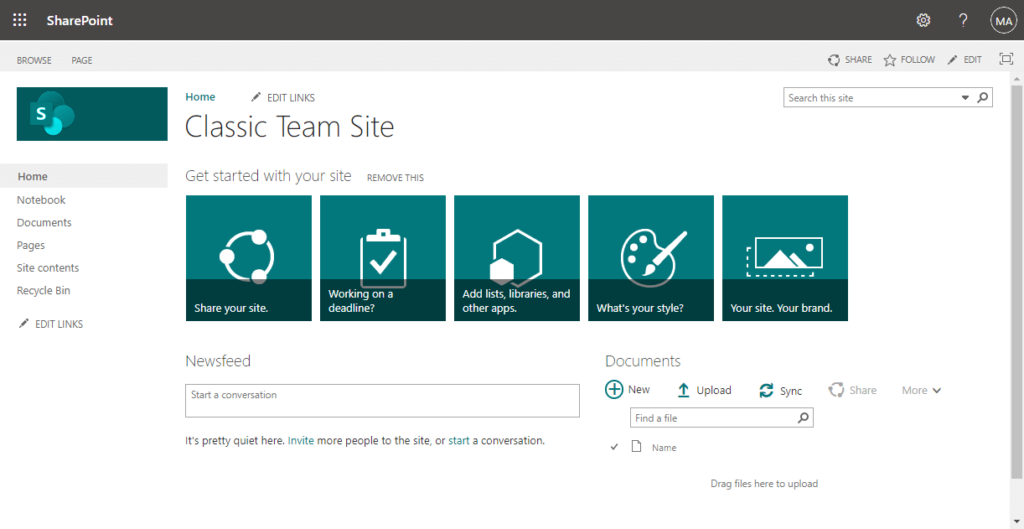
These days, it powers over 200 million users worldwide.
It’s the go-to for a lot of big companies, especially if you’re already deep into Microsoft 365.
Because SharePoint isn’t just for storing docs anymore, it’s basically your team’s digital headquarters.
With it, you can:
- Create sites for teams or whole departments
- Organize files with rich metadata
- Collaborate on everything from a quick doc to a major project
What really stands out recently? AI and security.
The newest updates bring Microsoft 365 Copilot right into your SharePoint experience.
That means:
- You get smarter, more personalized pages
- Content targeting for different audiences
- Search that actually finds what you need fast
Copilot also connects with Teams, so your files, meetings, and chats work together seamlessly.
On the security front, SharePoint is all about control.
You get advanced sensitivity labels (via Microsoft Purview), granular site sharing, built-in data loss prevention, etc.
If your company needs to lock things down, you’re covered. 😅
Sign up for exclusive updates, tips, and strategies
What Is Zoho WorkDrive?
Zoho WorkDrive is like the new kid that’s getting a lot of things right.
Officially relaunched as a “content intelligence platform” in July 2025 with version 5.0, WorkDrive brings serious upgrades.
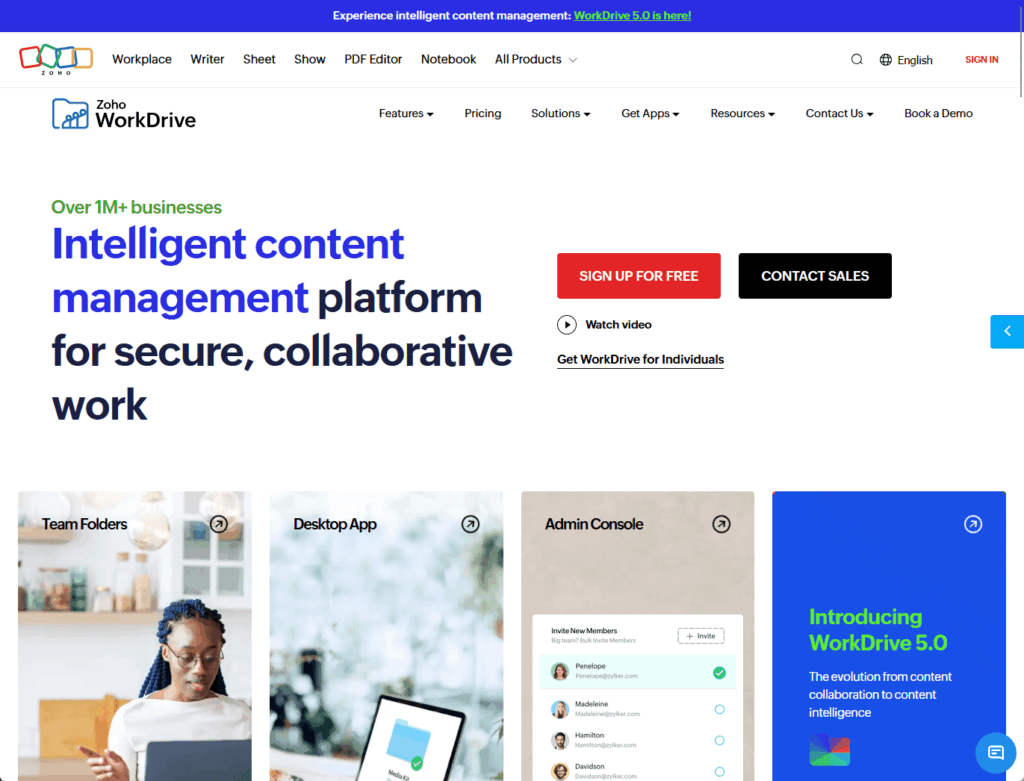
Those are heavily focused on 3 things:
- Automation
- AI
- Security
If you want an easy setup, especially if your team already lives inside, Projects, or even uses Outlook, WorkDrive just makes sense.
Everything connects: create, share, and manage documents in a single place, and all your files link up smoothly with the system.
The new no-code workflow builder lets your team set up document reviews, approvals, or routing, just drag, drop, and go.
Zia, Zoho’s built-in AI, steps it up by;
- Summarizing long documents
- Transcribing audio and video (even with searchable timestamps)
- Surface insights from across your whole library (soon)
Less manual work, faster onboarding, and smarter management, which is great for fast-growing teams that can’t wait on IT.
Security is also top-tier for SMBs, with these top features:
- New data loss prevention (DLP) policies that automatically spot sensitive data
- Limit sharing or downloads
- Customizable watermarking gives extra control for confidential work
- Folder permissions are now more granular
The interface? Clean, intuitive, and actually enjoyable to use.
Setting up users or folders takes minutes, and features like Index view and Link hub make sharing easy.
For growing teams needing AI, automation, and Zoho integration without complex IT, WorkDrive is a breath of fresh air.
Here’s where it gets interesting.
Now that you know the basics, let’s compare these platforms where it really matters — day-to-day team collaboration.
Platform Usability & User Experience
SharePoint is packed with features and customization, but the setup can be challenging, especially for newcomers.
The learning curve is real:
- Complex permissions
- Tons of settings
- That classic “enterprise” vibe
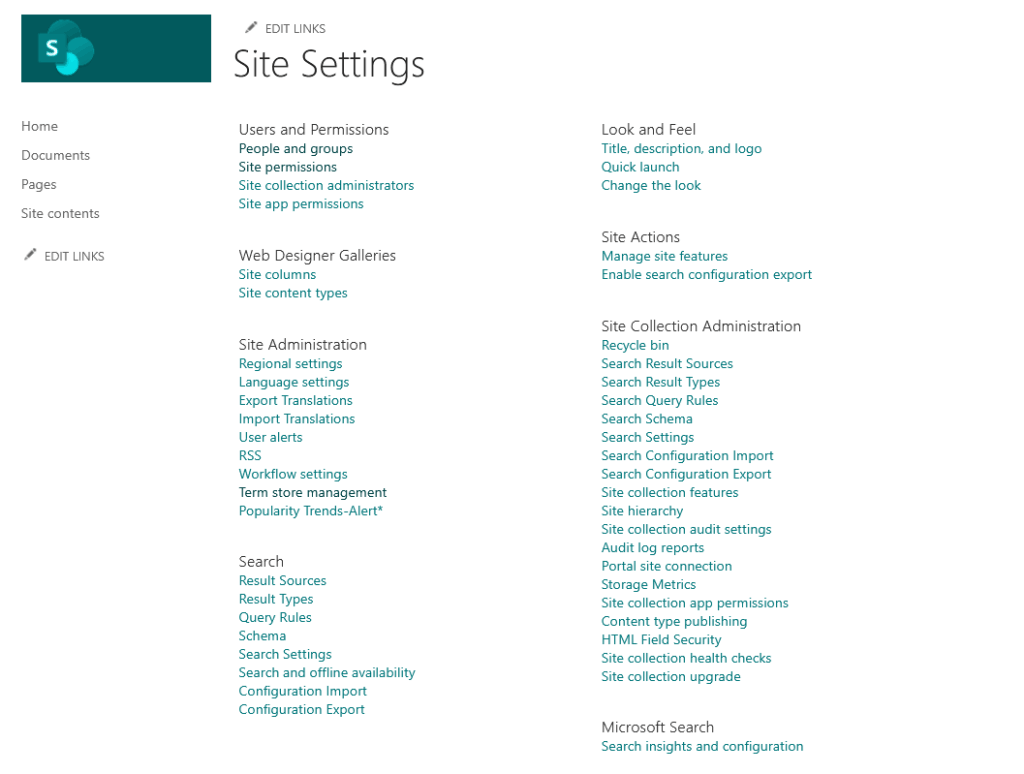
Fortunately, SharePoint lets you create everything from document libraries to massive, customized intranet portals.
If your organization needs total control and flexibility, and you’ve got IT support, it really shines.
Zoho WorkDrive, on the other hand, is built for simplicity.
Its clean, modern interface means anyone can dive in fast, no IT department or long training needed.
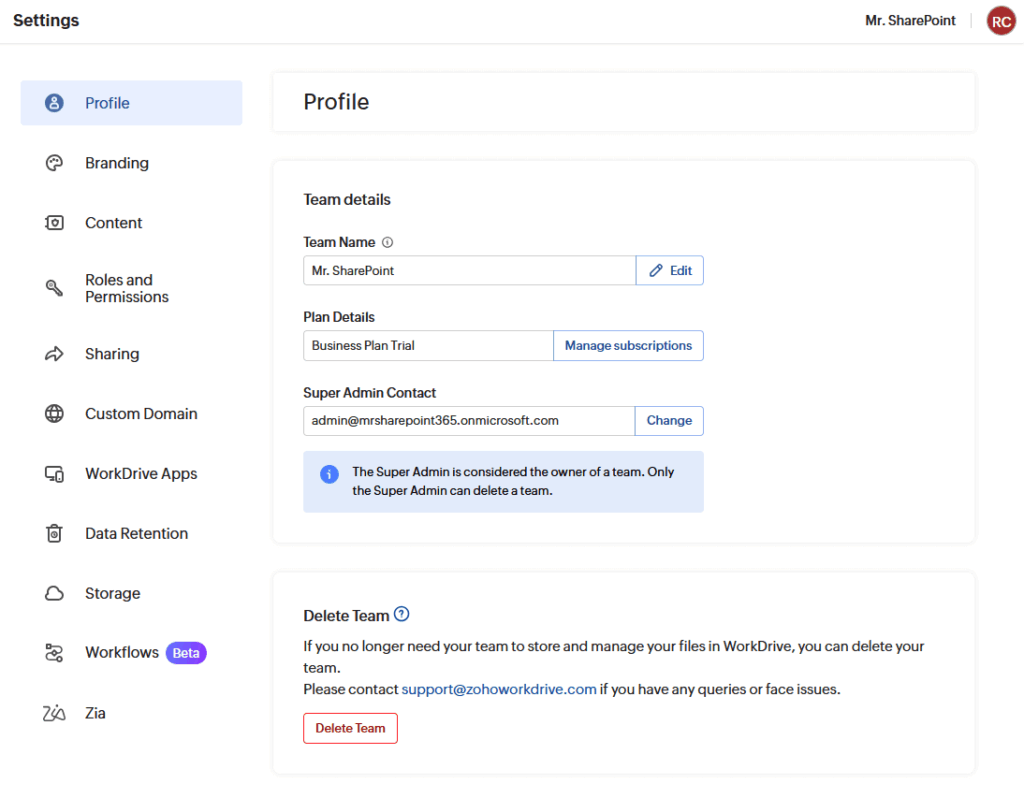
It’s easy to see how easy the navigation is, how quick it is to onboard new people, and how hassle-free file sharing feels.
With Zia AI-powered search, handy mobile apps, desktop sync, and real-time co-editing, day-to-day teamwork just works.
Even if your team isn’t made up of tech experts.
| SharePoint | Zoho WorkDrive | |
| Setup | Complex, IT required | Fast, no IT needed |
| Interface | Enterprise, customizable | Clean, modern |
| Mobile & desktop | Yes | Yes |
| Real-time editing | Yes | Yes |
| Best for | Deep control, customization | Simple, quick teamwork |
Bottom line:
- If you want big-time customization and you’re ready to invest time in setup and training, SharePoint delivers.
- For most teams, Zoho WorkDrive’s easy setup, intuitive design, and focus on speed make it the better pick for pure usability.
Collaboration Features
Both of them has great collaboration features like co-authoring, adding comments, sharing files, etc.
With SharePoint, you get Office web apps like Word, Excel, and PowerPoint for true live editing.
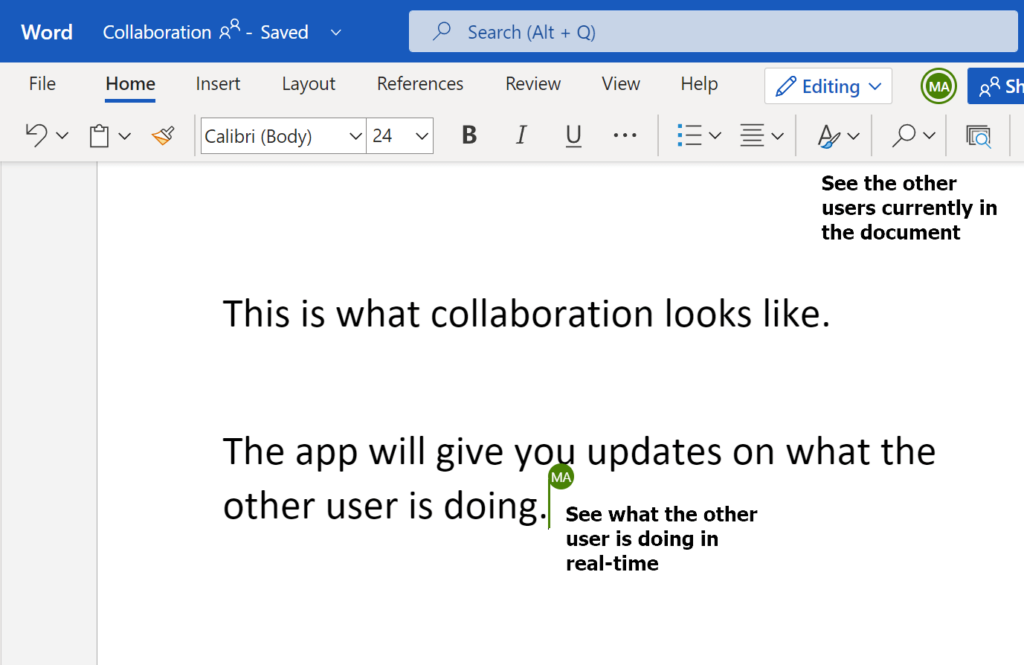
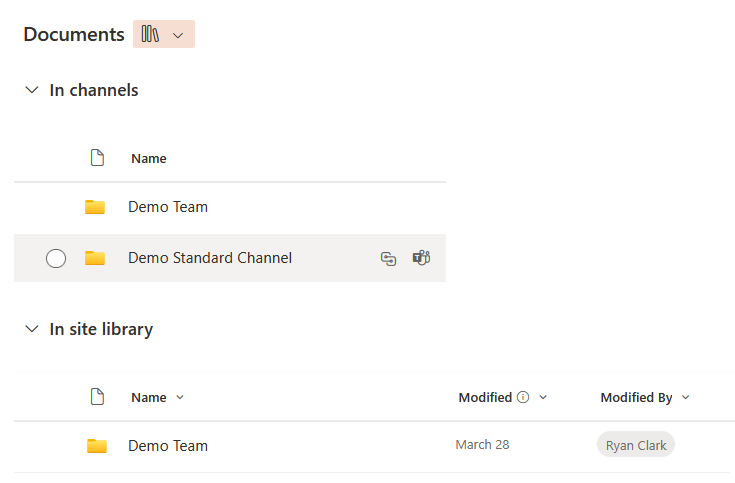
Teams integration is deep:
Files shared in Teams are saved to SharePoint, making collaboration smooth and notifications seamless.
Meaning, there’s less chance of files getting lost.
For larger teams, SharePoint lets you build custom workflows and connect projects with other Microsoft apps.
Zoho WorkDrive brings all the real-time basics too.
You can co-edit in Zoho Writer, Sheet, and Show, add in-app comments, and manage feedback easily.
Where WorkDrive stands out is external sharing, as you can invite clients or freelancers using:
- Secure links
- Set link expirations
- Add password protection
- Require OTP authentication
- Limit downloads
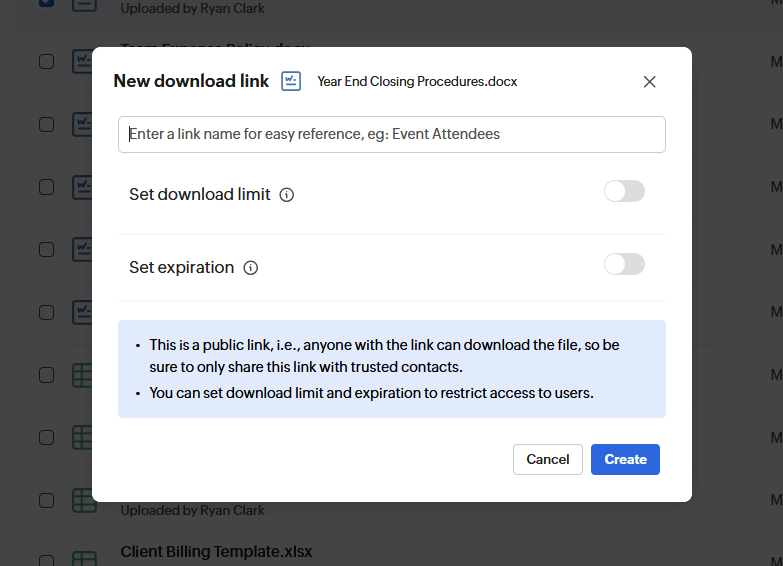
You also get to track exactly who accessed your files.
Approval flows and file requests keep projects moving, and clear activity tracking help keep projects on track with less follow-up.
| Feature | SharePoint | Zoho WorkDrive |
| Real-time co-editing | Yes (Office web apps) | Yes (Zoho Writer, Sheet, Show) |
| Comments & feedback | Yes | Yes |
| Notifications | Yes | Yes |
| Teams integration | Deep integration | Not native, but available via Zoho Flow/Zapier |
| Custom workflows | Power Automate, Microsoft apps | Built-in, no-code approvals |
| External sharing | Basic, with controls | Advanced (passwords, expirations, OTP, tracking) |
| Permission management | Granular, but complex | Granular, easy to manage |
| Activity tracking | Yes, audit logs | Yes, clear and simple |
Summary:
- SharePoint is your pick if you want tight Office and Teams integration or need custom workflow automation.
- If your team needs external collaboration or detailed sharing controls, WorkDrive makes it easy.
AI & Automation
SharePoint’s Copilot goes beyond just answering questions.
Among its capabilities, it can:
- Find documents
- Create summaries in Word
- Suggest next steps by pulling info from all your Microsoft 365 apps
Need a presentation, a draft email, or the latest project update? Copilot brings it right up.
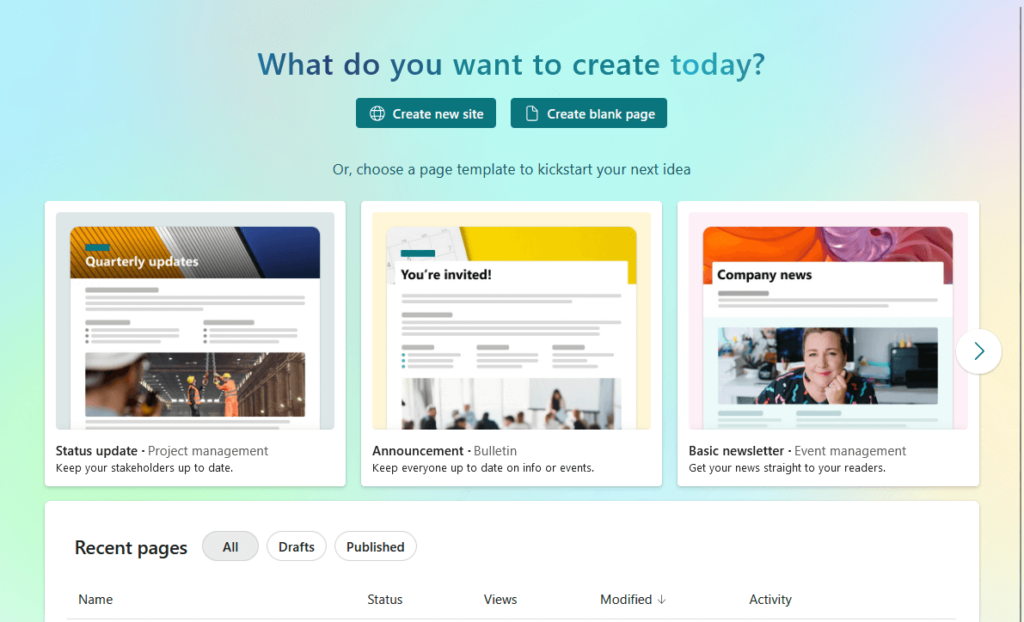
It handles routine tasks, supports custom workflows, and keeps files organized with version control and compliance.
Zoho WorkDrive’s Zia AI is all about making work easier.
Zia gives you:
- Smart summaries
- Transcribes audio and video (with clickable timestamps)
- Powers an AI search that understands what you need
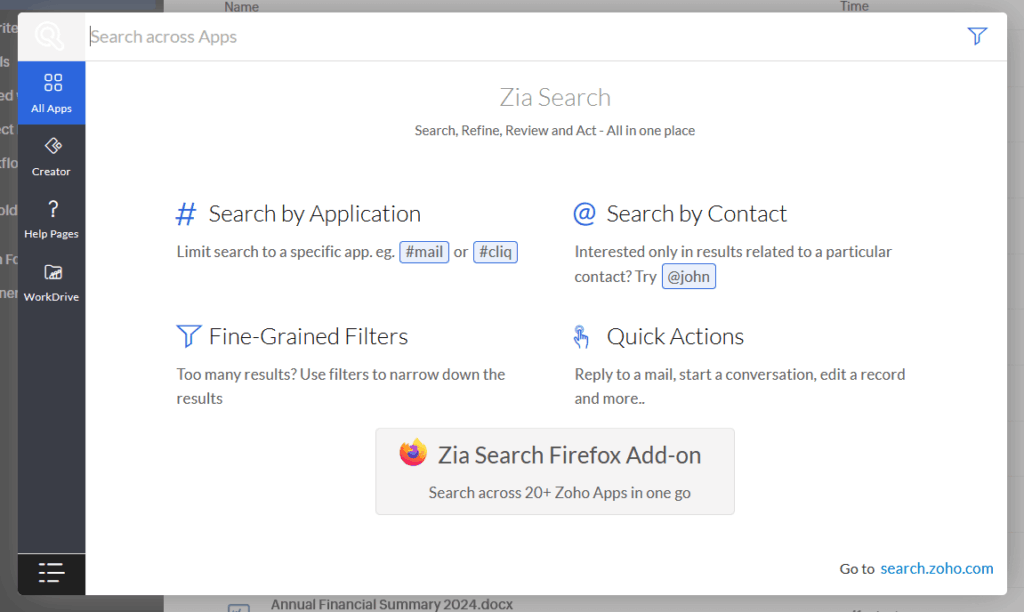
The no-code workflow builder means anyone can automate approvals, reviews, or file routing without IT.
This means faster processing, less repetitive work, and more time for your team to focus on what matters.
| Feature | SharePoint Copilot | Zoho WorkDrive Zia |
| AI-powered summaries | Yes (Word, Office files) | Yes (all document types) |
| Suggests next steps | Yes | No |
| Finds documents | Yes (across Microsoft 365) | Yes (AI-powered search) |
| Automates workflows | With Power Automate | With no-code builder |
| Transcribes audio/video | No | Yes (with timestamps) |
| Compliance & versioning | Advanced (Purview, DLP, labels) | Basic |
| Easy for non-IT users | Some setup required | Yes, very user-friendly |
Bottom line:
Both platforms use AI to save you time:
- SharePoint shines with suggestions and compliance tools
- WorkDrive wins for user-friendly automation, transcription, and smart search
Integration & Extensibility
If you use Microsoft 365, SharePoint works well with the tools you already have.
It connects with Teams, Outlook, Power Automate, Power BI, and others in one place.
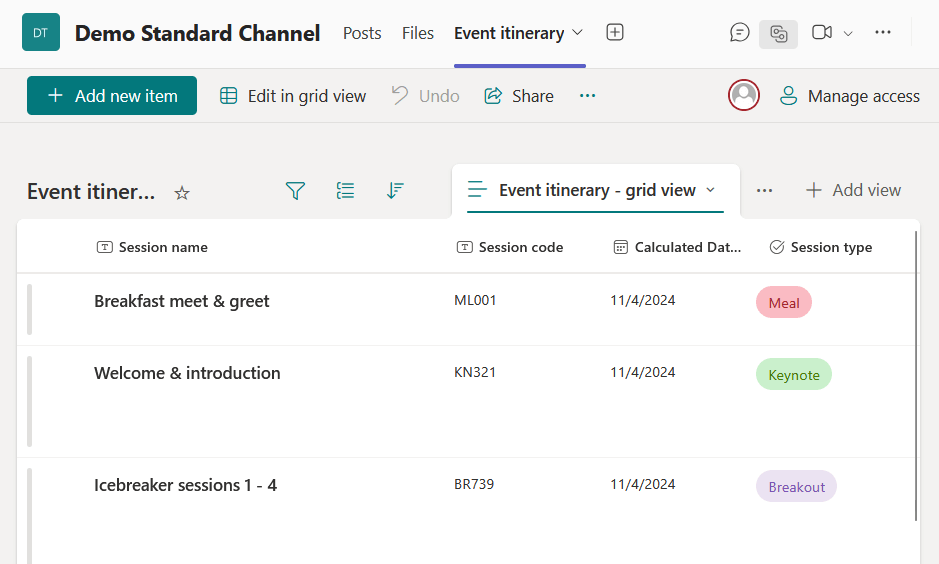
You can add thousands of third-party apps from the Microsoft marketplace.
If you want to show a Power BI dashboard, automate tasks, or build something custom, SharePoint supports it without extra work.
As for Zoho WorkDrive, it’s built to fit with other Zoho products.
It connects with Zoho CRM, Projects, Mail, Bigin, and Marketing Plus, making it easy to move files between tools.
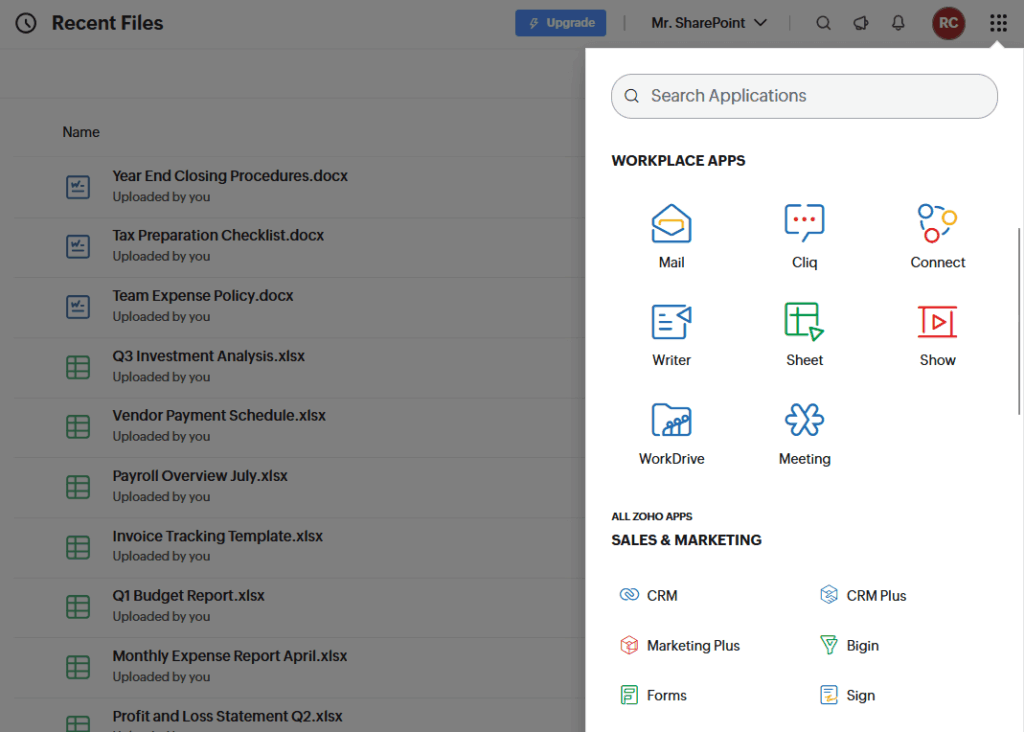
Zoho Flow lets you link WorkDrive to more than 1,000 apps, including Microsoft Teams, Google Workspace, and Slack.
For most small businesses, WorkDrive handles integration needs with little setup and no special IT help.
| Feature | SharePoint | Zoho WorkDrive |
| Native integrations | Teams, Outlook, Power Platform | Zoho CRM, Projects, Mail, etc. |
| Third-party apps | Thousands via Microsoft Marketplace | 1,000+ via Zoho Flow, Zapier |
| Custom automations | Power Automate, SharePoint Framework | No-code with Zoho Flow |
| Embedding dashboards | Power BI on SharePoint pages | Zoho Analytics, others via Flow |
| Sync with outside platforms | Yes (many options) | Yes (Teams, Google, Slack, etc.) |
| Best for | Microsoft-centric, advanced needs | Zoho users, easy integration |
In short:
- SharePoint is best for teams using Microsoft 365 or needing custom integrations.
- Zoho WorkDrive is a good fit for businesses using Zoho apps and looking for simple, wide integration.
Security & Compliance
Both platforms have strong security, but they take different approaches.
SharePoint (Microsoft 365) uses enterprise-level encryption (AES-256 for stored data, secure TLS for data in transit).
You can set up your own encryption keys if needed.
Multifactor authentication comes standard with Microsoft Entra ID, and Microsoft covers a wide range of compliance standards:
- ISO 27001
- SOC
- HIPAA
- GDPR

SharePoint gives you detailed permission settings, audit logs, compliance tools, and eDiscovery for legal issues.
Microsoft Purview adds data loss prevention, which helps block sharing of sensitive information like credit card numbers or health records.
This makes SharePoint a solid choice for industries with strict rules, like finance, healthcare, and government.
Zoho WorkDrive also offers strong security.
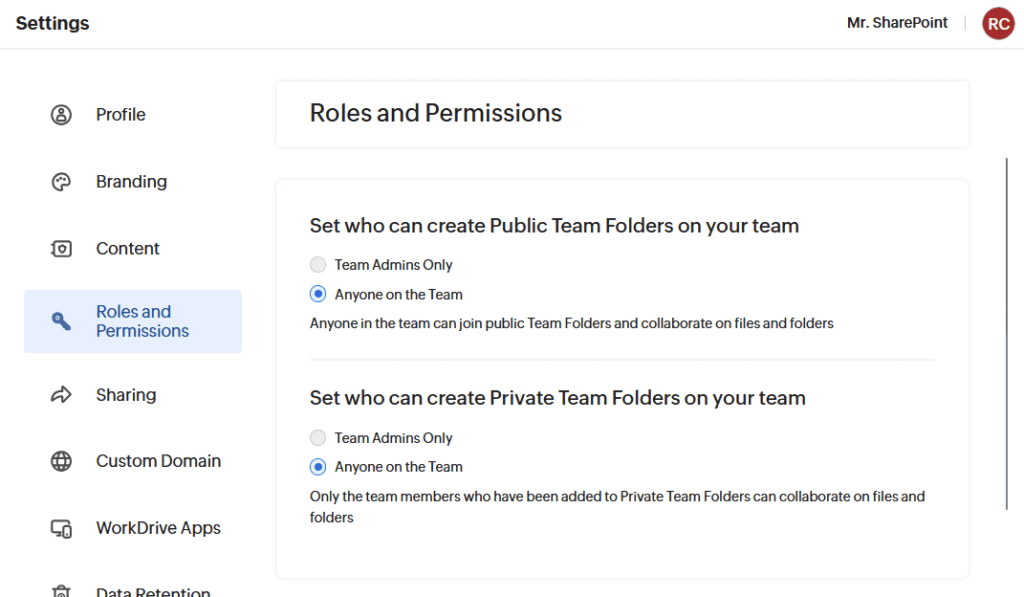
It uses:
- AES-256 encryption at rest
- Perfect Forward Secrecy for data transfers
- Two-factor authentication for all users
WorkDrive meets ISO 27001 and SOC 2 Type II standards, with HIPAA available for some customers.
As I have explained earlier, WorkDrive 5.0 adds:
- Data loss prevention tools
- Policy-based access control
- Watermarking
- Folder permissions
- Link expiration
So you can manage who sees and shares files without needing a big IT team to use these features.
Zoho also focuses on physical and operational security at their data centers, and is open about its privacy practices.
| Security & Compliance | SharePoint (Microsoft 365) | Zoho WorkDrive |
| Encryption | AES-256 at rest, TLS in transit, tenant keys | AES-256 at rest, Perfect Forward Secrecy |
| Multifactor authentication | Yes (Microsoft Entra ID) | Yes (all users) |
| Compliance certifications | ISO 27001, SOC, HIPAA, GDPR, more | ISO 27001, SOC 2 Type II, HIPAA* |
| Data loss prevention (DLP) | Advanced, built-in with Microsoft Purview | Included, blocks risky sharing |
| Permissions | Granular, enterprise-level | Folder-level, easy controls |
| Audit logs | Unified, advanced dashboards | Activity tracking, simple reports |
| eDiscovery & legal holds | Yes, built-in | Not included |
| Watermarking | No (via third-party) | Yes, built-in |
| Link expiration | Yes | Yes |
| Best for | Regulated industries, enterprises | SMBs, easy setup |
In summary:
- If you work in a highly regulated field, choose SharePoint.
- For everyone else, WorkDrive should be secure enough without the added complexity.
Storage, Pricing & Scalability
SharePoint (Microsoft 365) uses a pooled storage system.
You start with 1 TB, plus 10 GB for each user. For example, 100 users means 2 TB total.
All storage is shared, so teams can use what they need.
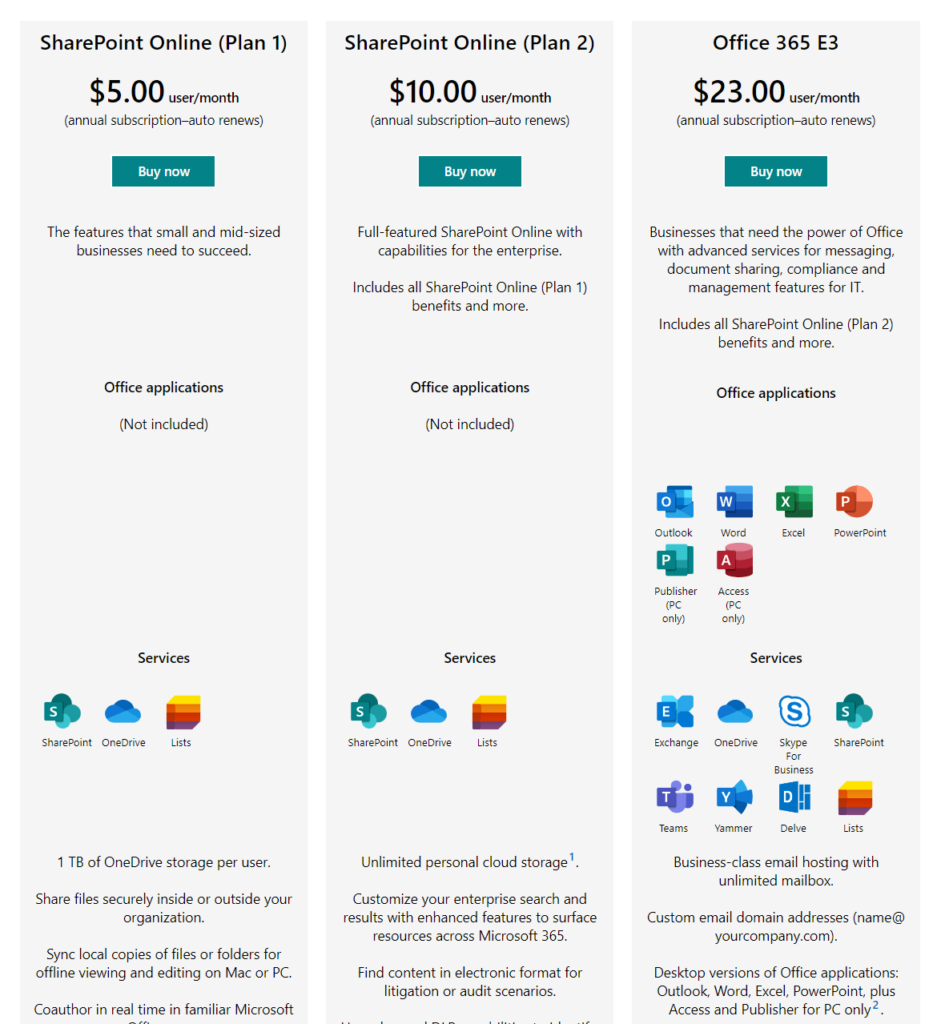
If you need more, admins can buy extra storage in 1 GB steps, up to 25 TB per site.
For most companies, SharePoint is included in the cost of your Microsoft 365 plan (so there are no surprise fees).
It’s made to handle both small and very large organizations.
Zoho WorkDrive also pools storage by team, which works well for small groups with big storage needs.
- The Starter plan gives 1 TB for up to 10 users (plus 100 GB for each additional user).
- The Team plan gives 3 TB (+300 GB/user), and the Business plan gives 5 TB (+500 GB/user).
Prices start at about $2.50 per user per month.
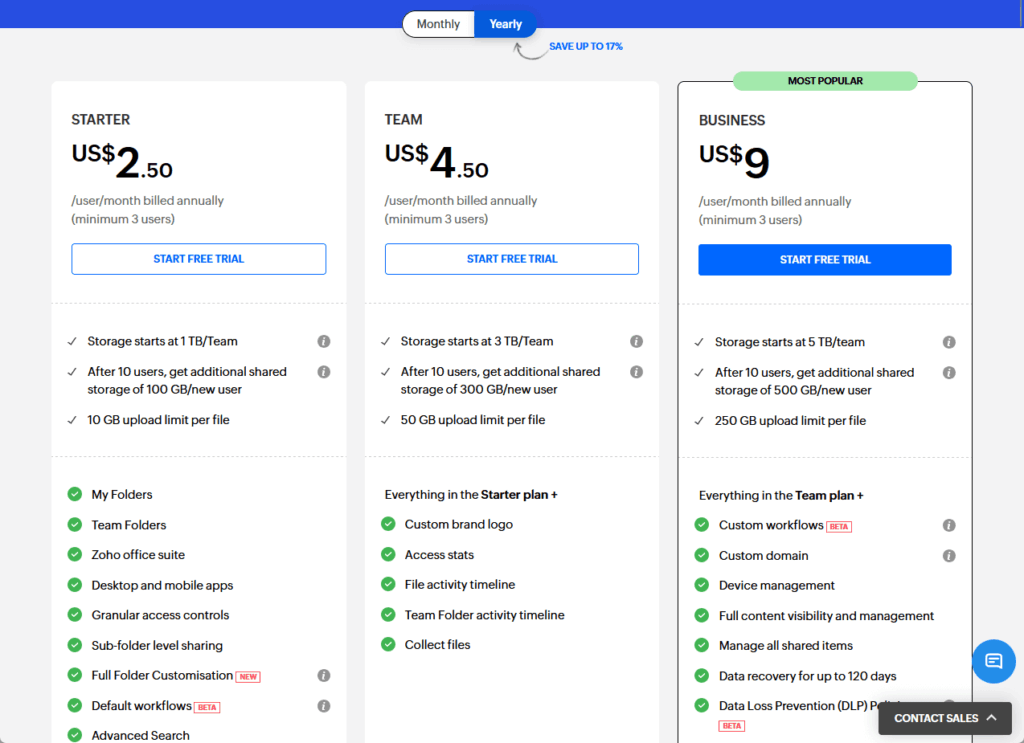
You get a lot of storage for the price, and upload limits are high — up to 250 GB per file on the largest plan.
This setup is good for teams working with large files, like creative or design groups, who don’t want to pay for storage they don’t use.
| Feature | SharePoint (Microsoft 365) | Zoho WorkDrive |
| Storage model | 1 TB base + 10 GB per user (pooled) | Team-based, pooled (varies by plan) |
| Example starting storage | 2 TB for 100 users | 1 TB (Starter), 3 TB (Team), 5 TB (Business) |
| Extra storage | Buy in 1 GB increments | Adds per user, upgrade plans as needed |
| Per-file upload limit | Up to 250 GB per file | 10 GB up to 250 GB (plan dependent) |
| Pricing | Included in Microsoft 365 plans | From ~$2.50/user/month |
| Best for | Large enterprises, bundled Microsoft users | SMBs, teams needing lots of storage |
| Scalability | 25 TB per site, built for thousands of users | Scales with team, good for creatives |
In short:
- SharePoint suits large businesses that need storage to grow as they add users and want everything included with Microsoft 365.
- Zoho WorkDrive is better for small and midsize teams who need lots of space, large upload limits, and clear, affordable pricing.
SharePoint is great for companies with strict security and compliance needs.
It’s built for large organizations and connects closely with other Microsoft 365 apps.
| Strengths | Weaknesses |
| Strong security and detailed permissions | Can be complex for small teams |
| Meets top industry compliance standards (ISO, HIPAA, GDPR) | Steep learning curve without IT support |
| Works seamlessly with Teams, Outlook, and Microsoft apps | Many features may go unused for basic file sharing |
| Can be used in the cloud, on-premises, or both |
Zoho WorkDrive: Strengths & Weaknesses
Zoho WorkDrive is designed for small to midsize businesses that want something simple and affordable.
It’s especially useful if you already use other Zoho apps.
| Strengths | Weaknesses |
| Easy to use and quick to set up | Fewer advanced compliance tools for big companies |
| Team-based pooled storage, affordable pricing | Limited third-party integration |
| Works well with other Zoho products | Cloud only—no on-premises option |
But there are trade-offs
SharePoint can feel complicated for small teams.
That’s because of the features that might go unused and a learning curve that’s steep if you don’t have an IT person.
For some nonprofits or smaller businesses, it’s simply more than you need for basic file sharing or project work.
WorkDrive is much simpler.
But it may not be enough for very large organizations that need advanced compliance or deep integration with other tools.
And since WorkDrive is cloud-only, you can’t run it on your own servers.
Here’s a side-by-side comparison:
| Feature | SharePoint | Zoho WorkDrive |
| Security & Compliance | Advanced, industry-certified | Good, but fewer advanced tools |
| Integrations | Deep with Microsoft 365 | Best with Zoho, some third-party |
| Setup & Ease of Use | Complex, IT help often needed | Simple, user-friendly |
| Storage Model | Pooled, scales with user count | Team-based, flexible, affordable |
| Deployment Options | Cloud, on-premises, or both | Cloud only |
| Best For | Large or regulated organizations | Small/midsize teams, Zoho users |
Real-World Use Cases
If you’re still not sure where you stand:
Microsoft-centric companies
SharePoint is a no-brainer.
If your daily tools are Teams, Outlook, and Office, SharePoint acts as the content backbone for your organization.
Build custom portals, automate workflows, and connect teams across the business — it’s all natively integrated and just works.
Zoho-centric teams, startups, and agencies
WorkDrive is often the smarter fit.
It’s affordable, easy to manage, and ties directly into Zoho CRM, Projects, Desk, and more.
Setup is a breeze, so agile teams and agencies can focus on results, not on admin headaches.
Highly regulated industries
SharePoint takes the compliance trophy.
Especially with advanced governance, DLP, eDiscovery, and a long list of certifications (HIPAA, FedRAMP, SOX, GDPR).
It’s ideal for healthcare, finance, law, or any industry where regulatory risk is high.
Creative and media teams
WorkDrive allows large file uploads, up to 250 GB per file on Business plans, and makes it easy to share files outside your team.
You can upload videos, design files, or high-resolution graphics without extra fees or complicated limits.
Collaboration on big files is simple.
Conclusion
Here’s the bottom line:
- SharePoint is your go-to for enterprise power, Microsoft 365 synergy, and serious compliance. If you’re managing large projects, sensitive documents, or need robust automation, you can’t go wrong with SharePoint, especially if you’re already invested in Microsoft tools.
- Zoho WorkDrive is perfect if you want something simple, modern, and cost-effective, especially if you’re all-in on Zoho. For small businesses, startups, and creative teams, WorkDrive makes collaboration painless and affordable.
Pick the tool that matches your team’s workflow, not just the one with the most features.
At the end of the day, collaboration is about making work easier, not harder.
And whichever platform you choose, the right setup will help your team stay productive, connected, and ready for whatever comes next.
Anyway, do you have any questions about which platform to use with your team? Let me know!
For any business-related queries or concerns, contact me through the contact form. I always reply. 🙂




























