

Table of Contents:
- Why Compliance Is Critical
- Top Practices for Microsoft 365 Compliance
- 1. Run a Compliance Assessment with Microsoft Purview Compliance Manager
- 2. Enforce Least-Privilege Access with Entra PIM
- 3. Classify and Label Data Effectively
- 4. Apply Lifecycle and Records Management
- 5. Deploy Adaptive Data Loss Prevention (DLP)
- 6. Operationalize Insider Risk Management and Communications Compliance
- 7. Modernize eDiscovery and Legal Holds
- 8. Review Compliance and Secure Scores Regularly
- Understanding Compliance Frameworks
Last Updated on July 15, 2025
Are you prepared for the compliance changes in Microsoft 365?
In this guide, let’s talk about the latest, practical practices to help your business stay audit-ready today.
Let’s get started.
Why Compliance Is Critical
Compliance is a serious business requirement.
Whether you’re in healthcare, finance, or any other regulated industry, you know regulators are only getting stricter.
The risks?
Fines, lawsuits, reputation hits, and even operational shutdowns if you drop the ball.
The pressure is even higher thanks to evolving regulations like:
- HIPAA’s recent updates
- The expansion of GDPR in the EU
- Emerging cybersecurity mandates worldwide
Microsoft 365 is at the heart of daily business for millions of organizations.
This means the platform you use to share, store, and process information is now a frontline tool in your compliance arsenal.
Microsoft has invested significantly in developing tools like Microsoft Purview (the evolution of Microsoft Compliance Center).
And they’re continually rolling out new features to help you meet and prove compliance.
Sign up for exclusive updates, tips, and strategies
Top Practices for Microsoft 365 Compliance
Microsoft 365 offers powerful tools to help you meet modern compliance demands.
Here’s how to put them to work in your organization.
1. Run a Compliance Assessment with Microsoft Purview Compliance Manager
Getting compliant and staying that way doesn’t have to be overwhelming, but you do need to be proactive.
Always start by running a full compliance assessment using Microsoft Purview Compliance Manager.
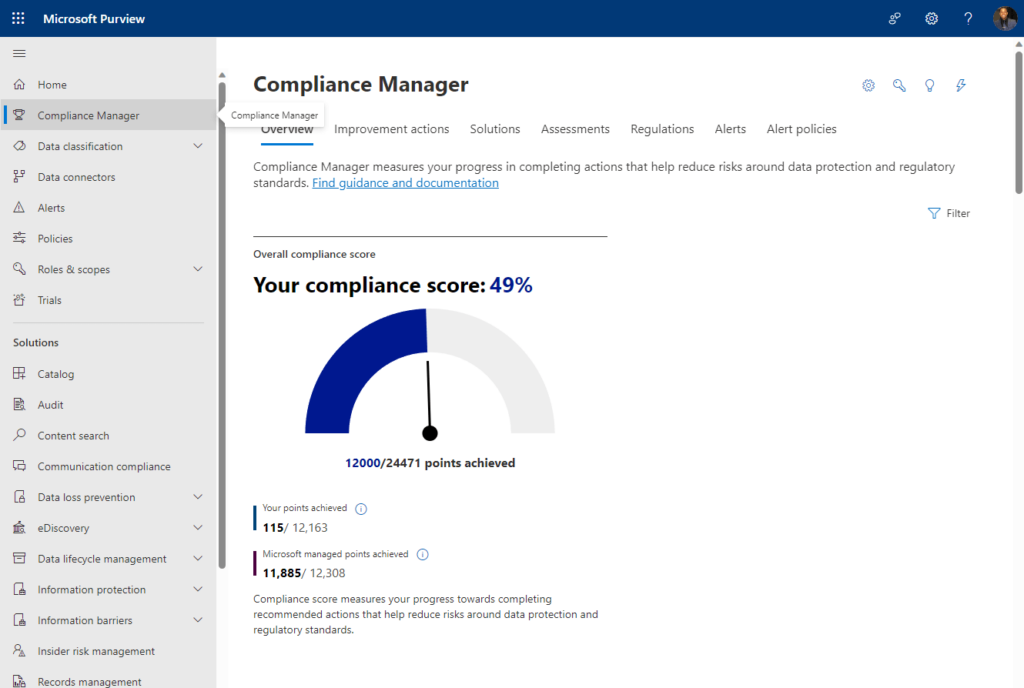
This built-in tool, included at no extra cost for Microsoft 365 business customers, can:
- Evaluates your tenant’s configuration
- Assign a risk-based compliance score
- Benchmarks your posture against hundreds of global, regional, and industry standards
Think GDPR, NIST, ISO, FedRAMP, DORA, the new EU AI Act, and more.
It automatically scans your settings and policies, then highlights gaps with detailed, step-by-step improvement actions.
What’s really valuable:
It clearly separates which controls are Microsoft-managed and which fall on you, so there’s no confusion about next steps.
Plus, the tool is continuously updated with the latest regulatory templates and features as new laws roll out. 🙂
2. Enforce Least-Privilege Access with Entra PIM
Your next move should be enforcing least-privilege access across your Microsoft 365 environment.
Microsoft Entra Privileged Identity Management (PIM) makes this not just possible, but practical.
This enables you to assign admin roles only when needed (for a set time) so users have elevated access just when required.

This drastically reduces your exposure from standing admin accounts, which are a favorite target for attackers.
In addition, PIM lets you:
- Require multifactor authentication (MFA) whenever someone activates a privileged role
- Add approval workflows or require users to provide a business justification
Once the activation window expires, access is automatically revoked, no manual cleanup required.
Make it a best practice to regularly review who has eligible admin rights and remove any access that isn’t strictly necessary.
Microsoft is also pushing all customers to enforce mandatory MFA for every admin action in Entra and Microsoft 365 portals.
This closes the door on simple attacks and keeps your environment protected.
3. Classify and Label Data Effectively
Once access is secured, the next priority is truly understanding and classifying your data.
Microsoft Purview Information Protection gives you both pre-trained and custom, trainable classifiers.
That’s with automated labeling that tags sensitive files and emails on the device, before they leave a user’s environment.
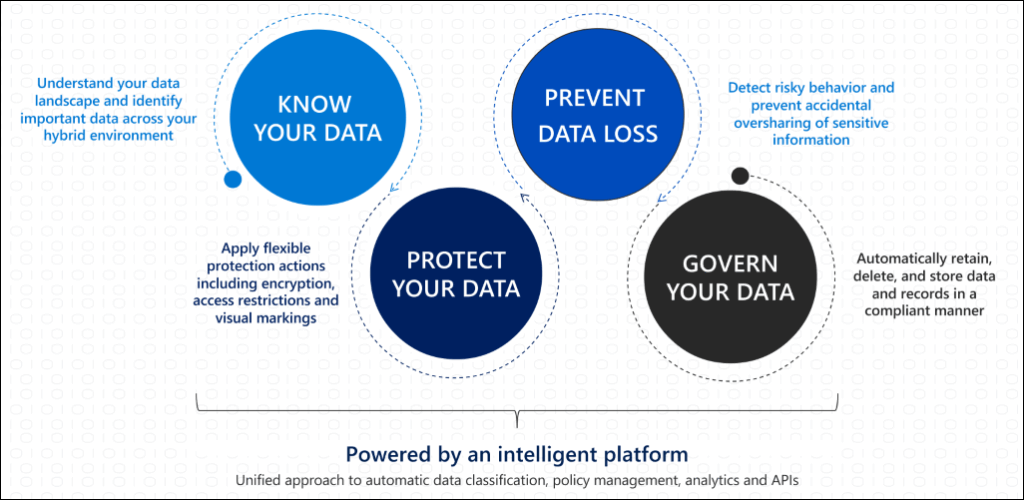
You can auto-apply sensitivity labels in Word, Excel, PowerPoint, and Outlook based on a document’s content, not just its location.
However, don’t settle for the default labels.
Take time to define your own sensitivity labels and make sure they actually match your business needs (public, internal, etc.)
Clear, relevant labels mean users will apply them, and compliance gets easier as your data moves in/out of your organization.
4. Apply Lifecycle and Records Management
Use Data Lifecycle Management to automatically apply retention policies and labels across all your Microsoft 365 content.
Aside from applying policies broadly, you can use auto-labeling rules to tag and manage content automatically, based on:
- Trainable classifiers
- Sensitive info types
- keywords
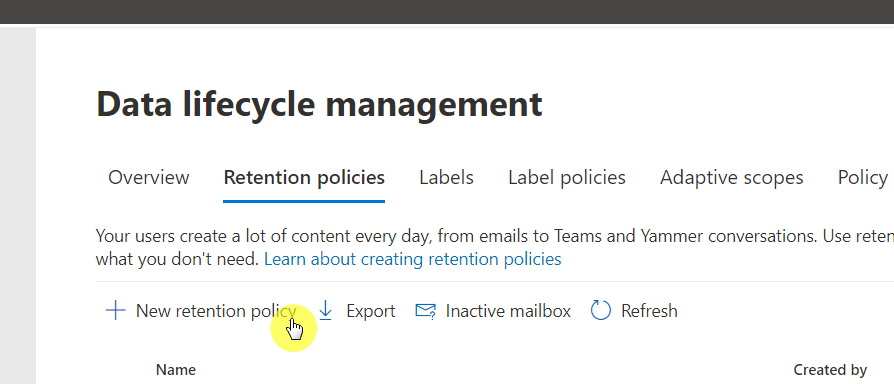
For high-value content, you can declare items as records, locking them down for audit trails and disposition reviews.
If you need to expedite removal of sensitive data, say, after a breach or policy change…
Purview now includes a Priority Cleanup feature (currently in public preview for Exchange mailboxes and subject to change).
What’s nice is that:
- It will let you permanently delete content, even overriding existing retention or legal holds
- It’s safeguarded by multi-stage approvals, role-based access, and full auditing
These tools help you match your retention strategy to new regulations, so old or risky data doesn’t stick around.
5. Deploy Adaptive Data Loss Prevention (DLP)
Data Loss Prevention isn’t just about setting rules to stop leaks, it’s about understanding context and risk in real time.
Purview’s Adaptive Protection uses risk scores and machine learning to adjust DLP policies for each user in real time.
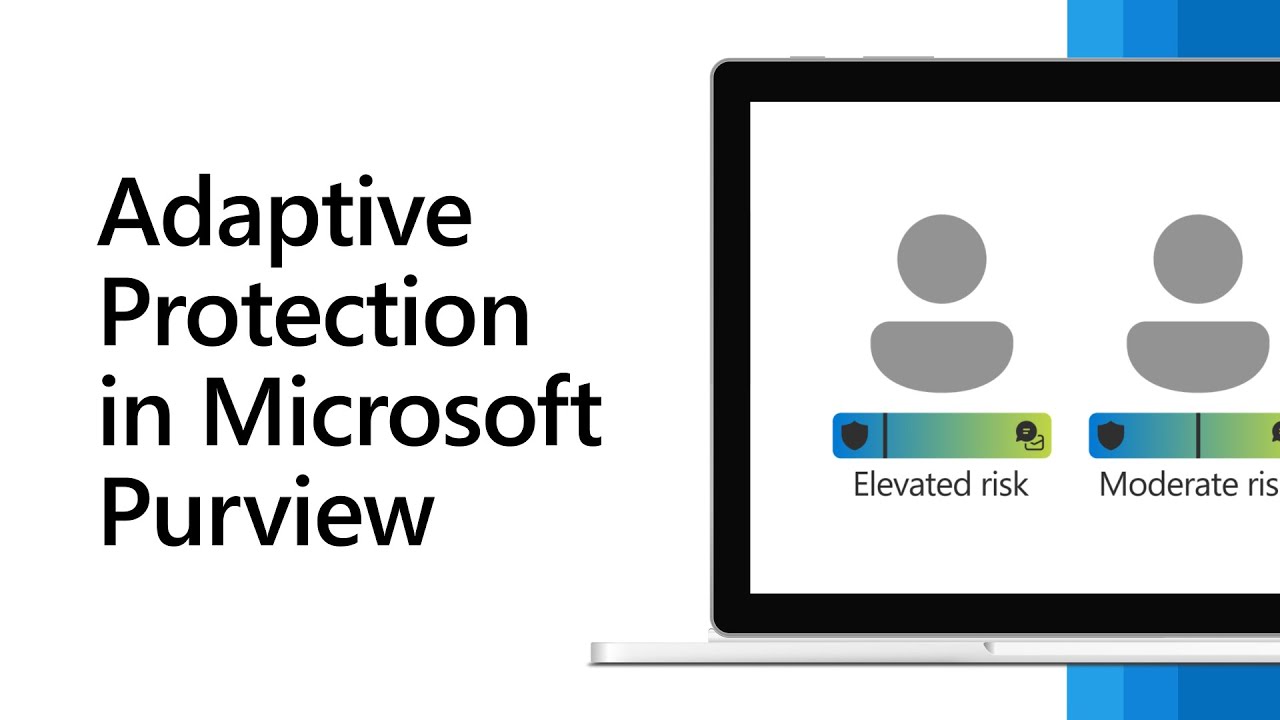
Purview can instantly tighten DLP controls, blocking actions like external sharing or file transfers.
This is great when someone’s risk level spikes, say, from unusual sharing, large downloads, or other risky behaviors.
Meanwhile, low-risk users work with fewer interruptions and only see minimal controls or audit-level monitoring.
This adaptive, real-time response is a huge improvement over traditional, one-size-fits-all DLP policies.
It cuts alert fatigue, focuses enforcement where needed, and keeps your team productive while protecting sensitive data.
6. Operationalize Insider Risk Management and Communications Compliance
To protect your data and reputation, go beyond blocking and monitor for insider risks and policy violations.
Start by defining exactly what “risky” behavior looks like in your environment:
- Mass downloads
- External sharing of sensitive files
- Even suspicious activity in messages and chats
Microsoft Purview Insider Risk Management lets you set policies that detect high-risk actions using specific indicators.

None of these are on by default, so it’s up to your admins to turn on the right ones for your business.
But the goal isn’t to create a punitive culture or drown your team in false alarms.
Instead, Purview creates alerts and cases, so your team can investigate and respond before issues become major incidents.
Communications Compliance works the same way.
It monitors Teams, email, and other channels, flagging data leaks or policy violations for review, not just blocking.
7. Modernize eDiscovery and Legal Holds
Microsoft Purview now offers a unified eDiscovery portal.
Here’s what you can do in the new “Cases” experience:
- Streamline legal holds
- Search content across mailboxes, SharePoint, OneDrive, and Teams
- Communicate with custodians
- Track case activity from one dashboard
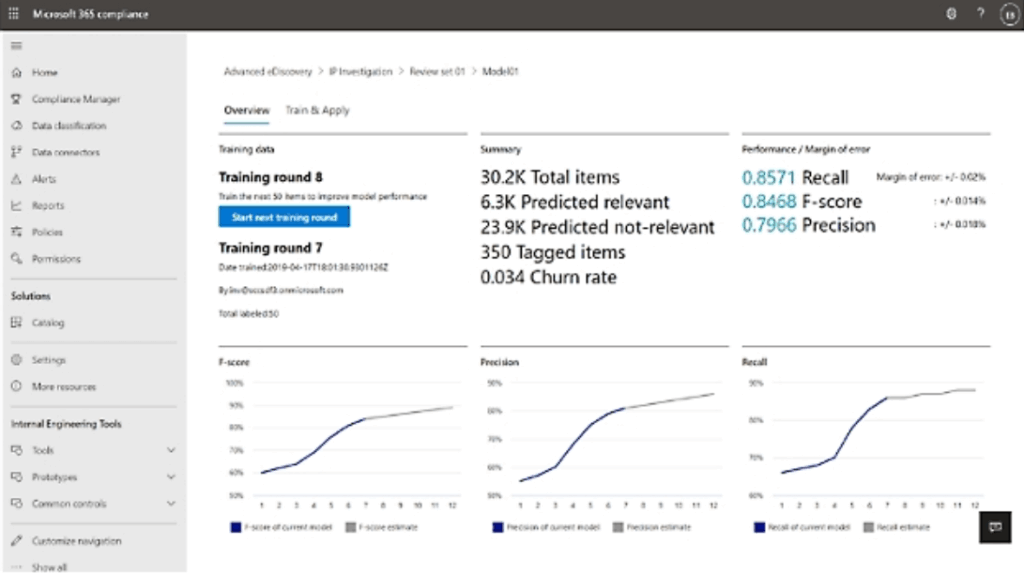
This centralized approach lets you manage every step of eDiscovery, no matter your license level.
As part of this modernization, Microsoft retired the following features:
- Classic Content Search and eDiscovery Standard experiences
- Related PowerShell export commands
Make sure to update scripts and automations to use the new Purview UI and Microsoft Graph eDiscovery APIs for exports.
Using the latest tools keeps you compliant and also makes legal discovery faster, more transparent, and easier to manage.
8. Review Compliance and Secure Scores Regularly
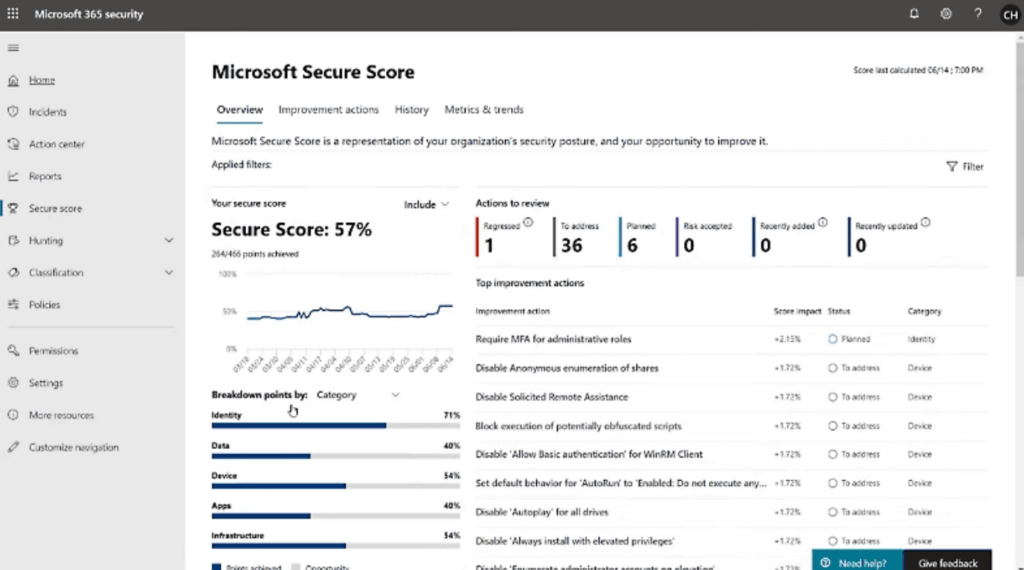
Make it a monthly habit to review both Microsoft 365 Secure Score and Compliance Score.
Quick-win actions surfaced by dashboards:
- New recommendations for security and compliance
- Highlighted actions many organizations overlook
- Easy ways to improve your scores over time
- Tactics to help you stay ahead of evolving threats and regulations
And don’t forget about training.
Microsoft offers a growing series of free “Ninja” training modules for areas like:
- Purview Information Protection
- DLP
- eDiscovery
- Insider Risk Management
Well, technically, they’re not formal certifications.
But these regularly updated modules are great for onboarding new team members or upskilling staff.
Building this kind of ongoing learning into your compliance routine ensures your team stays sharp as Microsoft 365 evolves.
Understanding Compliance Frameworks
Most organizations must comply with at least one major framework, and many handles several at once.
The most common examples include:
- GDPR (for handling EU personal data)
- HIPAA (for healthcare and patient data)
- ISO/IEC 27001 (for information security)
- NIST 800‑53 (for U.S. federal systems and contractors)
Each framework comes with its own requirements.
But the good news is that Microsoft 365, with Microsoft Purview, provides the tools you need to address them all.
When regulators or auditors come calling, you will be ready to demonstrate not just compliance, but confidence.
Do you have any questions about the best practices for compliance in Microsoft 365? Let me know.
For any business-related queries or concerns, contact me through the contact form. I always reply. 🙂




























