Microsoft 365 Consulting Services That Work
Microsoft 365 consulting services help organizations improve governance, adoption, automation, and ROI with practical guidance built for results.
Microsoft 365 Consulting Services That Work Read More »

Microsoft 365 consulting services help organizations improve governance, adoption, automation, and ROI with practical guidance built for results.
Microsoft 365 Consulting Services That Work Read More »
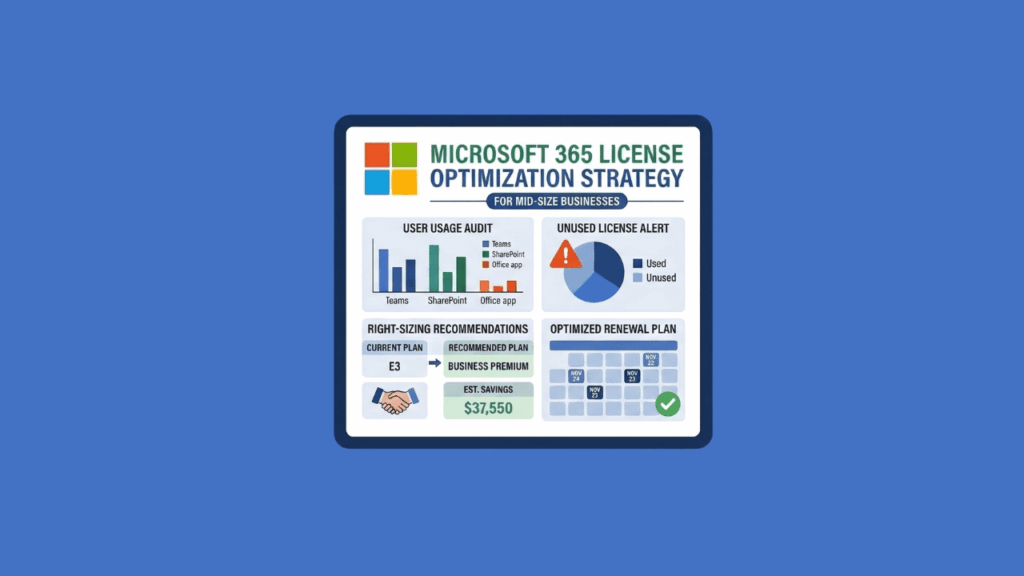
Most organizations are overpaying for Microsoft 365 and don’t know it. Fifty-six percent of enterprise licenses sit idle, unassigned, undersized, or oversized. It breaks down into four categories: On July 1, 2026, Microsoft’s price increases kick in: E3 licenses jump 8.3%, E5 rises 5.3%, and some frontline plans climb as much as 33%. This gives you a narrow window to right-size your M365 footprint and lock in better terms before renewal. By the way, this isn’t a tool roundup. For tool recommendations, I recommend you check out the best M365 license audit tools article. Why Most Organizations Are Overpaying for
How to Audit Microsoft 365 Licenses to Identify Waste and Reduce Costs Read More »
Your organization is already paying for Microsoft 365, and you likely have a capable project management layer sitting inside your tenant right now. Teams searching for Asana alternatives often miss this entirely, focusing on pricing per seat and feature checklists, when the answer might already be licensed and governable. I wrote this guide for IT managers, SharePoint admins, and operations leads to help you evaluate whether Asana is actually the right move, and whether you’re already paying for something that does the job. Why Teams Start Looking for Asana Alternatives Asana’s pricing has shifted significantly. In late 2023, the Business
Asana Alternatives for Team Management: An M365 Admin’s Honest Guide Read More »
Most IT admins don’t know how much M365 budget they’re wasting. 56% of enterprise M365 licenses fall into one of four categories: Native Microsoft tools won’t show you where the problem is. Microsoft is raising M365 prices on July 1, 2026. E3 goes up 8.3%, E5 climbs 5.3%, and some plans jump as much as 33%. If you’re renewing before that date, you can lock in today’s pricing. Why License Waste Is Worse Than Most Admins Realize 38% of enterprise software spend goes to unused or rarely used software on average. Microsoft 365 is no exception. 62% of companies faced
Best Microsoft 365 License Audit Tools for IT Administrators Read More »
Most organizations are overpaying for Microsoft 365, and the price increase is about to make that worse. Microsoft’s licensing lineup is broad and layered. Between Business plans, Enterprise tiers, and Frontline Worker SKUs, the options multiply fast. Add security add-ons, Copilot pricing, and annual price adjustments, and it’s easy to default to one-size-fits-all licensing instead of right-sizing your workforce. What’s Changing in July 2026 Microsoft is restructuring its M365 lineup with targeted price increases rolling in on July 1, 2026. Here’s what’s driving the changes: The price increases aren’t uniform. Business Premium doesn’t move at all, while Frontline Worker plans
The Complete Microsoft 365 Licensing Guide: Plan Comparison and 2026 Pricing Update Read More »
Smartsheet’s licensing changes are forcing a lot of organizations to take a step back and ask whether the platform still fits their needs. The new user subscription model introduces multiple seat types and ongoing reconciliation cycles, which means budgeting and governance just got more complicated. If you’re already standardized on Microsoft 365, you might not need to look outside your tenant at all. This is a practical comparison from the M365 perspective, built for IT managers, SharePoint admins, and operations leaders actually weighing their options. Why Organizations Are Moving Away from Smartsheet Smartsheet migrations are driven by governance costs, compliance
Smartsheet Alternatives for Project Tracking: An M365 Admin’s Honest Guide Read More »
Microsoft is raising M365 prices on July 1, 2026: If you have 500 employees on M365, this isn’t pocket change. Most mid-size organizations are already overpaying before the hike even hits. 56% of enterprise M365 licenses are inactive, underutilized, oversized, or simply unassigned. Organizations waste 20-35% of their M365 budget on licenses people don’t need. That’s real money leaving your budget every month for software nobody uses. The M365 License Waste Problem Mid-Size Businesses Can’t Afford to Ignore That 56% figure is worth sitting with. More than half of all M365 licenses fall into one of these categories: For a
Best Microsoft 365 License Optimization Strategies for Mid-Size Businesses Read More »
Finance automation isn’t about productivity hacks. It’s about building systems that survive audits, staff turnover, and year-end close. Most finance automation fails architecturally. Teams build flows without thinking about what happens when the creator leaves. They store invoice records in SharePoint Lists until close week, then performance collapses right when it matters most. Not everything needs enterprise infrastructure. But transactional data, stateful workflows, and audit requirements change the math. The patterns below range from foundational to enterprise-grade. Choose based on your maturity and risk tolerance. 1. Automated Contract Renewal Alerts with Lifecycle Tracking (Foundational) This pattern works without Dataverse, without
Best Microsoft 365 Automation Ideas for Finance Teams (That Actually Work) Read More »
Need to edit a Word document but don’t have the application handy? In this guide, I’ll show you the best free online options and help you choose the right tool for your situation. Let’s get started. What Are Your Options? The question hasn’t changed: “How do I edit a Word document online?” But the answer has evolved. Free online editing isn’t optional anymore. You’re on a borrowed laptop. Your team works across time zones. You need to edit without emailing file versions with “_final_v2” in the name. Here’s the central tension: free online Word editing reveals one fundamental trade-off. Historically,
How to Edit Word Documents Online for Free (Updated Guide) Read More »
How is artificial intelligence reshaping the tools your business uses daily? In this article, let’s talk about the key trends shaping Microsoft 365’s use in enterprises. For example, the central role of AI with Copilot, the evolution of core applications like Teams and SharePoint, and more. Let’s get started. Microsoft 365’s Market Position Microsoft’s strategy for its 365 suite is developing as the market matures. The company, while financially dominant, is shifting its focus from user growth to increasing value and revenue from its existing large customer base. This pivot is setting the stage for the next phase of enterprise
Microsoft 365 Usage Trends in Enterprises: Copilot, Core Apps, and Outlook Read More »