

Table of Contents:
- The Comparison Most People Get Wrong
- Security: Where the Gap Is Widest
- Scalability: Same Destination, Different Roadblocks
- Extensibility and Customization
- Cost: The Number Everyone Asks About First
- Search: Can People Actually Find Anything?
- Migration: How Long Until You Actually Launch?
- So Which One Should You Build On?
Here’s the situation I keep seeing. One camp says SharePoint is already paid for, so why pay for another? The other loves WordPress and wants to build there.
So let’s put the real trade-offs on the table:
- Security, and where the gap is widest
- Scalability, and the kind of wall each one hits
- Extensibility, and how far you can customize
- Cost, and what the sticker price hides
- Search, and whether people can actually find anything
- Migration, and how fast you can actually launch
- The actual decision, matched to your org
Both questions are fair, and the right answer is rarely the one the loudest person in the room is pushing.
I’ve built intranets on both platforms, and the honest truth is there’s no universal winner. By the end of this, you’ll know which one is yours.
No marketing here, just what I’d tell a client sitting across the table from me.
The Comparison Most People Get Wrong
Real talk: SharePoint isn’t an intranet product. It’s a platform you build an intranet on top of.
That distinction matters more than people think. Neither Gartner nor Forrester ranks SharePoint itself as a packaged intranet leader.
The dedicated intranet vendors are the ones that fill those intranet platform landscapes. SharePoint sits underneath as a foundation you build on.
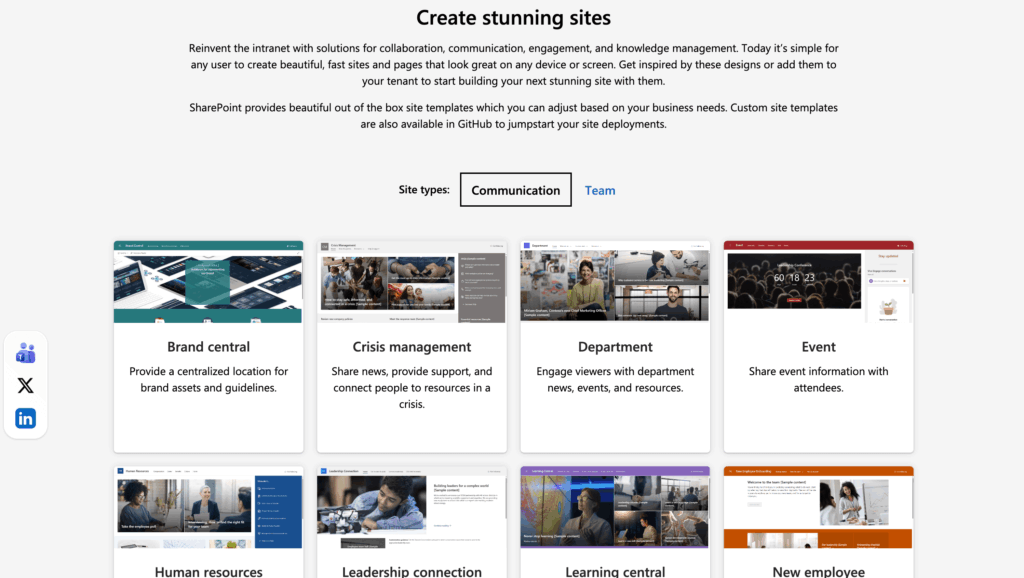
Source: https://adoption.microsoft.com/en-us/sharepoint-look-book/
WordPress sits in the same boat, honestly. It’s a content management system, and an intranet is something you assemble from it using a stack of plugins.
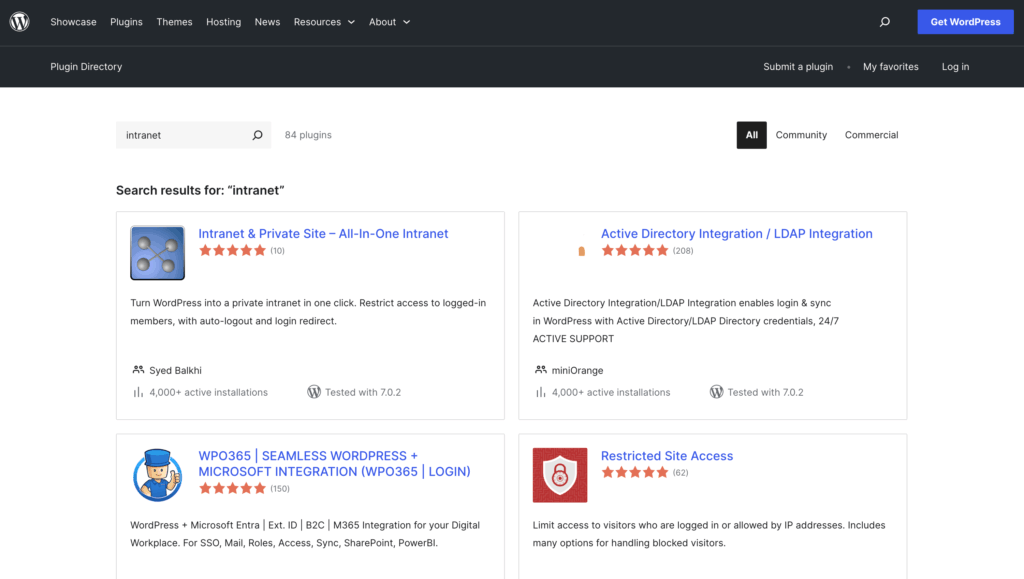
Source: https://wordpress.org/plugins/search/intranet/
The fair comparison isn’t “SharePoint the intranet” vs “WordPress the intranet.” It’s M365 hub sites vs a portal assembled from WordPress plugins.
There’s no native intranet mode in WordPress core; you bolt one together with BuddyPress, an access-control plugin, and a knowledge base plugin.
Once you frame it that way, the real question gets clear: which foundation actually fits how your organization works?
Sign up for exclusive updates, tips, and strategies
Security: Where the Gap Is Widest
This is the section where the two platforms genuinely diverge, and it’s worth slowing down on.
Start with the WordPress ecosystem numbers, because they’re stark:
- 7,966 new WordPress vulnerabilities were disclosed in 2024, up 34% from the year before.
- 96% of those originated in plugins, not WordPress core.
- WordPress made up 95.5% of the CMS infections Sucuri cleaned in 2023.
None of that means WordPress core is insecure. It means the plugin model, the exact thing that makes WordPress flexible, is also its biggest attack surface.
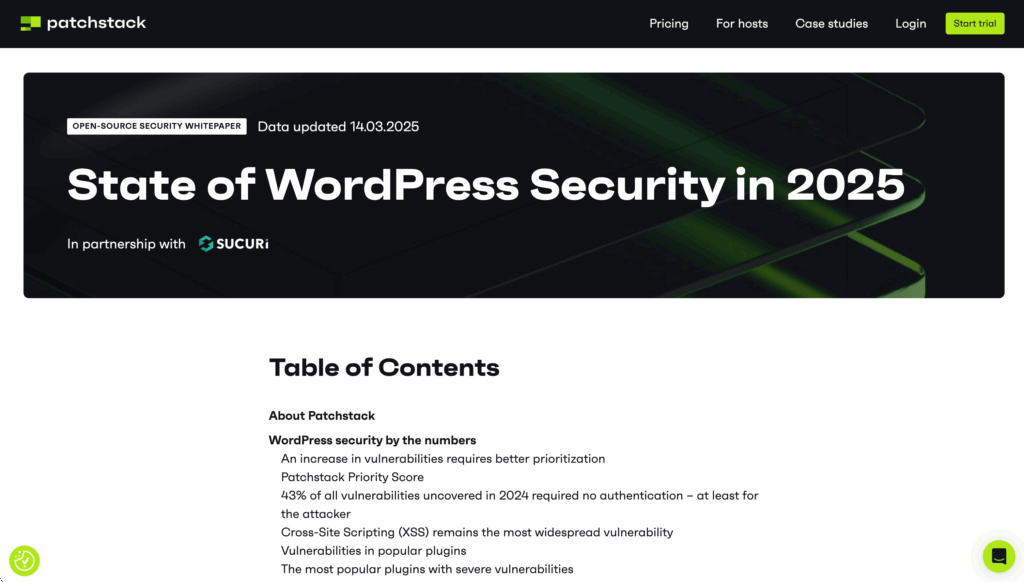
Source: https://patchstack.com/whitepaper/state-of-wordpress-security-in-2025
SharePoint Online comes at this differently. It inherits Microsoft 365’s audited compliance posture: ISO 27001, SOC 1/2/3, FedRAMP, and FIPS 140-2, maintained by Microsoft rather than your team.
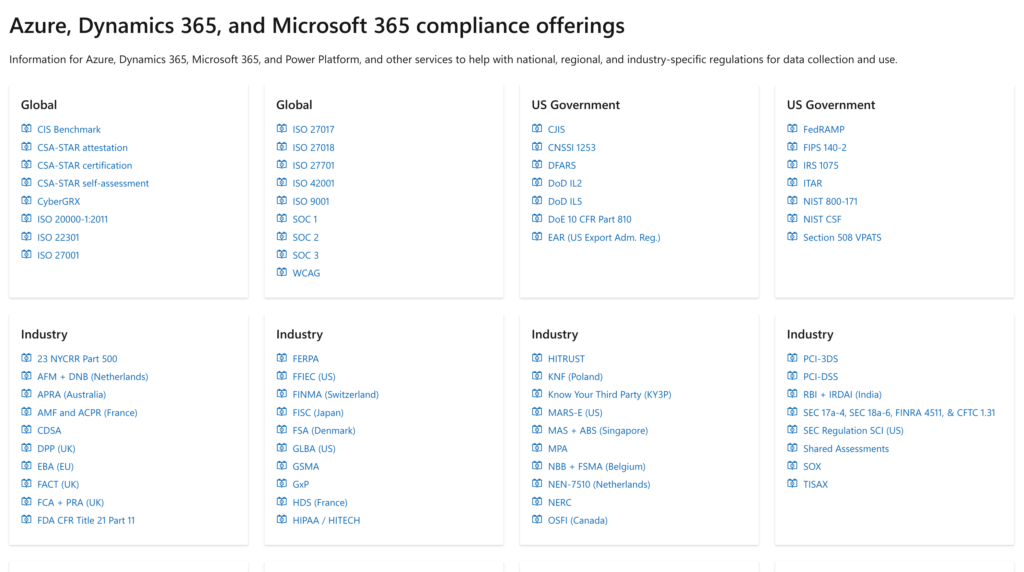
Source: https://learn.microsoft.com/en-us/compliance/regulatory/offering-home
Now for the fair part:
SharePoint isn’t magic. The July 2025 “ToolShell” attacks (CVE-2025-53770) were serious, but hit on-premises SharePoint Server only; Microsoft confirmed SharePoint Online was unaffected.
SharePoint has its own security weak spot: permission sprawl. Large environments accumulate thousands of unique permission entries with broken inheritance.
Copilot makes it worse by surfacing whatever a user can already access. Governance isn’t optional here.
| Security Dimension | SharePoint Online | WordPress |
|---|---|---|
| Attack surface | Managed by Microsoft; smaller third-party surface | Wide plugin surface; 95%+ of vulns in plugins |
| Compliance certs | ISO 27001, SOC 1/2/3, FedRAMP, FIPS 140-2 | Core self-managed; VIP holds SOC 2, ISO 27001 |
| Patching responsibility | Microsoft handles the platform | Your team, unless on managed hosting |
| Biggest internal risk | Permission sprawl, Copilot oversharing | Vulnerable/outdated plugins |
| Access control | Native, page and document level | Bolted on via plugins |
What I tell clients: if you’ve got real compliance obligations, the audited, centrally patched option has a real head start.
Scalability: Same Destination, Different Roadblocks
Both platforms scale to enterprise size. The difference is in the kind of wall you eventually hit.
Their limits sit in very different places:
| Dimension | SharePoint | WordPress |
|---|---|---|
| Kind of limit | Architectural | Operational |
| Where you hit it | 2,000 hub sites per org, plus ceilings on how many sites one web part or hub can surface; permission sprawl grows with the environment | Multisite needs database sharding at thousands of sites; SSO and session handling get fragile across large subsite networks |
Here’s the thing, though:
WordPress can absolutely go big. The web’s largest deployments, from enterprise newsrooms to global brands, run comfortably at massive scale.
The catch: those run on managed, enterprise-grade platforms like WordPress VIP, not the default install on standard hosting. The scale story depends on enterprise infrastructure underneath.
SharePoint’s scale, by contrast, is baked into the M365 tenant you’re already paying for. You don’t provision separate infrastructure to get there; you manage the architecture instead.
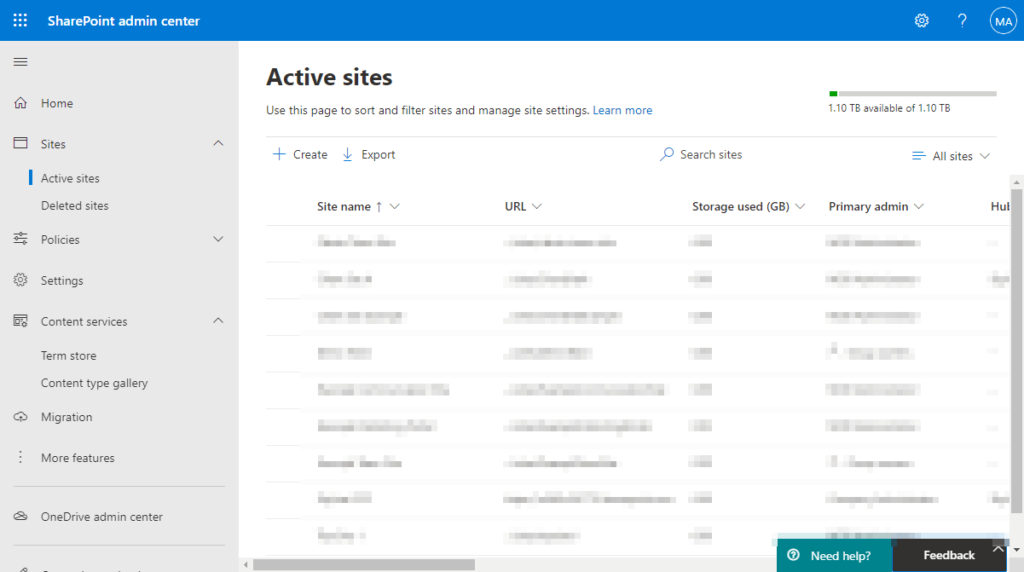
Neither approach is a free lunch. One asks you to plan around structural caps, the other to invest in hosting and hardening WordPress doesn’t give you by default.
Extensibility and Customization
Both platforms extend. They just extend in very different shapes:
| Dimension | SharePoint | WordPress |
|---|---|---|
| Extension model | SPFx as one unified model across SharePoint, Teams, and Viva, plus low-code Power Platform (Power Automate, Power Apps) | Plugins for nearly anything, split across thousands of independent vendors |
| Upside | Coherence: one framework, one vendor lifecycle, one support model | Breadth and design freedom that’s hard to match |
| Downside | Custom web parts can break on Microsoft updates, and licensing gets complicated fast | Update conflicts are common enough to need staging environments; vendor support lifespans and cadences vary |
Microsoft is pushing this further in 2026: SharePoint Premium adds a Knowledge Agent, Copilot content understanding, and governance features.
There’s also a governance risk here. When Automattic sharply scaled back its core contributions in the 2025 WP Engine dispute, it showed how much WordPress depends on one vendor.
Where WordPress’s flexibility actually wins: design-forward intranets and hybrid sites that are part public-facing, part internal.
If pixel-level design control matters more than governance depth, WordPress gives you room the SharePoint templates won’t.
Cost: The Number Everyone Asks About First
On paper, WordPress wins this one, and it’s not close for small setups.
WordPress core is free. Hosting runs $4 to $30 a month, with custom development somewhere between $2K and $15K+ depending on scope.
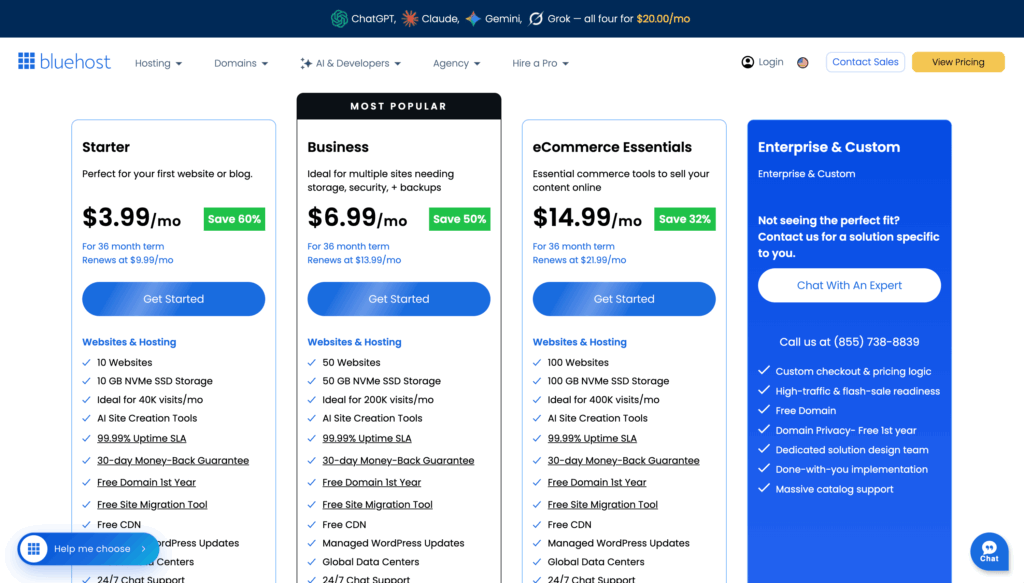
Source: https://www.bluehost.com/wordpress-hosting
SharePoint costs more upfront. Plan 1 is $5/user/month, and enterprise implementation typically runs $20K to $100K+.
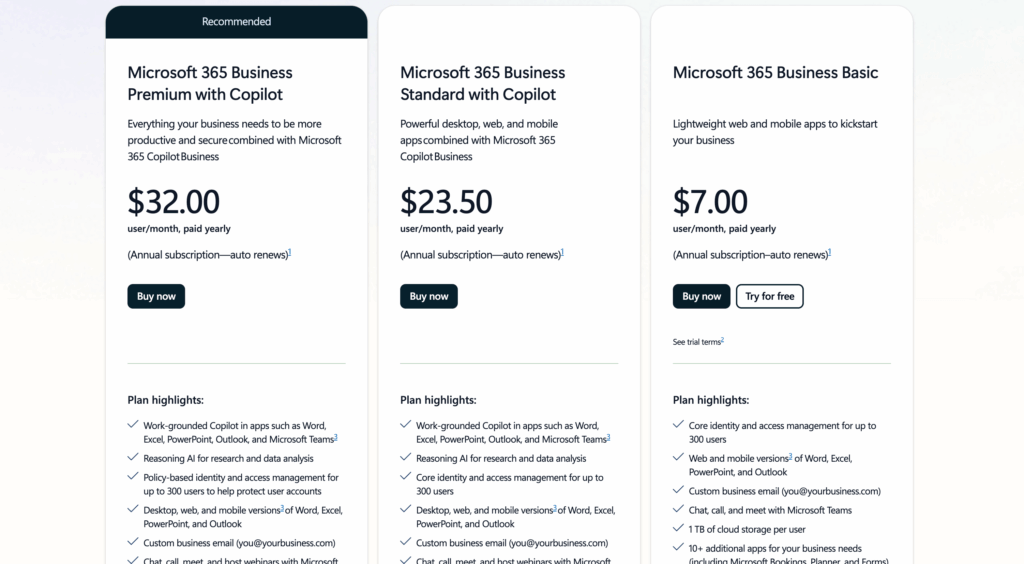
Source: https://www.microsoft.com/en-us/microsoft-365/sharepoint/compare-sharepoint-plans
Microsoft’s now retiring standalone SharePoint plans for Microsoft 365 bundles like Business Standard at $12.50/user/month.
But the sticker price hides the real picture. Total cost of ownership depends on factors that don’t show up in a hosting invoice:
- Ongoing plugin maintenance, security patching, and staging on the WordPress side.
- Developer time to keep a bolted-together WordPress intranet stable.
- SharePoint licensing you may already own if you’re on Microsoft 365.
- Governance and admin overhead on SharePoint at scale.
That last point matters more than people expect. If your org already pays for M365, a chunk of the SharePoint “cost” is sunk into a bill you’re paying anyway.
I’ll be straight: no independent Tier-1 study has run a clean head-to-head TCO comparison of the two. Treat every number, mine included, as an estimate, not gospel.
The honest takeaway is that WordPress is cheaper for small, simple intranets, and SharePoint’s cost gets more competitive the more of the M365 stack you already use.
Search: Can People Actually Find Anything?
An intranet people can’t search is just a folder tree with nicer branding. This is where the two platforms split hard.
SharePoint treats search as a built-in. Microsoft Search spans SharePoint, OneDrive, and Outlook through Microsoft Graph, and Copilot connectors even reach outside systems.
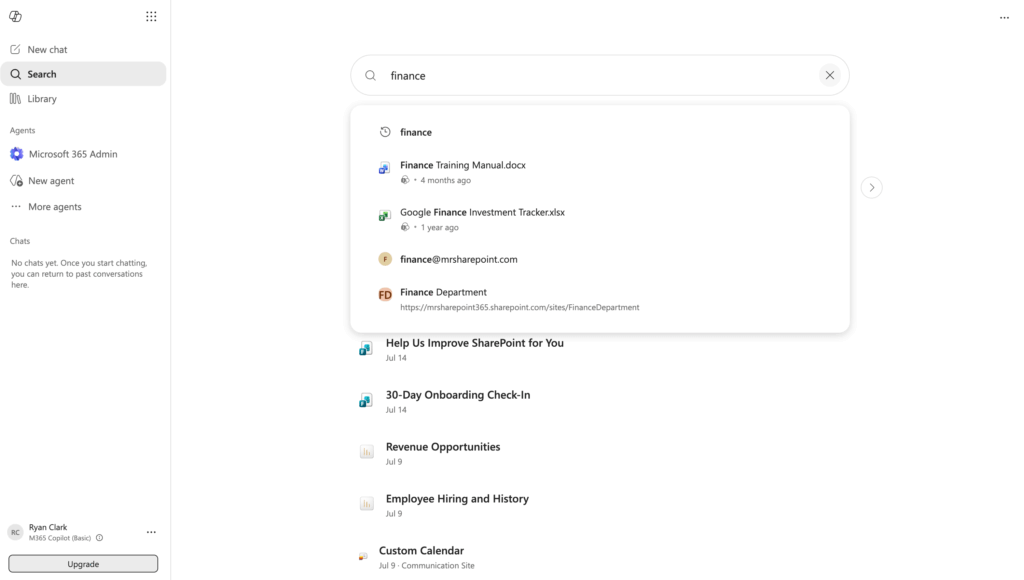
WordPress is the opposite. Its built-in search has no real relevance ranking, so teams bolt on an engine like ElasticPress, another paid layer to run.
Here’s the tell: SharePoint hands you search that works out of the box, while WordPress makes it a project you fund.
Migration: How Long Until You Actually Launch?
Every comparison forgets the boring part: actually moving in and going live. The lift here is lopsided.
SharePoint has a real on-ramp. The free SharePoint Migration Tool lifts on-prem SharePoint into the tenant, and Migration Manager moves file shares the same way.
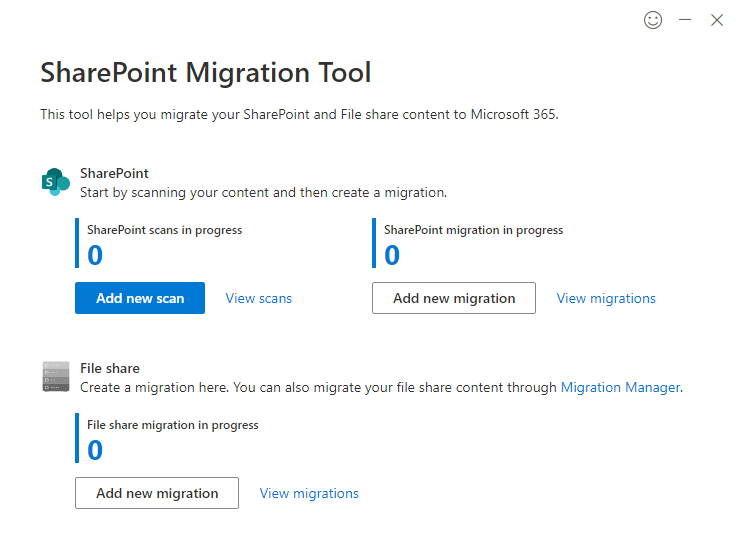
Standing up the intranet is fast too. You build it from templates and modern site provisioning, not raw code.
WordPress starts from a blank install. You provision hosting, then assemble migration and intranet features plugin by plugin, which is where the timeline stretches.
So Which One Should You Build On?
Here’s where I land after building both. The choice is less about features and more about the shape of your organization.
Choose SharePoint if:
- You’re already paying for Microsoft 365 and living in Teams and Office.
- You have real compliance or document-governance requirements.
- You want centralized, audited security you don’t have to maintain yourself.
- You need deep integration with Power Platform and Microsoft’s tooling.
Choose WordPress if:
- You’re a smaller org without dedicated IT to manage governance.
- You need a hybrid public-facing and internal site with full design control.
- Your budget favors $5 to $30 a month over a $20K+ implementation.
- Your content team is non-technical and wants simple publishing.
The public case studies fit the pattern. Marks & Spencer built comms tools on SharePoint Lists with Power Apps, and A-Gas unified five continents into one global intranet.
The WordPress side stays smaller and quieter. WP Engine built its own internal intranet with ElasticPress and Okta SSO, and Arcus ran WordPress with an M365 SSO plugin.
The asymmetry is the tell. Big enterprises publish their SharePoint intranets, while WordPress examples stay small or anonymous. Pick the lane, and the tool gets obvious.
Still not sure you’re about to build on the right platform? That’s the exact call I help IT teams get right before they commit.
I’ll help you pick the foundation and build a secure, governed SharePoint intranet when that’s the fit. Reach out and let’s talk.




























