

Table of Contents:
Last Updated on October 9, 2025
How is artificial intelligence reshaping the tools your business uses daily?
In this article, let’s talk about the key trends shaping Microsoft 365’s use in enterprises.
For example, the central role of AI with Copilot, the evolution of core applications like Teams and SharePoint, and more.
Let’s get started.
Microsoft 365’s Market Position
Microsoft’s strategy for its 365 suite is developing as the market matures.
The company, while financially dominant, is shifting its focus from user growth to increasing value and revenue from its existing large customer base.
This pivot is setting the stage for the next phase of enterprise technology, with AI at its core.
Strong Revenue and a Strategic Shift
Financially, Microsoft 365 remains a powerhouse.
The productivity and business processes segment continues to see strong revenue growth, raising $14 billion in the last fiscal year.
Growth stems from existing customers upgrading to more expensive plans, like E3 to E5 licenses.
At the same time, Microsoft is making huge investments in the AI infrastructure needed to power services like Copilot.
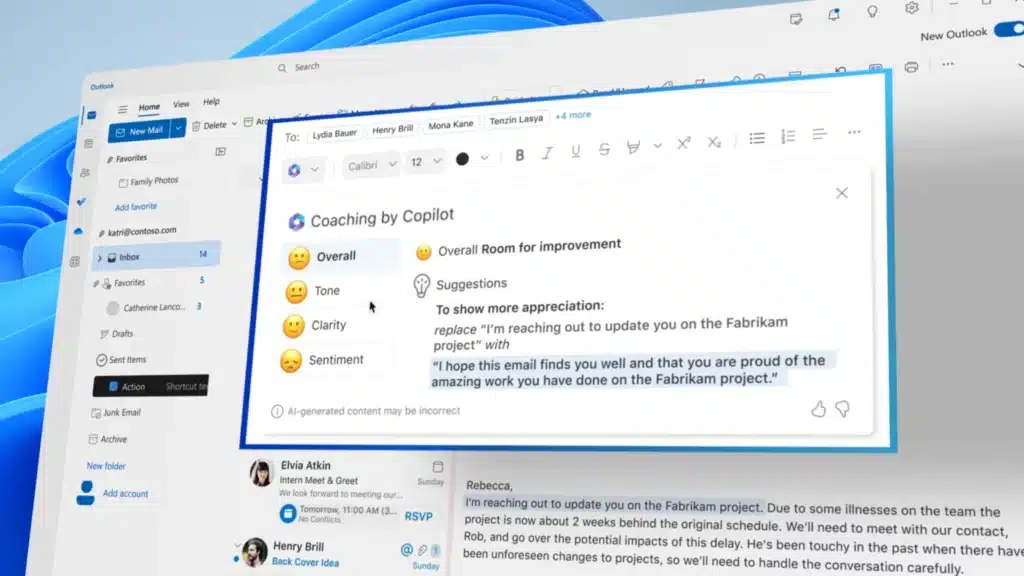
While this spending temporarily affects profit margins, it’s a calculated move.
Microsoft is building the foundation for future growth, betting that AI will become an indispensable, high-value part of its platform.
This balances optimizing the profitability of its current services while investing heavily in the next generation of technology.
Growth of the User Base
The Microsoft 365 user base has grown massively, surpassing 400 million paid seats in 2024.
However, the pace of new user acquisition is slowing from historic highs.
This trend doesn’t indicate a decline in relevance; rather, it suggests the market for new enterprise customers is becoming saturated.
With fewer new users to add, Microsoft’s focus naturally shifts to getting more value from each existing license.
This underpins the push for premium add-ons and AI services.
How Microsoft 365 Stacks Up Against Google Workspace
The office productivity market is largely a two-horse race between Microsoft 365 and Google Workspace.
While Google often leads in total global users, that figure includes a large base of education and consumer accounts.
In the more lucrative mid-market and large enterprise sectors, Microsoft 365 maintains a strong hold.
Its key advantages remain its robust desktop apps like Excel and Word, plus ample cloud storage in basic business plans.
For large organizations with complex needs and a demand for offline capabilities, these features often make Microsoft the preferred choice.
Sign up for exclusive updates, tips, and strategies
The Copilot Revolution (AI is Changing Everything)
The most important trend in the Microsoft 365 ecosystem is integrating generative AI through Copilot.
This isn’t just a new feature, but a fundamental change to how work gets done.
Copilot is positioned as the main driver of a new wave of productivity, a source of high-margin revenue, and a force for organizational change.
Its rapid adoption and measurable impact are central to Microsoft 365’s evolution.
How Quickly Companies are Adopting Copilot
The demand for generative AI in the business world is growing incredibly fast.
In the last year, the number of organizations regularly using generative AI has nearly doubled.
Microsoft 365 Copilot is leading this charge, with adoption metrics showing a clear shift from small experiments to broad, strategic deployments.
In the most recent quarter alone:
- The number of Copilot customers grew over 60%.
- Daily active users more than doubled.
- The number of companies with over 10,000 Copilot seats also more than doubled.
Large companies are moving quickly to scale their tool use.
For example, the biotech firm Amgen expanded its initial pilot of 300 licenses to 20,000 employees.
While IT services giant Cognizant now provides Copilot access to 24,000 of its staff.
Real-World Gains in Productivity
The value of Copilot is based on measurable improvements in speed and work quality.
Studies consistently show significant productivity gains across common business tasks.
Employees are completing work faster and reinvesting that saved time into more strategic activities.
Here’s a look at some of the key findings from recent studies:
| Metric Category | Specific Metric | Value / Statistic |
| Time Savings | Time Saved on Email (Weekly) | 30 minutes |
| Document Completion Speed-up | 12% faster | |
| Perceived Time Saved per Day (Govt. Study) | ~1 hour | |
| Quality & Efficiency | Perceived Work Quality Improvement | 61% of users agree |
| Perceived Task Speed Improvement | 69% of users agree | |
| Positive Impact on Team Efficiency | 65% of managers observed |
Those numbers show Copilot’s impact is tangible.
Copilot’s real-time meeting summaries led to a 27% increase in employees leaving meetings early at Cognizant, indicating more efficient collaboration.
Top Ways Businesses are Using Copilot
Copilot’s value is realized through its practical application to a wide range of everyday business challenges.
Its most common uses include:
- Finding information and getting summaries from across files, emails, and chats.
- Creating first drafts of documents, presentations, and emails in seconds.
- Automating repetitive tasks like answering common HR questions or handling IT support tickets.
- Generating tailored content for specific departments, such as sales proposals or financial reports.
These applications show that Copilot is more than just a chatbot, but a versatile assistant that integrates directly into daily work.
Handling time-consuming information retrieval and content creation frees up employees to focus on more strategic, high-value activities.
Core Apps are Getting Smarter
While AI is the main story, the core applications of Microsoft 365 (Teams, SharePoint, OneDrive, and Outlook) are not standing still.
They’re leveling up to become the primary platforms where users interact with Copilot.
This deep integration makes the entire suite more valuable and embeds AI directly into daily workflows.
Microsoft Teams: More Than Just Chat
Microsoft Teams is the central hub for communication and collaboration in most large businesses, with over 320 million daily active users.
Its use has matured beyond simple chat and meetings.
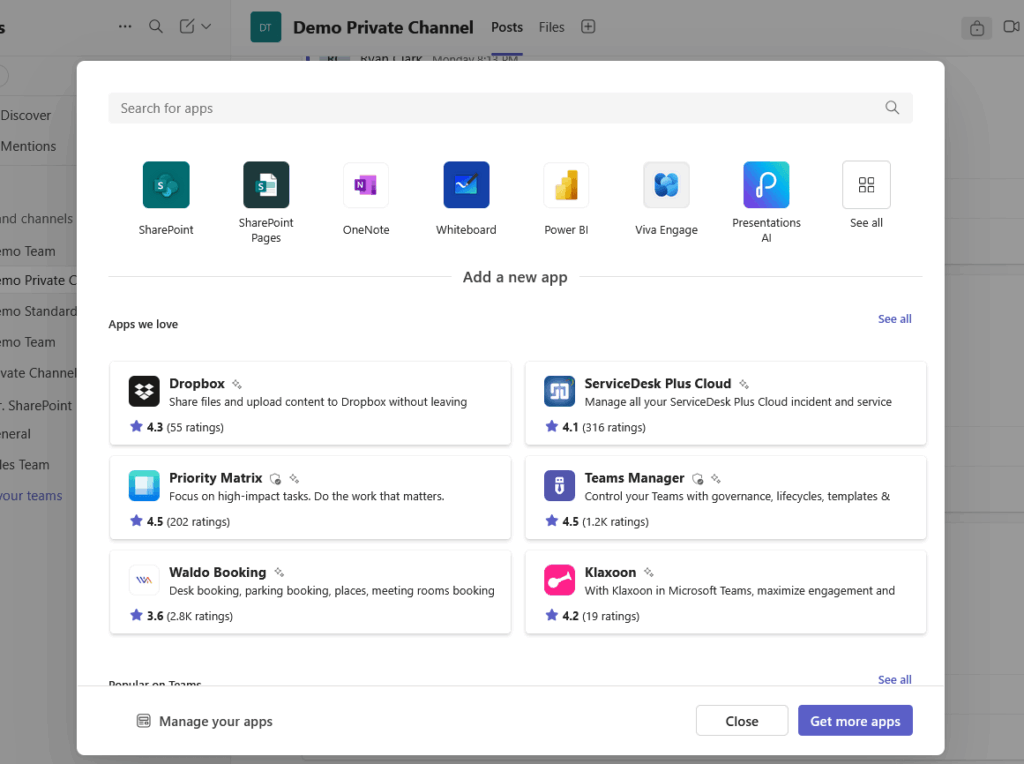
A 76% growth in file-sharing activity shows that users are treating it as a true collaborative workspace.
This trend is amplified by its role as a primary interface for AI.
Teams’ embedded Copilot is the most used version, enabling users to summarize meetings and catch up on conversations within the app.
SharePoint Online is transforming from a traditional document library into the intelligent content service that powers the entire M365 ecosystem.
AI serves as the foundational layer where organizational knowledge is stored, managed, and accessed by services like Copilot.
Moreover, AI is directly integrating, with SharePoint Premium offering AI-driven features like automatic document translation.
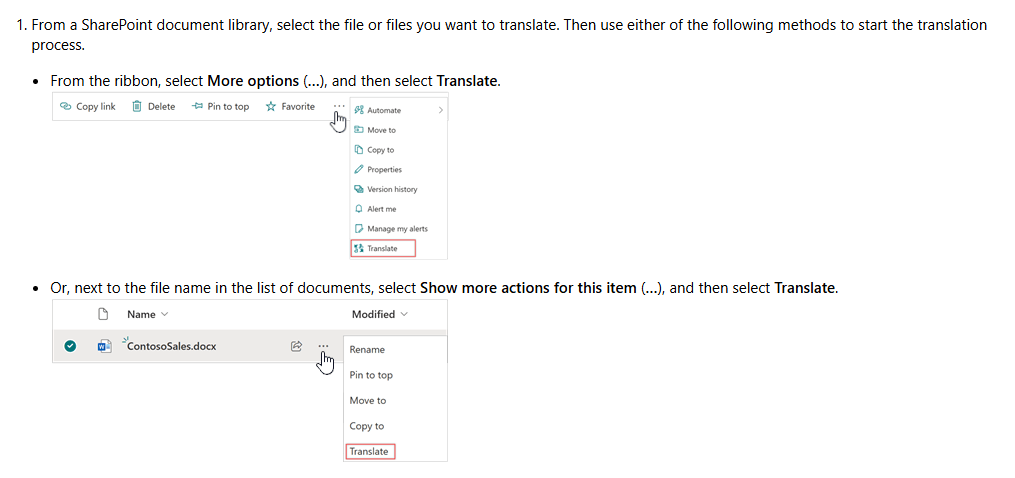
Organizations can deploy custom copilots directly to SharePoint sites, creating conversational AI agents based on the site’s content.
For example, an HR portal could have a copilot that answers employee questions by referencing the policy documents stored there.
Effective AI and data security now depend on robust SharePoint information architecture, which became a mandatory rather than optional practice.
OneDrive and Outlook: Evolving with AI
OneDrive for Business remains the secure, personal cloud storage for individual work files, with 1 TB personal cloud storage per user for work files.
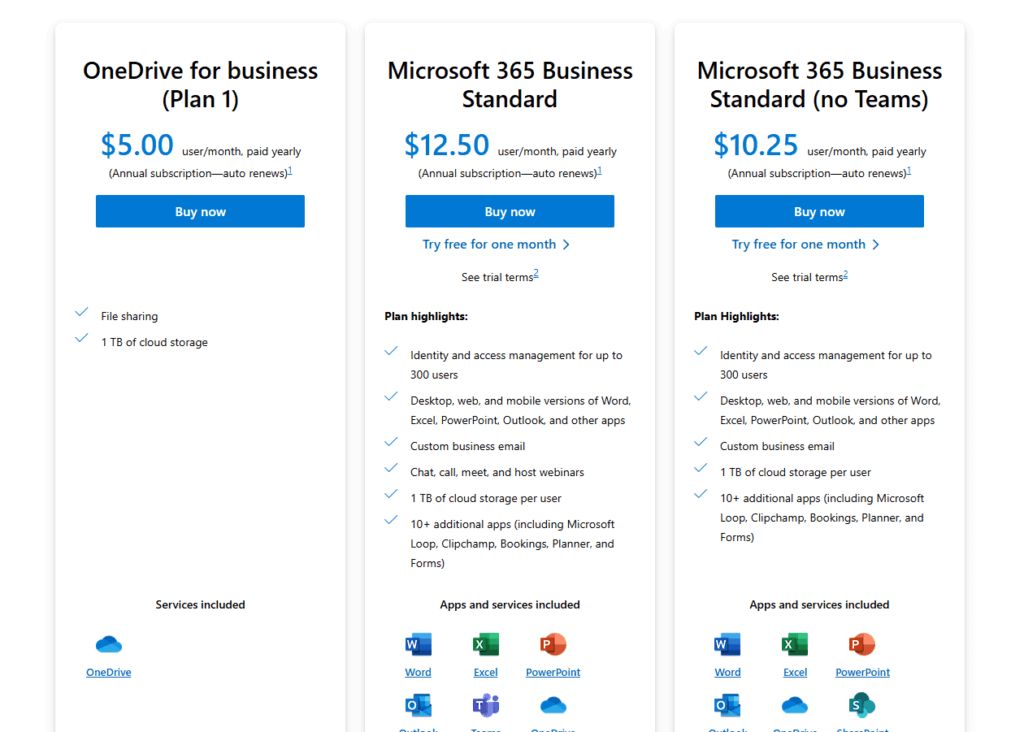
For administrators, the M365 admin center provides essential tools to monitor storage consumption and reclaim licenses from inactive accounts.
At the same time, Outlook continues to be a cornerstone of business communication, with its relevance being reinforced through AI.
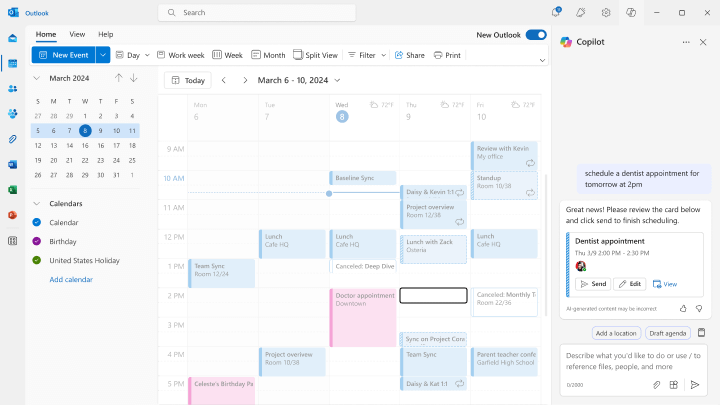
Copilot is integrated directly into Outlook to help users summarize long email threads, identify key action items, and more.
This transforms Outlook from a simple email client into an AI-assisted communication hub, which is important for the modern enterprise.
Building on the Foundation with Power Platform’s Growth
Beyond the core productivity suite, Microsoft is expanding its enterprise footprint with the Power Platform.
If you’re not familiar, it’s their low-code suite for building apps, analyzing data, and automating processes.
The platform is seeing explosive growth as it empowers business users to create their own solutions, creating a culture of “citizen development.”
The Rise of the Citizen Developer
The Power Platform now has an impressive 48 million monthly active users, a figure that has grown 40% year-over-year.
This rapid momentum shows that companies are embracing low-code tools to build custom solutions quickly.
The platform enables users with minimal coding experience to create apps and automate workflows, bypassing IT backlogs.
With heavy investments, Microsoft focuses on adding more AI capabilities to make development as simple as describing an idea in natural language.
Power BI, Power Automate, and Power Apps in Action
The Power Platform is made up of several key components that work together to enable business solutions:
- Power BI: A leading tool for data visualization and business intelligence, used by 97% of Fortune 500 companies.
- Power Automate: An engine for automating repetitive tasks and complex workflows using RPA.
- Power Apps: A low-code interface for building custom business apps for tasks like inventory tracking or expense claims.
These tools form a comprehensive suite for data analysis, process automation, and custom application development with minimal coding.
Seamlessly integrated into the Microsoft 365 ecosystem, these tools are ideal for businesses already using Microsoft technology.
The Need for Strong Governance
Low-code’s rapid growth risks a sprawl of unsupported, insecure user-built apps.
To manage this risk, you need a strong administrative oversight.
Microsoft provides tools for this through the Power Platform admin center and the Center of Excellence (CoE) Starter Kit.
Organizations can govern and monitor citizen developer innovation within a secure, managed framework using these resources.
Strategic Advice for Businesses
Successfully using the Microsoft 365 ecosystem requires more than technical setup.
It demands a smart approach to licensing, cost management, and organizational change.
Microsoft is transforming business operations and finances, necessitating proactive, data-driven strategies for cost control and effective adoption.
Big Changes in Licensing and Costs
A major shift is coming to Microsoft’s enterprise licensing.
Effective November 2025, the company will eliminate its volume-based pricing tiers for all online services under EA and similar volume agreements.
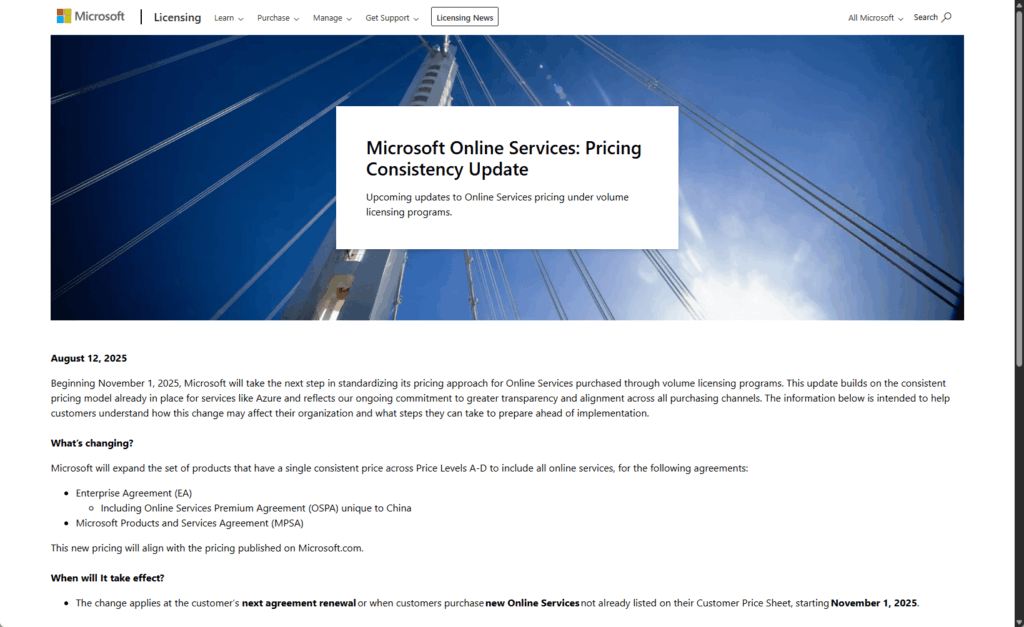
This means all enterprise customers will be standardized at the highest list price, regardless of their size.
For large organizations that previously received significant discounts, this amounts to a price hike of 8% to 15% or more.
On top of this, the Microsoft 365 Copilot license adds a substantial new cost of $30 per user per month.
This premium add-on is central to Microsoft’s strategy to increase its average revenue per user.
The table below illustrates the potential financial impact for a mid-sized enterprise:
| Scenario | User Count | Copilot Adoption | Estimated Annual Cost (Current) | Estimated Annual Cost (Post-2025) | % Increase |
| Selective Pilot | 10,000 | 10% | ~$6.0M | ~$6.8M | ~13.3% |
| Mid-Range Rollout | 10,000 | 50% | ~$7.4M | ~$8.2M | ~10.8% |
| Full Deployment | 10,000 | 100% | ~$9.2M | ~$10.0M | ~8.7% |
Note: Costs are illustrative and based on sample pricing.
How to Control Your Microsoft 365 Spending
In this new higher-cost environment, proactive cost optimization is a business necessity.
Enterprises can take several concrete steps to mitigate the impact of these changes and ensure they’re not overspending.
- Right-size and reclaim licenses: Audit usage to eliminate over-provisioning and downgrade users to appropriate, lower-cost tiers.
- Consolidate redundant third-party tools: Replace separate software for security and compliance with the solutions already included in M365 subscriptions.
You can offset the rising costs by ensuring you only pay for what you need and maximizing the value of the tools you already own.
Keys to Successful Adoption
Maximizing the return on investment requires overcoming the human challenges of technology adoption.
To ensure employees embrace these new tools, you need a clear and continuous adoption strategy.
- Treat adoption as a continuous journey: Provide ongoing training and resources to foster a culture of continuous learning.
- Secure visible leadership buy-in: Ensure executives actively use and champion the new tools to signal their importance.
- Align technology with business goals: Focus on how M365 solves specific, tangible business problems.
- Measure, monitor, and iterate: Use analytics and employee feedback to track progress and provide targeted support where needed.
Sticking up to these can create deep, lasting adoption, transforming technology investment into a competitive advantage.
Final Thoughts
The Microsoft 365 ecosystem is undergoing a profound change, driven by generative AI and a strategic shift toward increasing value from existing customers.
Business leaders must ready data infrastructure for AI and commit to continuous change management to upskill their workforce.
The companies that succeed will be those that view Microsoft 365 not just as a software suite, but as a strategic platform for the next wave of productivity.
Do you have questions about going through these changes or implementing a Copilot strategy? Let me know.
For any business-related queries or concerns, contact me through the contact form. I always reply. 🙂




























