Microsoft 365

How to Disable OneDrive on Your Windows Computer (Updated)

How to Disable OneDrive on Your Windows Computer (Updated)

Not happy with how OneDrive keeps popping out? In this guide, I will show you how you can easily disable OneDrive from your Windows computer. Let’s get started. Unlink OneDrive from Microsoft Account Unlinking OneDrive is the easiest way to stop OneDrive without doing any drastic actions. 🙂 This action pauses syncing and keeps your files untouched so you can keep OneDrive installed if you want to use it later. Right-click on the OneDrive icon from your taskbar and click the gear icon then settings: A window will appear that contains the different settings available for OneDrive. Go to the […]

How to Disable OneDrive on Your Windows Computer (Updated) Read More »

How to Enable External Forwarding in Microsoft 365

How to Enable External Forwarding in Microsoft 365 (2026)

Getting problems related to external forwarding? In this guide, I will walk you through enabling external forwarding in Microsoft 365, and my predicament that led to this. Let’s get started. What is external forwarding in Microsoft 365? If you’ve been using email platforms before, then you must already be familiar with external forwarding. Basically, it’s a feature that allows emails from a Microsoft 365 mailbox to be automatically sent to an external email address. It works like this: It’s useful for smooth communication across different platforms or ensuring important messages reach external contacts. Unfortunately, as you would later see, it’s

How to Enable External Forwarding in Microsoft 365 (2026) Read More »

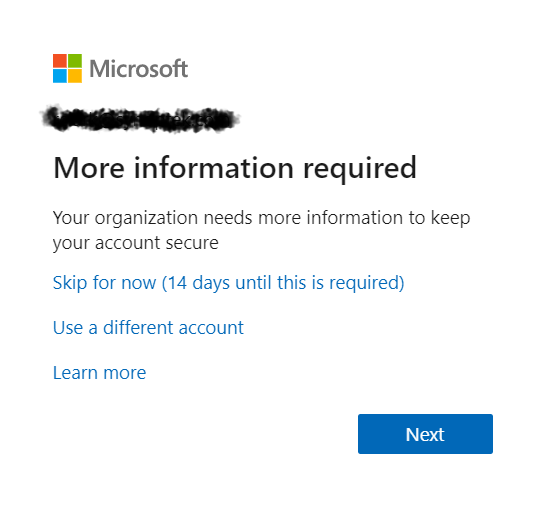
A Microsoft login screen displays More information required with options to skip for 14 days, use a different account, or learn more, and a blue Next button at the bottom.

Disable “More information required” MFA Prompt for Guests

If you’ve seen this image before then you may feel my pain. All employees and guests in my client’s Microsoft 365 tenant were getting this prompt. The client wanted to leave this on for employees but keep it disabled for guests. If this is something you want to do too, let me show you how to do it. Create A Dynamic Distribution Group The first step is to create a dynamic distribution list called “All Users Except Guests” (or something similar). To start, log in to Azure as a Global Admin. Then, search for “Azure Active Directory” and click on

Disable “More information required” MFA Prompt for Guests Read More »

Five people sit in a circle in a modern office space, engaged in conversation. Colorful sticky notes are on the wall behind them, and shelves with books and decor are visible in the background.

Office 365 Profile Picture Not Displayed Inside SharePoint Online Webparts

From time to time you may notice that SharePoint Online does not display updated user photos in webparts. You may see or experience something like this: There is a simple solution to this. Navigate to this URL in your SharePoint tenant: This list stores three photos for each user in your Office 365 tenant. The photos have the following naming convention and dimension requirements: If my username was ryanclark, my tenant name was mrsp1, my TLD (top-level domain) was .com (could be .net, .org, .co, etc.), then we’d have the following: Save (and possibly overwrite) the three images in the

Office 365 Profile Picture Not Displayed Inside SharePoint Online Webparts Read More »

Six colleagues gather around a laptop in a bright office, cheering and smiling excitedly, suggesting they have received good news or achieved a goal together. A notepad and tablet are on the table.

Migrating from Skype for Business to Microsoft Teams

On August 2, 2019 Microsoft officially announced the end of life for Skype for Business. The end of life program will conclude on July 31, 2021. When the program concludes, the integration of Skype for Business with third-party audio conferencing providers will stop working and the following changes will be observed on that date (July 31, 2021): Read the full announcement here: “End of life program for the integration of Skype for Business with third-party audio conferencing providers.” Related: Skype for Business vs Teams: Only One Remains Migrating from Skype for Business to Microsoft Teams Skype for Business will be

Migrating from Skype for Business to Microsoft Teams Read More »

Scroll to Top