A graphic showing a calculator, coins, and a ledger, followed by an arrow pointing to an Excel icon, then another arrow pointing to a gear and flowchart icon, representing financial data automation.

Best Microsoft 365 Automation Ideas for Finance Teams (That Actually Work)

Table of Contents:1. Automated Contract Renewal Alerts with Lifecycle Tracking (Foundational)The Finance ProblemThe Automation IdeaThe Microsoft 365 PatternWhy This Works at ScaleBest For2. Vendor Document Lifecycle Management with Metadata-Driven Architecture (Foundational)The Finance ProblemThe Automation IdeaThe Microsoft 365 PatternWhy This Works at ScaleBest ForCommon Anti-Patterns to Avoid3. Mobile Expense Management with Automated Policy Enforcement (Advanced)The Finance ProblemThe Automation IdeaThe Microsoft 365 PatternWhy This Works at ScaleBest For4. Month-End Close Orchestration That Actually Manages Dependencies (Advanced)The Finance ProblemThe Automation IdeaThe Microsoft 365 PatternWhy This Works at ScaleBest For5. Intelligent Invoice Processing Without Losing Control (Enterprise-Grade)The Finance ProblemThe Automation IdeaThe Microsoft 365 PatternWhy […]

Best Microsoft 365 Automation Ideas for Finance Teams (That Actually Work) Read More »
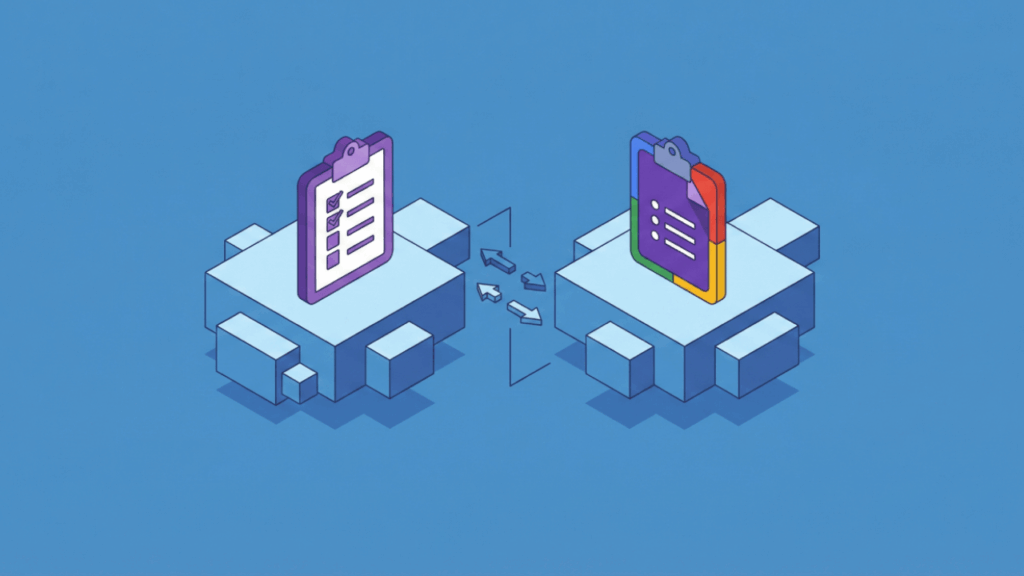
Two digital clipboards on separate platforms, connected by arrows indicating data transfer. The left clipboard is purple and the right one is multicolored, both sitting on 3D blue cubes against a blue background.

Microsoft Forms vs Google Forms: The Enterprise Data Collection Showdown

Table of Contents:Microsoft’s Service-Entity Model vs Google’s File-System ApproachMicrosoft FormsGoogle FormsData Residency and SovereigntyThe Departed Employee Crisis: Where Microsoft’s 30-Day Cliff HurtsMicrosoft’s Rigid Transfer ModelGoogle’s Flexible (But Fragmented) ApproachOffboarding Workflow ComparisonThe AI Exposure Problem (Copilot and Gemini Change Everything)Microsoft 365 Copilot’s Semantic Index RiskMitigation StrategiesAdmin Visibility and Governance: Microsoft’s Blind Spot vs Google’s Command-Line PowerMicrosoft’s Admin GapGoogle’s GAM AdvantageMaking the Choice: What Actually Matters Forms aren’t survey tools anymore. They’re workflow triggers that start approval processes, feed data pipelines, and power automation across your organization. The choice between Microsoft Forms and Google Forms isn’t about which interface looks prettier. It’s

Microsoft Forms vs Google Forms: The Enterprise Data Collection Showdown Read More »

Illustration of data and ideas transferring from a research and analysis platform, shown with books, gears, and a brain, to a secure, locked system, symbolizing knowledge protection or data security.

Confluence Alternatives for Knowledge Management: What Microsoft 365 Changes

Table of Contents:Evaluation Criteria: What to Consider Beyond FeaturesMicrosoft-Native Solutions: Leveraging What You Already Own1. SharePoint (Modern Experience + Premium)2. Microsoft Loop3. Viva Engage (Formerly Yammer)Third-Party Workspace Platforms: When User Experience Drives the Decision4. Notion5. Coda6. SliteSpecialized Tools: Purpose-Built for Specific Use Cases7. GitBook (Developer Documentation)8. Document3609. NuclinoAI-Powered Search Overlays: The “Leave Data Where It Lives” Strategy10. Glean11. Microsoft 365 Copilot (as Knowledge Tool)Decision Framework: Matching Tools to Organizational ContextKnowledge Management as Governance Discipline Your Confluence renewal notice just arrived. But this time, the decision feels different. The knowledge management landscape shifted between 2024 and 2026: Your wiki isn’t just

Confluence Alternatives for Knowledge Management: What Microsoft 365 Changes Read More »

Isometric illustration of digital buildings, cubes, and cloud icons connected by dashed lines, representing a network or data flow within a technology or cloud computing system.

SharePoint Add-ins Are Being Retired in 2026: What Organizations Must Do Now

Table of Contents:What’s Actually Being RetiredWhy Microsoft Is Pulling the PlugThe Critical Timeline You Need to KnowStep 1: Audit Your EnvironmentUsing the Microsoft 365 Assessment ToolWhat Do Your Scan Results Tell You?Step 2: Categorize and PrioritizeStep 3: Handle Your Specific Migration ScenariosMigrating SharePoint-Hosted Add-insMigrating Provider-Hosted Add-insRelated Technologies That Need AttentionStep 4: Take Action NowImmediate Emergency Actions (Before April 2, 2026)Critical Path to April 2 DeadlinePost-Deadline Recovery (After April 2, 2026)The Bottom Line: Why Waiting Is RiskyWhat to Do Now April 2, 2026 is a hard stop for SharePoint Add-Ins in Microsoft 365. Microsoft is shutting down Azure ACS. When it

SharePoint Add-ins Are Being Retired in 2026: What Organizations Must Do Now Read More »

An illustration of a filing cabinet with open drawers, surrounded by flying documents and folders, all set against a solid blue background.

How SharePoint Compares to Other Document Management Systems (2026 Guide)

Table of Contents:Where SharePoint Wins and LosesThe Major Competitors and What They Do Differently1. M-Files: The Metadata Master2. Laserfiche: The Process Automation Expert3. Box: The External Collaboration Champion4. Google Drive: The Real-Time Collaboration AlternativeThe Hidden Costs: Total Cost of Ownership Reality CheckDecision Framework: Which Platform Should You Choose?The Wild Card: AI Integration Changes EverythingWhat to Do Now SharePoint sits on nearly every organization’s desktop today. It comes bundled with Microsoft 365, which means most companies already own it. The cost appears to be zero, making it the default choice for document management. But “good enough” doesn’t mean “best for everything.”

How SharePoint Compares to Other Document Management Systems (2026 Guide) Read More »

Illustration of a laptop displaying an online form with a calendar, alongside a smartphone showing a checkmark notification, all set on a desk against a blue background.

How to Use Power Apps to Create a Leave Request Form (2026)

Table of Contents:Use Copilot to Build Your Leave Request AppStart with a Simple DescriptionReview the Business PlanReview the Data ModelReview the Technology ComponentsCreate Your AppsWhat Copilot Generates AutomaticallyAdd Business Day Calculation (Optional Advanced Customization)Create a Holidays List FirstConnect the Holidays List to Your AppUse Copilot to Create the Approval WorkflowCustomize the App InterfaceTest Your Complete SystemFrom Manual to Automated Leave Management Most companies handle leave requests through email chains or spreadsheets. This creates confusion, lost requests, and constant back-and-forth. Power Apps offers a better solution inside your existing Microsoft 365 setup. You can build a complete leave request system that

How to Use Power Apps to Create a Leave Request Form (2026) Read More »

Side-by-side comparison of the Microsoft Teams logo on the left and the Cisco Webex logo on the right, separated by vs text, on a blue background.

Teams vs Webex: Which Platform Wins for Meetings?

Table of Contents:The Architectural Difference (That Actually Matters)The User Experience Reality CheckTeams: The Hub That Tries to Do EverythingWebex: The Specialist ToolAudio Quality: Where the Real Battle HappensThe AI Features Price GapThe Hardware Game-Changer: Cisco Devices Running TeamsSecurity Considerations for Regulated IndustriesThe Total Cost RealityWhy “Free” Teams Isn’t Really FreeEvaluating Your Microsoft InvestmentMaximize Your Teams Investment Is Microsoft Teams good enough, or do you need something better? In this guide, let’s talk about where Teams and Webex each excel, and how smart organizations can use both platforms strategically to maximize their Microsoft 365 investment. Let’s get started. The Architectural Difference

Teams vs Webex: Which Platform Wins for Meetings? Read More »

A simple illustration of a cloud containing three server icons beside three stacked server units, all on a blue background, representing cloud computing and traditional servers.

SharePoint Editions: A Detailed Comparison and Review (2026 Update)

Table of Contents:The 2026 Context: Why Edition Choice Matters More Than EverThe July 14, 2026 Hard StopThe Deprecation Storm: A Convergence of DeadlinesThe Two Strategic Paths ForwardSharePoint Online (SPO): The Cloud PathLicensing Model: Per-User, Per-MonthStorage: The Tenant-Wide Pool ModelWhy SPO Is the Default PathSharePoint Server Subscription Edition (SPSE): The On-Premises PathThe Critical Licensing ChangeThe Price Hikes (As of 2025)Infrastructure and Hidden CostsThe Developer Trap: SPFx Version LockTotal Cost of Ownership (TCO) ComparisonWhy “Simple Migration” Doesn’t ExistThe Real Project ScopeWhich Path Is Right for Your Organization?Expert Recommendation for 2026What to Do Now What’s your SharePoint plan this year? In this article,

SharePoint Editions: A Detailed Comparison and Review (2026 Update) Read More »

Illustration of a laptop displaying a document with the Microsoft Word logo on the screen, set against a solid blue background.

How to Edit Word Documents Online for Free (Updated Guide)

Table of Contents:What Are Your Options?Why Word Online Wins on FidelityHow to Get StartedFree Tier Features: What You Get and What You Don’tThe Alternative: When Google Docs Makes SenseWord Online Is Your Answer Need to edit a Word document but don’t have the application handy? In this guide, I’ll show you the best free online options and help you choose the right tool for your situation. Let’s get started. What Are Your Options? The question hasn’t changed: “How do I edit a Word document online?” But the answer has evolved. Free online editing isn’t optional anymore. You’re on a borrowed

How to Edit Word Documents Online for Free (Updated Guide) Read More »

A digital illustration of a web browser window with a padlock symbol in the center, surrounded by icons of a document, gear, and shield, representing online security and data protection.

How to Use Iframes in SharePoint Online (Updated Guide)

Table of Contents:Why the Embed Web Part Is Your Only OptionAdding Embedded ContentTwo Methods: Website Address vs. Embed CodeMethod 1: Using a Website Address (The Simple Method)Method 2: Using Embed Code (The iframe Method)Four Critical Requirements (Why Embeds Fail)Requirement 1: iframe tags only—no scripts allowedRequirement 2: HTTPS onlyRequirement 3: Source site must allow framingRequirement 4: SharePoint HTML Field Security must allow itFor Admins: Managing HTML Field SecurityWhat HTML Field Security DoesThe Three Security OptionsBuilding Your Domain Allow ListHow to add a new domain:When Embeds Don’t Work: Advanced Troubleshooting“Embedding Content From This Website Isn’t Allowed”The Real Culprit: Source Website Security HeadersPrefer

How to Use Iframes in SharePoint Online (Updated Guide) Read More »

Scroll to Top