
Table of Contents:
- The Architectural Difference (That Actually Matters)
- The User Experience Reality Check
- Audio Quality: Where the Real Battle Happens
- The AI Features Price Gap
- The Hardware Game-Changer: Cisco Devices Running Teams
- Security Considerations for Regulated Industries
- The Total Cost Reality
- Maximize Your Teams Investment
Last Updated on December 1, 2025
Is Microsoft Teams good enough, or do you need something better?
In this guide, let’s talk about where Teams and Webex each excel, and how smart organizations can use both platforms strategically to maximize their Microsoft 365 investment.
Let’s get started.
The Architectural Difference (That Actually Matters)
Teams handles most network conditions well, delivering reliable meetings for millions of organizations worldwide.
Understanding the infrastructure differences helps you identify when you might need supplemental solutions for specific scenarios.
Here’s what makes them different:
- Teams runs on Azure, Microsoft’s massive global cloud infrastructure that handles everything from video calls to enterprise applications
- Webex uses a purpose-built media backbone designed specifically for real-time communication
- Teams typically requires 2.5 to 4 Mbps for 1080p video
- Webex needs 2 to 3.5 Mbps for the same quality
- Teams starts to struggle around 15% packet loss
- Webex can maintain intelligible audio even when packet loss reaches 50%
- Webex traffic travels on a dedicated network while Teams shares Azure’s broader infrastructure
If your workforce sits in corporate offices with enterprise-grade internet, Teams will deliver excellent results. Both platforms handle stable connections well.
The infrastructure differences become relevant when you have field workers, international teams in regions with spotty infrastructure, or manufacturing sites with limited bandwidth.
Most organizations won’t need to worry about this unless they’re getting consistent complaints about meeting quality during important calls.
Sign up for exclusive updates, tips, and strategies
The User Experience Reality Check
The interface is where adoption lives or dies. Teams and Webex have taken completely different approaches to how people interact with their platforms daily.
Teams: The Hub That Tries to Do Everything
Microsoft designed Teams as a “single pane of glass” for your entire workday. Chat, files, calendar, and meetings all live in one window.
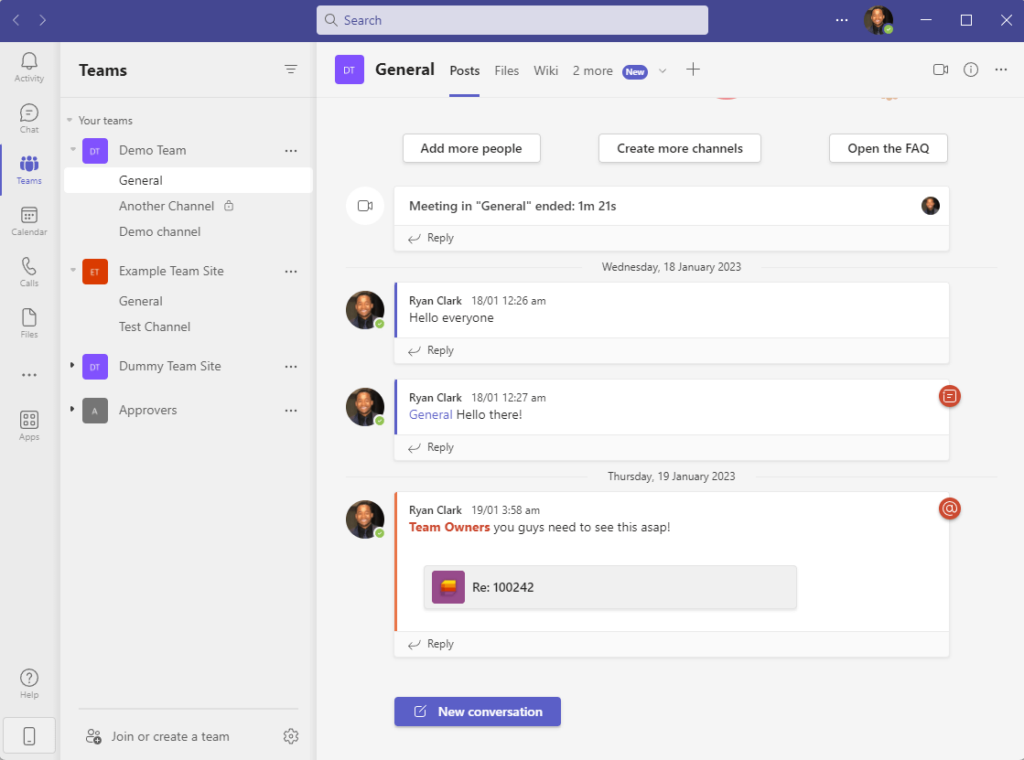
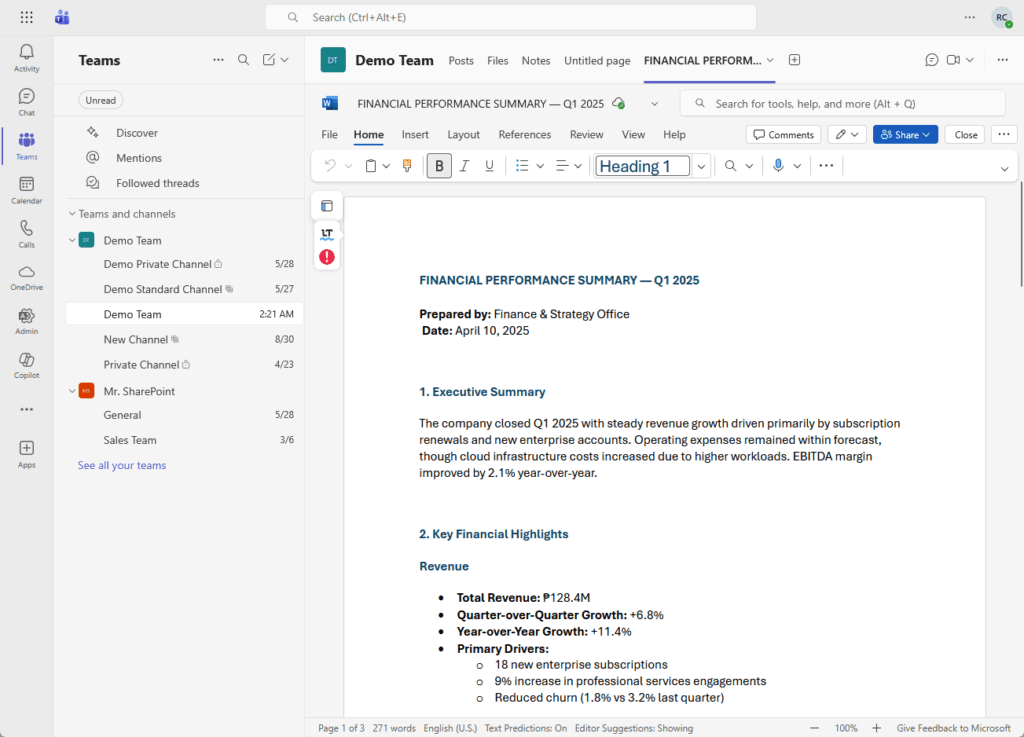
The killer feature is document integration. You can open a Word document inside Teams, edit it during a meeting, and chat about changes simultaneously.
Like this:
But the interface can feel cluttered and overwhelming. The distinction between “Chat” (direct messages) and “Teams” (channel conversations) confuses people.
Mobile users face another issue: Teams drains 20% to 35% of battery life over a few hours, even running in the background.
Teams works best for knowledge workers who live in the Microsoft ecosystem all day.
Webex: The Specialist Tool
Webex takes a cleaner, more focused approach. The interface makes a hard distinction between messaging (Spaces) and meetings.
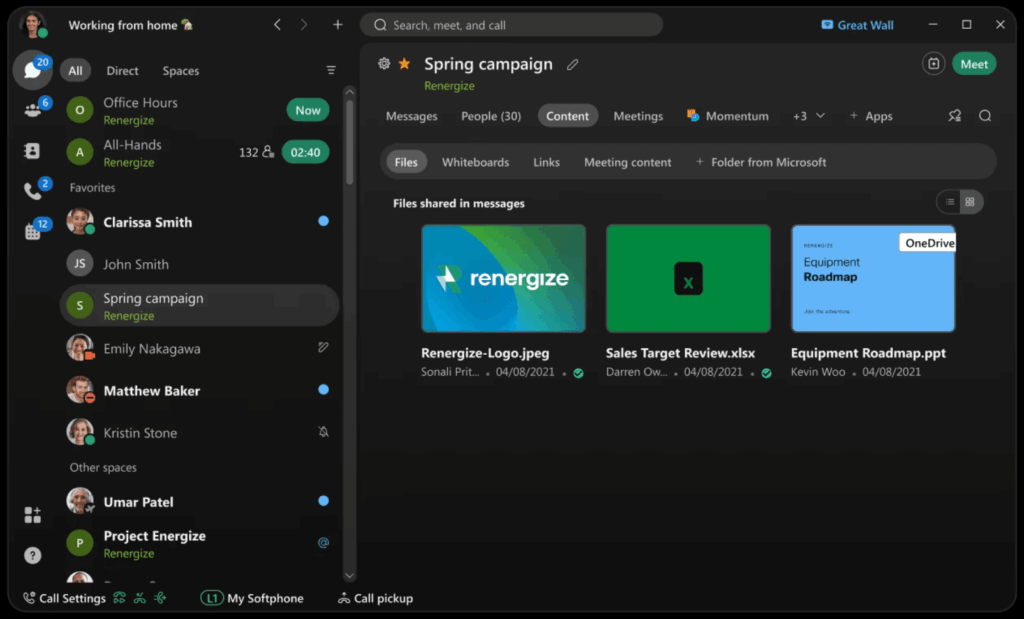
Meeting controls are superior as well. The Stage Manager feature lets you undock shared content and move it to a second monitor.
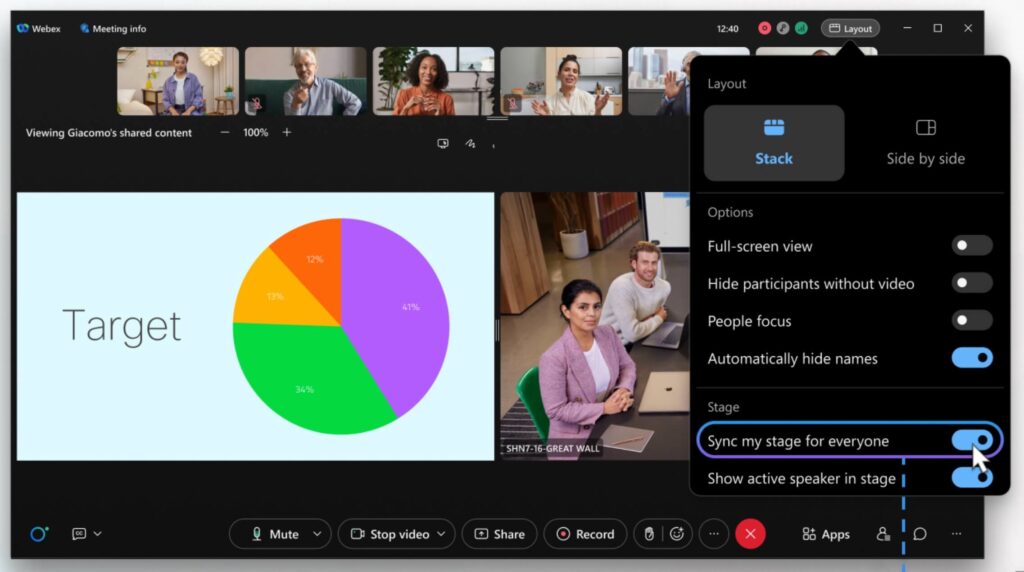
Mobile efficiency is noticeably better too, which means your battery lasts longer.
Well, there’s occasional friction like how advanced settings sometimes open browser windows instead of handling everything natively.
All in all, Webex excels for organizations that prioritize meeting quality over all-in-one convenience.
Audio Quality: Where the Real Battle Happens
Both platforms deliver good audio quality for standard business meetings. Here’s where you’ll notice differences in specialized scenarios.
Cisco’s acquisition of BabbleLabs gave Webex a massive advantage in noise removal technology.

Webex can filter out typing, dogs barking, construction noise, and even other human voices nearby. It isolates only the speaker near the microphone.
Teams has AI-based noise suppression that works well for most situations.
But side-by-side tests in extremely noisy environments sometimes show Teams can make voices sound “thin” or processed when heavy suppression is active.
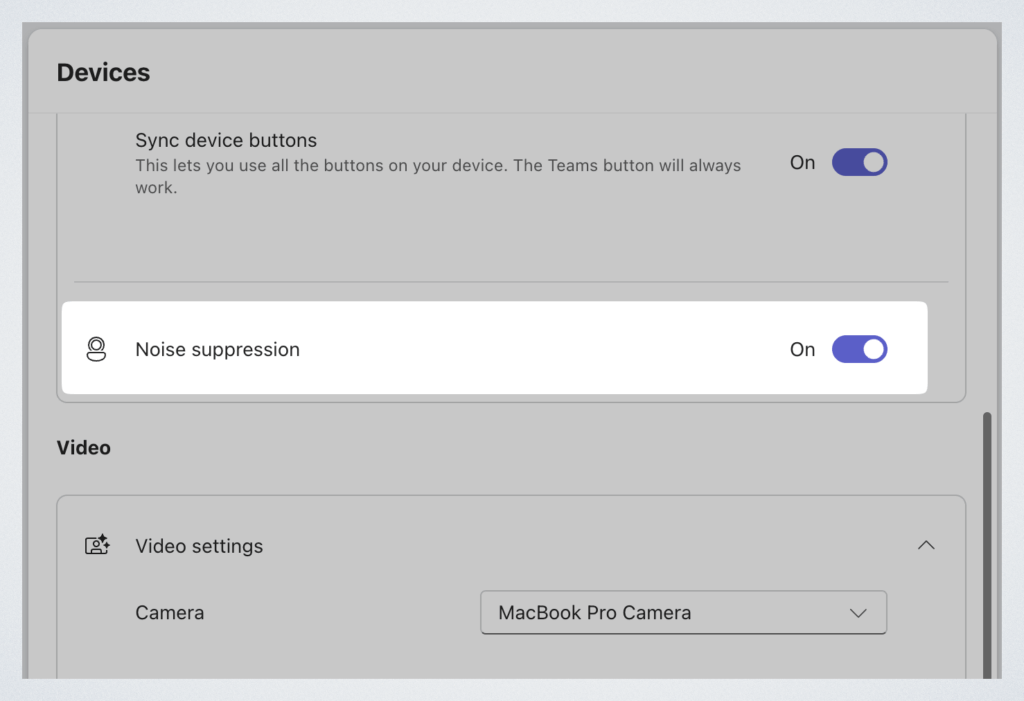
Meanwhile, Webex retains more natural voice frequency while removing noise.
For specialized use cases, high-fidelity mode matters.
For example, music teachers need full audio spectrum transmission. Doctors using virtual stethoscopes need to hear heart sounds accurately.
Webex Music Mode transmits up to 48kHz sampling. Teams offers high-fidelity mode too, but it requires more manual configuration and higher bandwidth.
For standard internal meetings, Teams delivers excellent audio quality.
For mission-critical audio scenarios like sales calls, executive briefings, or customer support where background noise is unpredictable, Webex’s specialized audio processing can provide additional reliability.
The AI Features Price Gap
Artificial intelligence in meetings has moved from novelty to necessity. But the two platforms have radically different pricing strategies for AI.
Microsoft offers incredibly powerful AI through Copilot. It connects to your entire Microsoft 365 environment, linking meeting transcripts to emails, documents, and chat history.
For more basic AI features like Intelligent Recap and live translated captions, you need Teams Premium (approximately $7 to $10 per user monthly).

These features enhance meetings significantly without the full Copilot investment.
Cisco bundles AI into the standard Webex Meet and Suite license.
The Webex AI Assistant provides real-time meeting summaries, action item extraction, and “catch me up” functionality. Every user gets these features automatically.
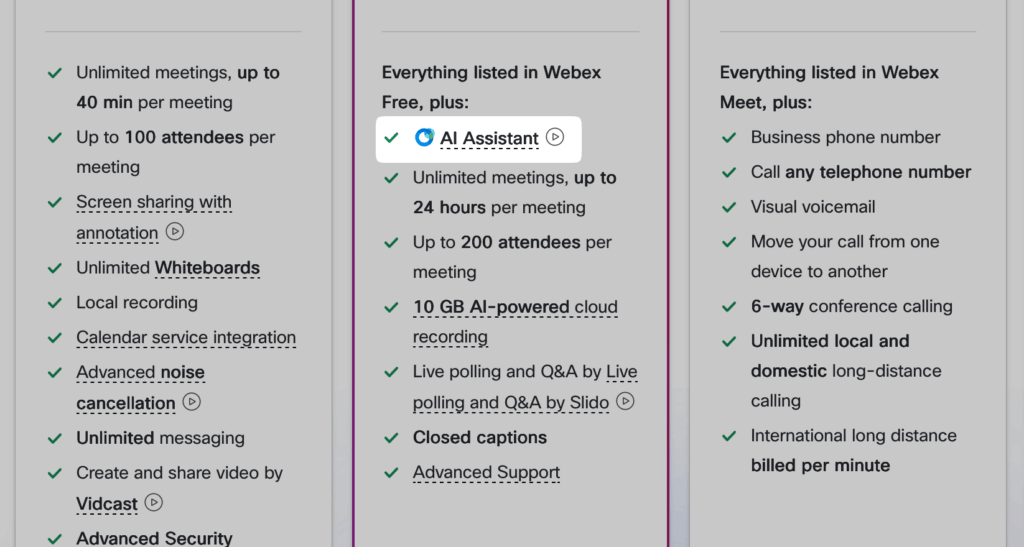
The economics matter at scale. For a 100-person organization, Teams Premium costs $8,400 yearly while Webex includes AI at no additional cost.
The decision depends on your AI strategy.
If you’re investing in Copilot organization-wide for its unique cross-app intelligence, you’re already getting powerful meeting AI.
However, if only executives need AI summaries and you’re not ready for full Copilot deployment, Webex’s included features provide good value.
The Hardware Game-Changer: Cisco Devices Running Teams
This development changes everything.
Cisco opened its conference room hardware to run Microsoft Teams Rooms (MTR) natively. You can now have Cisco devices that display the purple Teams interface.

The device uses “dual registration.”
It registers to Microsoft’s cloud for the calendar and meeting interface while simultaneously registering to Cisco Control Hub for device management and analytics.
This opens up strategic deployment options:
| Room Type | Recommended Setup | Reasoning |
| Huddle rooms (4-6 people) | Third-party MTR devices (Yealink, Logitech) | Cost-effective for smaller spaces |
| Conference rooms (8-20 people) | Cisco devices running MTR | Superior audio/video quality for larger groups |
| Executive boardrooms | Cisco devices running MTR or native Webex | Premium experience for high-stakes meetings |
Users see the familiar Teams join button they already know. IT administrators get Cisco’s superior device management tools.
You get Cisco’s superior cameras, speakers, and audio processors running the Teams software your workforce expects.
There’s also another migration consideration.
If you have existing Cisco IP phones deployed across your organization, they can often be reflashed with new firmware for Webex Calling.
Migrating to Teams Phone usually requires replacing all existing phone hardware. Unfortunately, that replacement cost can destroy a Teams return on investment calculation.
Security Considerations for Regulated Industries
Teams provides robust security for most organizations, with encryption in transit and at rest. For specific regulated industries, additional controls matter.
True end-to-end encryption (E2EE) is the key differentiator: Webex offers it for meetings of any size while Teams provides E2EE only for one-on-one calls.
Industries with enhanced security requirements may need Webex:
- Healthcare: HIPAA compliance with Epic and Cerner integration for telehealth.
- Financial services: Encryption key ownership and “ethical wall” features for trading desk compliance.
- Government: FedRAMP authorized environments with closer feature parity to commercial versions.
E2EE means your audio and video are encrypted on your device and only decrypted on the recipient’s device.
Cisco’s servers pass “locked boxes” without the keys. The trade-off is that E2EE disables cloud recording and AI transcription.
For general business meetings, Teams’ security model is perfectly sufficient.
Consider enhanced security only if you discuss mergers and acquisitions, patient diagnoses, classified material, or insider trading information.
The Total Cost Reality
The pricing comparison is deceptive on the surface. Teams appears free while Webex appears to cost money. However, the reality is significantly more complex.
Why “Free” Teams Isn’t Really Free
Teams is included in Microsoft 365, but achieving feature parity with Webex requires multiple add-ons.
Let’s break down the actual costs:
| Component | Microsoft Teams Cost | Cisco Webex Cost |
| Base meeting license | $0 (included in M365 Business Standard at $12.50) | $12 (Webex Meet) |
| PSTN calling capability | +$8 (Teams Phone Standard) | +$10 (delta for Webex Suite) |
| Domestic calling plan | +$12 (Microsoft Calling Plan) | Included in some Enterprise Agreements |
| Advanced AI and security | +$7 (Teams Premium) | $0 (included in Suite) |
| Generative AI | +$30 (Microsoft 365 Copilot) | N/A (limited GenAI) |
| Total per user monthly | ~$57 (full stack) | ~$22 to $30 (full stack) |
Conference room devices add another layer of cost.
Microsoft charges approximately $40 per device monthly for Teams Rooms Pro licenses. Cisco often bundles device registration into Enterprise Agreements.
There’s also hidden hardware replacement cost.
If you have 500 existing desk phones, migrating to Teams typically means buying 500 new “Teams Certified” phones. Webex Calling can often reuse existing Cisco hardware with a firmware update.
Evaluating Your Microsoft Investment
You already pay for Microsoft 365, so Teams is part of your existing investment.
The question becomes: Are there specific scenarios where supplementing with Webex provides measurable value?
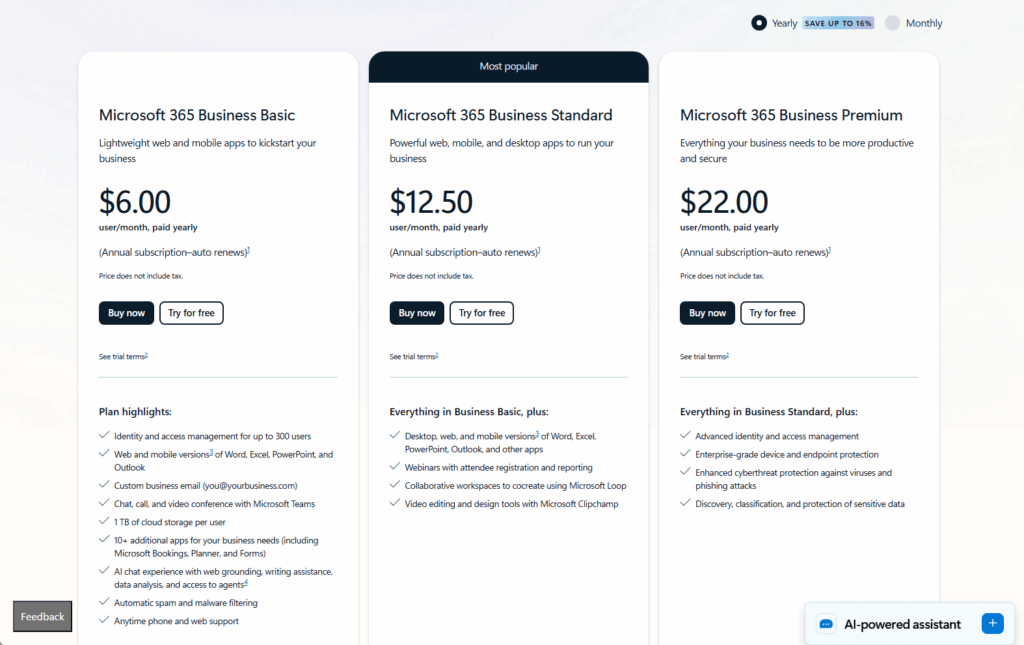
The counter-argument requires looking at total communication spend:
If you’re paying for multiple point solutions beyond Teams (like Zoom for webinars, specialized contact center tools, or maintaining legacy PBX contracts), Webex Suite consolidation might actually reduce costs.

Create a spreadsheet comparing your current state (Teams plus all add-ons plus other tools) against strategic Webex deployment for specific use cases.
Include hardware replacement costs. The real total cost of ownership often reveals opportunities to optimize your Microsoft investment rather than replace it.
Maximize Your Teams Investment
Teams is your collaboration foundation.
Here’s how to strategically enhance it for scenarios where specialized capabilities provide measurable value.
- Audit your current meeting quality complaints and identify patterns in when and where problems occur
- Calculate true total cost of ownership including add-on licenses, calling plans, room devices, and hardware replacement costs
- Identify specific use cases where Webex’s specialized capabilities justify the investment rather than buying for every employee
- Consider Cisco MTR devices in your most important conference rooms while maintaining Teams as your standard platform
- Think optimization rather than replacement for each scenario
The question isn’t “which platform wins?” It’s “how do I maximize my Teams investment and supplement strategically?”
Organizations that approach this thoughtfully will have better meetings, happier users, and lower total costs than those forcing a one-size-fits-all solution.
What’s your experience been with Teams? Drop a comment below and share what’s working (or not working) in your organization.
For any business-related queries or concerns, contact me through the contact form. I always reply. 🙂




























