
Table of Contents:
Last Updated on December 11, 2025
SharePoint sits on nearly every organization’s desktop today. It comes bundled with Microsoft 365, which means most companies already own it.
The cost appears to be zero, making it the default choice for document management. But “good enough” doesn’t mean “best for everything.”
Specialized document management systems like M-Files, Laserfiche, and Box haven’t disappeared. They’ve carved out specific niches where SharePoint struggles.
The question isn’t whether SharePoint is powerful. The question is whether it matches your actual business needs.
SharePoint isn’t trying to be the best document management system.
It’s trying to be the most integrated collaboration platform in the Microsoft ecosystem. That distinction matters more than most people realize.
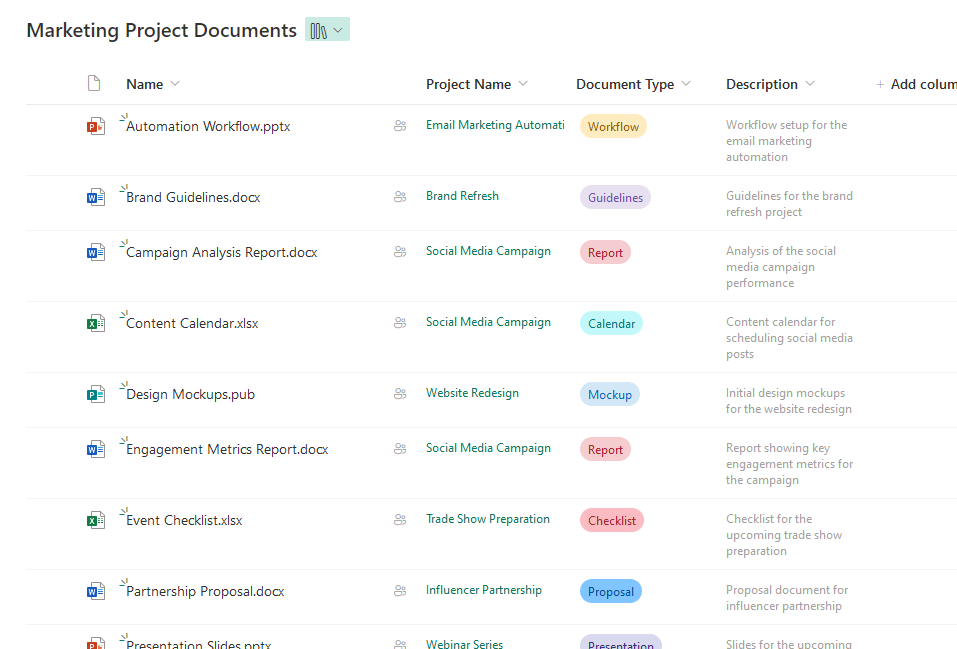
SharePoint’s greatest advantage is also the simplest: you already have it. Here’s what works:
- Included with M365 – No separate license to buy or justify
- Deep Teams integration – Each standard channel stores files in a folder within that team’s SharePoint site
- Modern interface – Sites load fast and the mobile experience actually works
- Security through Purview – Data loss prevention and encryption that follows documents everywhere
- Familiar structure – Folders and sites feel natural for users migrating from network drives
Those strengths explain why SharePoint dominates. But the platform shows its age when you push beyond basic file storage.
Here’s where SharePoint struggles:
- Location-based organization – You store documents in sites, libraries, and folders, which creates silos
- Document sprawl – Teams duplicate files because they can’t find the original across different sites
- Separate workflow engine – Power Automate runs outside SharePoint and gets complex fast
- Premium features cost extra – Advanced AI and records management need add-on licensing
- Friction for external sharing – Clients need Microsoft accounts or confusing one-time passcodes
Most SharePoint environments end up organizing content by “where” (sites, libraries, folders) instead of “what,” unless you deliberately design and enforce a metadata-first information architecture.
That ambiguity creates the sprawl problem that plagues most SharePoint environments. Users spend more time searching than working, and sites multiply without governance.
Sign up for exclusive updates, tips, and strategies
The Major Competitors and What They Do Differently
SharePoint’s competitors don’t try to beat Microsoft on integration. Instead, they excel at specific capabilities where SharePoint’s general-purpose approach falls short.
These differences help you identify whether your pain points need specialized solutions.
1. M-Files: The Metadata Master
M-Files flips document storage upside down. Instead of asking “where should I save this file,” it asks “what is this file.”
A marketing contract gets tagged as both “Class: Contract” and “Department: Marketing,” appearing in both views without duplication.
Here’s what makes M-Files different:
- Metadata-driven views – No folders, just tags that create dynamic views
- Intelligent Metadata Layer – Manages documents in SharePoint, network drives, or Salesforce without moving them
- AI classification (Aino) – Automatically suggests metadata tags by scanning content
- Unified search – Single interface across all your content repositories
M-Files solves the “where does this go” problem that plagues folder-based systems. The Intelligent Metadata Layer eliminates painful migration projects because it manages content in place.
Upload a contract and Aino suggests “Agreement type: Service Agreement, Client: Acme Corp” automatically, which solves the biggest metadata challenge: getting users to actually tag documents.
Best for:
- Engineering and construction firms dealing with complex document relationships.
- Architecture practices where drawings relate to multiple projects, sites, and versions.
- Manufacturing companies tracking parts documentation across product lines.
The trade-off: M-Files is licensed on a per-user, per-month basis, typically in the tens of dollars per user depending on edition and contract (on top of your existing Microsoft 365 license).
The metadata-driven approach also requires users to think differently about file organization, which creates change management challenges.
Here’s how M-Files compares to SharePoint:
| Feature | M-Files | SharePoint |
| Organization | Metadata-driven views by default | Sites, libraries, and folders, with optional metadata and content types if you design for them |
| Search | Metadata-driven, faceted search out of the box | Powerful search and refiners, but many tenants use it mainly as keyword search without a planned metadata model |
| AI Classification | Aino (automatic) | Premium add-on |
| Cross-system Management | Designed to manage content in place across multiple repositories | Can connect to other systems, but usually relies on migration or custom integrations |
| Monthly Cost/User | Typical Google Workspace business plans are in the single- to low-twenties USD per user per month (exact pricing changes over time) | Included in Microsoft 365 licenses you already pay for |
2. Laserfiche: The Process Automation Expert
Laserfiche comes from the scanning and records management world. Its DNA is built around turning paper into digital assets and managing them through their entire lifecycle.
Government agencies and financial institutions choose Laserfiche when compliance isn’t optional.
Laserfiche excels at these capabilities:
- Advanced document capture – Zone OCR reads specific areas to extract data automatically
- Built-in workflow engine – Full BPM tool that handles long-running, complex processes
- DoD 5015.2 certification – Records management with cutoff instructions and vital records classification
- Omni-channel input – Scanners, email, mobile devices, and web forms all feed into the system
The workflow engine manages long-term processes, with built-in retry logic, error handling, and parallel processing, without requiring “Premium” connectors.
SharePoint alone doesn’t match Laserfiche’s built-in capture and zone OCR.
You can approximate similar flows using scanners, SharePoint libraries, Power Automate, and optional AI services, but it usually takes more configuration and extra licensing.
Best for:
- Municipal and state government with public records requirements.
- Financial institutions with strict compliance mandates.
- Higher education managing student records and academic processes.
- Healthcare organizations dealing with patient documentation.
The trade-off: Laserfiche is a premium, per-user subscription, typically priced higher than basic collaboration tools, and it adds a substantial recurring cost line to your budget.
For organizations with simple collaboration needs, it’s overkill. You’re paying for industrial-grade features you might never use.
Here’s how Laserfiche compares to SharePoint:
| Feature | Laserfiche | SharePoint |
| Document Capture | Zone OCR (built-in) | Premium add-on or third-party |
| Workflow Engine | Native BPM platform | Power Automate (separate) |
| Records Management | DoD 5015.2 certified | Purview (complex setup) |
| Compliance Automation | Built for government | Requires configuration |
| Monthly Cost/User | $73-93 | Included in M365 |
3. Box: The External Collaboration Champion
Box positions itself as the “Content Cloud” for the modern workplace. The real strength is making external sharing simple and secure.
Organizations use Box as a DMZ for client collaboration where SharePoint’s internal-first architecture creates too much friction.
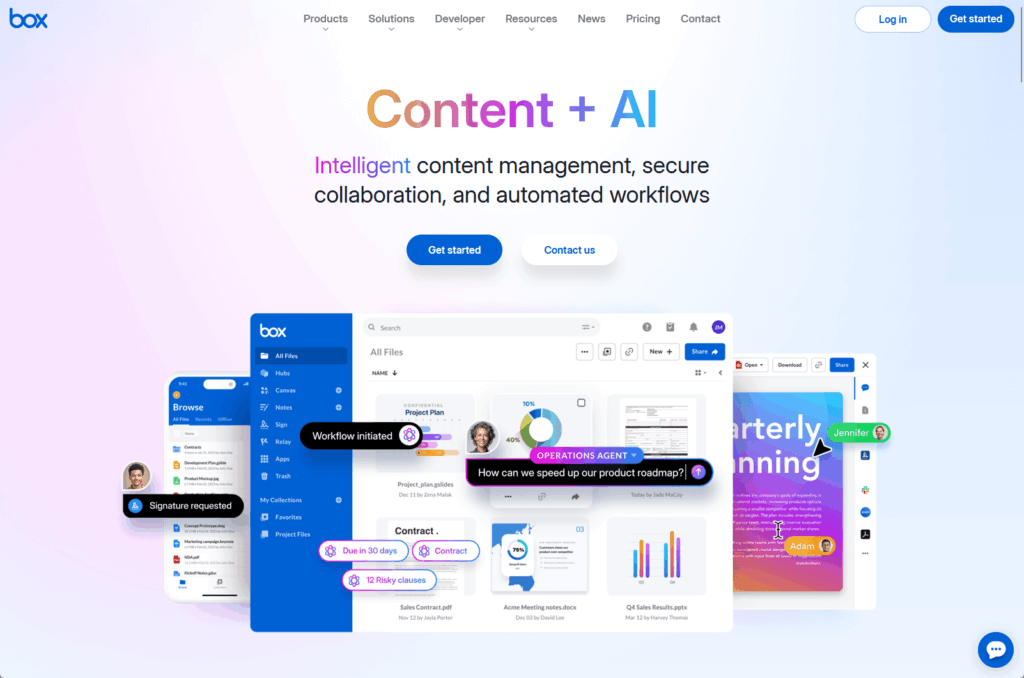
Box excels at these capabilities:
- Frictionless external sharing – Password-protected links with expiration dates, no account creation required
- Platform neutrality – Integrates equally with M365, Google Workspace, Salesforce, and Slack
- Superior Salesforce integration – Manage files directly inside CRM records without leaving the interface
- Box Shield security – Smart Access restricts downloads from unmanaged devices without complex policies
The external sharing model removes friction that frustrates clients. Recipients don’t navigate Microsoft’s guest verification process or create accounts.
For companies using Salesforce as their CRM, Box’s integration is considered the gold standard while SharePoint usually requires third-party middleware.
Box maintains true platform neutrality, making it the unifying content layer for organizations using mixed IT environments.
Best for:
- Marketing agencies sharing creative assets with rotating client rosters.
- M&A firms exchanging sensitive documents with external advisors.
- Professional services companies collaborating with clients who use different platforms.
- Media companies distributing large video files.
The trade-off: Box Enterprise is another per-user subscription (commonly in the tens of dollars per user per month, depending on plan and contract) on top of your existing Microsoft 365 spend.
Box enforces version history limits on many business plans (often around 50–100 versions, with higher tiers supporting more).
Meanwhile, SharePoint’s version history is configurable and can be set very high, constrained mainly by your storage and admin policies.
Here’s how Box compares to SharePoint:
| Feature | Box | SharePoint |
| External Sharing | Frictionless links | Azure B2B (complex) |
| Salesforce Integration | Native, deep | Third-party needed |
| Platform Approach | Agnostic | Microsoft-centric |
| Version Limits | 50-100 versions | Unlimited (storage hit) |
| Storage | Often unlimited | 1TB + 10GB/user (then $.20/GB) |
4. Google Drive: The Real-Time Collaboration Alternative
Google Drive isn’t really a document management system.
It’s a knowledge creation platform that happens to store files. The distinction explains both its strengths and limitations.
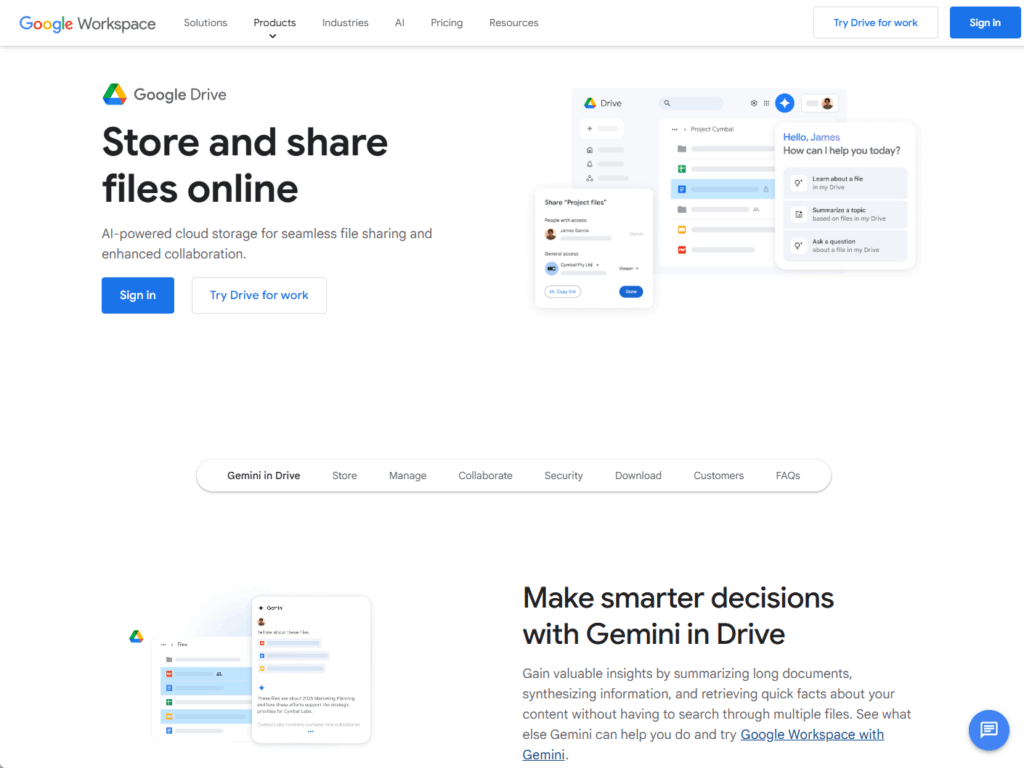
Drive excels at these capabilities:
- Real-time collaboration – Co-authoring in Docs, Sheets, and Slides feels smoother than Microsoft’s web apps
- Fast search – Google’s core search technology delivers quick full-text retrieval
- Velocity over governance – HTML-based files render faster with lighter storage requirements
- Simple interface – Minimal learning curve for document creation
Drive’s structured metadata options (like labels) are more limited than SharePoint’s managed metadata service and content types, and most organizations still lean heavily on search rather than taxonomy.
Google Workspace offers a governed environment via labels, sharing, and Vault, but its retention and permission model is typically simpler and less granular than SharePoint and Microsoft Purview.
As it scales, Drive becomes a “flat ocean” of files where organization depends entirely on search rather than structure.
Best for:
- Fast-moving tech startups that view traditional DMS as bloatware.
- Organizations already standardized on Google Workspace.
- Teams prioritizing document creation speed over long-term records management.
The trade-off: Google Drive becomes a “flat ocean” of files as it scales.
Shared Drives (formerly Team Drives) offer some organization but nothing like SharePoint’s site hierarchy or M-Files’ metadata views.
Google Vault provides eDiscovery and retention as well.
However, they can’t match the granular controls of Microsoft Purview or Laserfiche. Complex retention schedules like “event trigger plus 7 years” are difficult to implement.
Here’s how Google Drive compares to SharePoint:
| Feature | Google Drive | SharePoint |
| Real-Time Collaboration | Best-in-class | Good (improving) |
| Organization | Flat folders, search-dependent | Site hierarchy, libraries |
| Governance/Retention | Basic (Google Vault) | Advanced (Purview) |
| Metadata & Taxonomy | Limited | Managed metadata service |
| Monthly Cost/User | Google Workspace business plans are typically priced in the single- to low-twenties USD per user per month, depending on tier and region (check current pricing). | Included in M365 |
The Hidden Costs: Total Cost of Ownership Reality Check
The phrase “SharePoint is free” appears in every budget discussion. It’s technically true and practically misleading. Making SharePoint work for your business costs real money.
SharePoint’s hidden costs add up fast:
- Storage overages – Extra SharePoint storage is billed per GB/month after the tenant pool limit is reached
- Backup – Adds extra per-user or per-GB cost
- Migration and governance tools – ShareGate ($10,000+), AvePoint ($5-15/user/month)
- Customization and consulting – $100-200/hour, projects cost $25,000-150,000+
- SharePoint Premium – Extra per-user and usage-based cost on top of standard Microsoft 365
Specialized DMS platforms cost more upfront but are more predictable.
Implementation happens faster with pre-configured templates. Maintenance is simpler because there’s less custom code to break during updates.
Here’s a realistic comparison for 100 users over five years:
| Cost Component | SharePoint | M-Files Cloud | Laserfiche Cloud | Box Enterprise |
| Base License | Included (sunk cost) | ~$60,000/year | ~$80,000/year | ~$42,000/year |
| Implementation | $50,000-150,000 (custom dev) | $30,000-60,000 (config) | $40,000-70,000 (config) | $10,000-25,000 (minimal) |
| Training | Ongoing (high) | Upfront (intensive) | Medium | Low (intuitive) |
| 3rd Party Tools | $15,000-30,000/year | Minimal | Minimal | $5,000-15,000/year |
| Storage Overages | High risk ($0.20/GB) | Low risk | Low risk | Usually unlimited |
| Premium Add-ons | $4-7/user/month | Included | Included | Governance add-on |
| Total 5-Year TCO | $150,000-350,000+ | ~$300,000-360,000 | ~$400,000-470,000 | ~$210,000-285,000 |
The insight changes the conversation. SharePoint only stays cheap if you accept out-of-the-box limitations.
Once you add workflows, advanced search, automated capture, and strict governance, the cost difference narrows significantly.
In some scenarios, specialized platforms cost less when you factor in implementation speed and reduced consulting needs.
Decision Framework: Which Platform Should You Choose?
The best document management system depends entirely on your specific situation. These scenarios help you match platforms to real business needs rather than feature checklists.
Stick with SharePoint if…
- You’re already deep in the Microsoft 365 ecosystem (Teams, Outlook, OneDrive)
- Basic collaboration and file storage meet your needs
- You have 1,000+ users (change management risk is too high)
- Your budget is limited and you can accept the platform’s constraints
- Document relationships are simple (folders adequately represent your structure)
Consider M-Files if…
- Documents have complex relationships that folders can’t represent
- You need to manage content across multiple systems without migrations
- Users constantly say “I know we have it somewhere” while clicking through folders
- You’re in architecture, engineering, construction (AEC), or manufacturing
Consider Laserfiche if…
- You’re in government with strict records management requirements
- High-volume scanning and OCR are critical (500+ documents per week)
- Complex, long-running workflows take weeks or months with multiple decision points
- You need audit trails and compliance reporting that satisfy regulators
Consider Box if…
- External collaboration with clients, vendors, and partners is a primary use case
- You operate in a mixed IT environment (Salesforce, Slack, Google)
- Large media files and unlimited storage matter for your team
- Branded client portals are important to your business image
The Wild Card: AI Integration Changes Everything
Artificial intelligence has shifted the document management battleground. The question is no longer “where do we store files” but “how do we extract value from content.”
Every major platform now includes AI features, but their approaches differ dramatically.
Here’s how each platform handles AI:
- Microsoft Copilot – Cross-app intelligence across email, chat, and documents ($30/user/month, but reveals permission problems)
- Box AI – “Bring your own model” approach, analyzes only documents with explicit user permission (safer for external collaboration)
- M-Files Aino – Focuses on classification and metadata tagging (strict governance reduces data leakage risks)
- Google Gemini – Summarizes email threads and generates content in Docs (limited enterprise file grounding)
AI reveals your governance problems. SharePoint’s flexible permission model creates exposure when AI starts surfacing content.
Platforms with stricter metadata controls like M-Files and Laserfiche show fewer AI-related security incidents.
Organizations must clean up permissions before deploying Copilot, which often takes months and reveals how messy SharePoint has become over years of ad-hoc sharing.
What to Do Now
Most organizations should start with SharePoint. The integration and lack of additional licensing make it the logical default.
Specialized DMS is justified when documents are your product (law firms, engineering), processes are your business (government, finance), or external collaboration is mission-critical (agencies, M&A firms).
Don’t switch just because SharePoint feels clunky. Fix your governance first with naming conventions, site lifecycle policies, and metadata requirements.
Have questions about which platform fits your needs? Drop a comment below and let’s discuss your specific situation.
For any business-related queries or concerns, contact me through the contact form. I always reply. 🙂




























