Blue graphic with Microsoft Teams logo connected to icons for tasks, growth, ideas, and settings

Best Microsoft Teams Apps for Productivity: My Picks (2026)

Table of Contents:Part 1: The Project Management Heavyweights1. ClickUp2. Asana3. TrelloPart 2: The Microsoft 365 Natives4. Microsoft Planner5. Microsoft Power BI6. Microsoft Power Automate (Workflows)Part 3: The Specialists7. Miro8. Decisions9. Polly10. ZapierIt’s All About Integration and AI Want to make your team more productive in your Microsoft Teams workspace? In this guide, I will show you my top apps that I’m positive can improve your workflows in Teams. Let’s get started. Part 1: The Project Management Heavyweights These apps are comprehensive systems for managing work. They offer deep features for teams that need a central platform to track complex projects […]

Best Microsoft Teams Apps for Productivity: My Picks (2026) Read More »
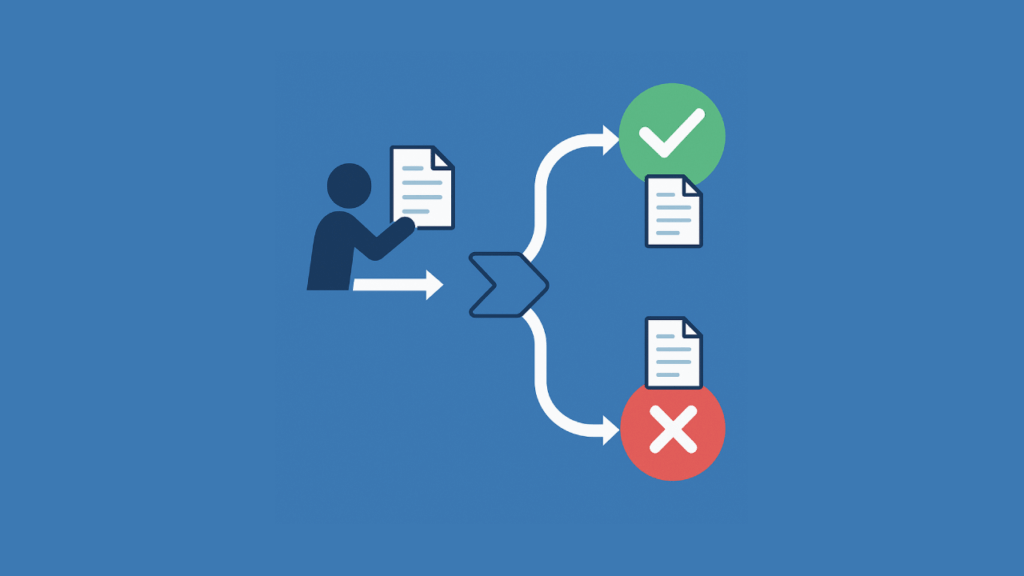
Illustration of automated document approval flow with approval/rejection paths

How to Create a Document Approval Workflow in Power Automate (2026)

Table of Contents:Designing the SharePoint BackboneApproval HistoryApprover CommentsGetting Started with Power Automate CopilotCreating the Perfect PromptRefining the Copilot-Generated FlowThe Trigger and Data GatheringTriggerGet File ContentGet User/Manager Info (Optional)The Approval ActionKey ParametersHandling the OutcomeCondition ControlThe “If Yes” Branch (Approved)The “If No” Branch (Rejected)Advanced Approval PatternsSequential (Multi-Level) ApprovalsParallel ApprovalsDynamic Approvers using a SharePoint ListWrapping Up Struggling with manual document approvals? In this guide, let’s talk about how you can build powerful workflows in Power Automate from start to finish. Let’s get started. Designing the SharePoint Backbone Automated workflows succeed with a strong foundation, like a well-made SharePoint document library. The library acts

How to Create a Document Approval Workflow in Power Automate (2026) Read More »

Blue graphic with central Power Automate icon connected to HR-related icons for people, tasks, and growth

Best Power Automate Templates for HR Processes (2026 Guide)

Table of Contents:Three Ways to Build Your HR AutomationsUsing a Copilot Prompt (The Fast Way)Using Pre-Built Templates (The Blueprint Way)Building from Scratch (The Custom Way)Key HR Processes You Can Automate Today1. Talent Acquisition: Job Requisition Approval2. Employee Onboarding Process: Readiness Flow3. Employee Offboarding: Secure De-provisioning4. Leave & Absence Management: Smart Leave Approval5. Performance Management: Automated Review Cycle6. Expense Management: Mobile Expense ClaimsMaking Your Automations ReliableTip 1: Plan for ErrorsTip 2: Use Service AccountsStart Small, Build Momentum Want to simplify your team’s repetitive HR routine tasks? In this guide, let’s talk about the best Power Automate solutions specifically made for HR.

Best Power Automate Templates for HR Processes (2026 Guide) Read More »

Graphic showing SharePoint and Zoho WorkDrive icons side by side with a handshake in between

SharePoint vs Zoho WorkDrive: Which Is Better for Team Collaboration?

Table of Contents:What Is SharePoint?What Is Zoho WorkDrive?Head-to-Head: SharePoint vs Zoho WorkDrivePlatform Usability & User ExperienceCollaboration FeaturesAI & AutomationIntegration & ExtensibilitySecurity & ComplianceStorage, Pricing & ScalabilitySharePoint: Strengths & WeaknessesZoho WorkDrive: Strengths & WeaknessesBut there are trade-offsReal-World Use CasesMicrosoft-centric companiesZoho-centric teams, startups, and agenciesHighly regulated industriesCreative and media teamsConclusion Not sure between SharePoint and Zoho WorkDrive? In this guide, let’s talk about the key differences that can help you pick the right platform for your team. Let’s get started. What Is SharePoint? SharePoint’s been around the block. First launched back in 2001, it’s grown through a bunch of versions. From MOSS

SharePoint vs Zoho WorkDrive: Which Is Better for Team Collaboration? Read More »

Stylized shield with cloud, lock, and checkmark icons on a solid blue background

Best Microsoft 365 Compliance Practices for 2026 (Simple Steps for Real Results)

Table of Contents:Why Compliance Is CriticalTop Practices for Microsoft 365 Compliance1. Run a Compliance Assessment with Microsoft Purview Compliance Manager2. Enforce Least-Privilege Access with Entra PIM3. Classify and Label Data Effectively4. Apply Lifecycle and Records Management5. Deploy Adaptive Data Loss Prevention (DLP)6. Operationalize Insider Risk Management and Communications Compliance7. Modernize eDiscovery and Legal Holds8. Review Compliance and Secure Scores RegularlyUnderstanding Compliance Frameworks Are you prepared for the compliance changes in Microsoft 365? In this guide, let’s talk about the latest, practical practices to help your business stay audit-ready today. Let’s get started. Why Compliance Is Critical Compliance is a serious

Best Microsoft 365 Compliance Practices for 2026 (Simple Steps for Real Results) Read More »

Modern SharePoint Web Parts: List of All Available Web Parts

Modern SharePoint Web Parts: List of All Available Web Parts (Updated)

Table of Contents:1. Banner2. Bing Maps3. Button4. Call to Action5. Code Snippet6. Conversations7. Countdown Timer8. Dashboard9. Divider10. Document Library11. Editorial Card12. Embed13. Events14. File and Media15. Group Calendar16. Hero17. Highlighted Content18. Highlights19. Image20. Image Gallery21. Kindle Instant Preview22. Link23. List24. List Properties25. Markdown26. Microsoft Forms27. Microsoft PowerApps28. News29. Organization Chart30. Page Properties31. People32. Power BI33. Quick Chart34. Quick Links35. Recent Documents36. Saved for Later37. Site Activity38. Sites39. Spacer40. Stream41. Text42. Weather43. World Clock44. YouTube Want to know all the web parts in SharePoint? Let’s talk about all the modern SharePoint Online web parts with a quick and practical summary for

Modern SharePoint Web Parts: List of All Available Web Parts (Updated) Read More »

5 AvePoint Alternatives for SharePoint Management

5 AvePoint Alternatives for SharePoint Management (2026)

Table of Contents:1. ShareGate2. Veeam Backup for Microsoft 3653. CoreView4. Metalogix Content Matrix5. Backupify (Kaseya) Want to switch from AvePoint? In this guide, let’s break down the best AvePoint alternatives, talk about what works, and how they compare. Let’s get started. 1. ShareGate ShareGate isn’t just a migration tool; it’s a Swiss Army knife for SharePoint and M365. You can use it to migrate across: You keep metadata, permissions, and version history; basically, if it’s on your site, ShareGate moves it, with no problem. As for the UI, you get a clean desktop app with drag-and-drop, bulk edits, and PowerShell

5 AvePoint Alternatives for SharePoint Management (2026) Read More »

How to Set Up SharePoint Permissions for External Users

How to Set Up SharePoint Permissions for External Users (2026)

Table of Contents:Step 1: Assess Tenant-Wide External Sharing SettingsStep 2: Prepare a Pilot Site for Guest AccessStep 3: Choose Permission Levels for Typical Guest ScenariosStep 4: Secure Shared Content With Governance ToolsMonitoring and Maintaining Guest AccountsExternal Sharing in Teams-Connected SitesOngoing Governance and Policy Reviews Looking for a way to add external users? In this guide, let’s take a look at the steps to take to set up permissions and protect your data with confidence. Let’s get started. Step 1: Assess Tenant-Wide External Sharing Settings Ask yourself: What level of access makes sense for your business? Start by visiting the SharePoint

How to Set Up SharePoint Permissions for External Users (2026) Read More »

Best SharePoint Use Cases for Remote Teams to Skyrocket Productivity

Best SharePoint Use Cases for Remote Teams to Skyrocket Productivity (2026)

Table of Contents:1. Real-Time Collaboration2. Centralized Document Management3. Project and Task Management4. Automated Workflows5. Team Intranet and Knowledge Base6. Leave and Vacation Tracking7. Helpdesk and Issue Tracking8. Event and Calendar Management9. Dashboards and Reporting10. Integration with Teams and OneDrive Curious about getting more done with SharePoint? In this guide, I will tell you about the different use cases for SharePoint that can help boost remote teams. Let’s get started. 1. Real-Time Collaboration With co-authoring, your whole team can work together on Word, Excel, or PowerPoint files at the same time. You see updates instantly, and everyone edits one document, so

Best SharePoint Use Cases for Remote Teams to Skyrocket Productivity (2026) Read More »

Best SharePoint Features for Project Management

Best SharePoint Features for Project Management (2026)

Table of Contents:Project Task ListsCreating And Grouping Tasks In Microsoft ListsModern Site TemplatesChoosing The Project Management TemplateWhen A Communication Site Works BetterPlanner Integration (Board View)Connecting Planner To SharePointCalendar View For Quick TimelinesGantt And Timeline Visuals Via IntegrationsPower BI Gantt Or Microsoft ProjectThird-Party Timeline Web PartsPower BI IntegrationKPI Web Parts And DashboardsPower Automate WorkflowsAutomating Status EmailsOne-Click ApprovalsGuest Access And PermissionsGiving Contractors The Right AccessVersion History And Retention PoliciesPortfolio Dashboards (Hub Sites)Copilot Analysis Assist (Preview)Maximizing Project Success Looking for the features for project management? In this guide, let’s talk about the practical tools that can keep your team organized and projects running

Best SharePoint Features for Project Management (2026) Read More »

Scroll to Top