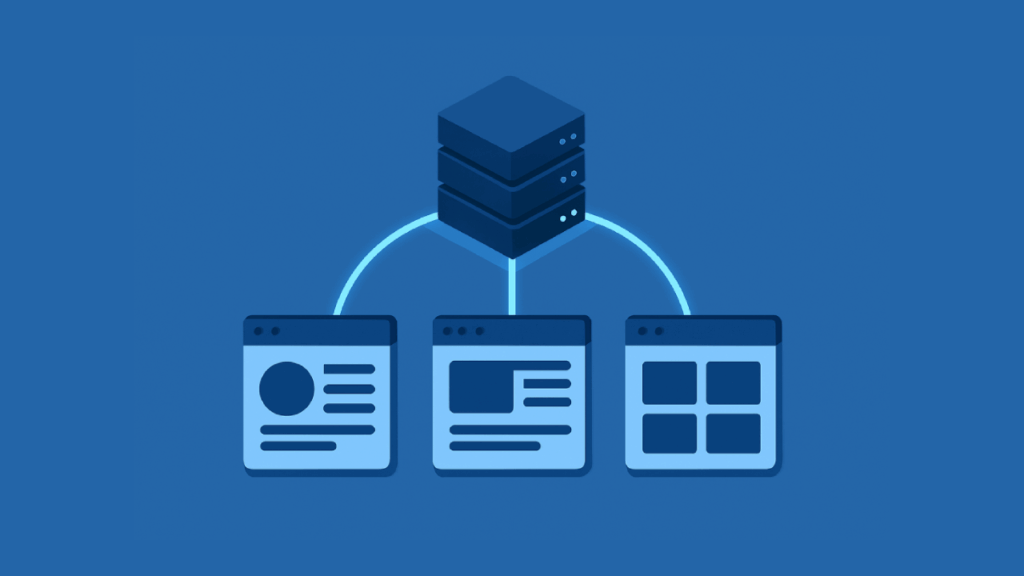
Illustration of a server connected to three web browser windows, signifying data distribution or networked web applications, all in shades of blue.

How to Share Site-Level Term Set In SharePoint Online

Table of Contents:Term Set Scopes (Global vs. Site-Level)What is the SharePoint Term Store?Key Differences Between Global and Site-Level Term SetsMethod 1: Direct Sharing with Other Site CollectionsMethod 2: Promoting a Site-Level Term Set to GlobalUsing the “Hub-and-Spoke” ModelWhat are Pinned and Reused Terms?Building Your Hub-and-Spoke TaxonomyFrequently Asked Questions (FAQ) Need to share a local SharePoint term set with other sites? In this guide, I will explain the best methods to share your site-level term sets across your SharePoint Online environment. Let’s get started. Term Set Scopes (Global vs. Site-Level) Before you can share a term set, you need to know where […]

How to Share Site-Level Term Set In SharePoint Online Read More »

A central white cube connects to various geometric shapes—cylinder, cone, and cubes—by white lines on a blue background, representing a network or system diagram.

How to Customize SharePoint Site Navigation: Hubs, Global, & Local Menus

Table of Contents:About SharePoint NavigationWhy Good Navigation MattersThe Three Levels of Modern NavigationModern vs. Classic NavigationCustomizing a Single Site’s NavigationTop Link Bar vs. Quick LaunchHow to Add, Edit, and Remove LinksCreating Drop-Down Menus with SublinksCascading vs. Mega MenusManaging Hub Site NavigationWhat is a Hub Site?Setting Up the Hub Navigation BarHow Navigation Inheritance WorksHow to Associate a Site with a HubSetting Up Global and Footer NavigationThe SharePoint App Bar and Global NavigationCustomizing the Site FooterAdvanced Customization MethodsPersonalizing Menus with Audience TargetingAutomating Navigation with PowerShellExtending Navigation with SharePoint Framework (SPFx)Putting It All Together Want to improve your SharePoint site’s usability? In this

How to Customize SharePoint Site Navigation: Hubs, Global, & Local Menus Read More »

Abstract illustration with cubes gear cloud chart and database connected on a blue background

Power Platform Terminology Explained: From Power Apps to Dataverse

Table of Contents:What is the Microsoft Power Platform?The Five Main ApplicationsPower Apps (For Building Custom Applications)Power BI (For Turning Data into Visual Insights)Power Automate (For Automating Repetitive Business Tasks)Copilot Studio (For Creating Intelligent Chatbots)Power Pages (For Building Secure Business Websites)Shared Platform ServicesMicrosoft Dataverse (Secure Data Backbone)Connectors (Gateway to Your Data and Services)AI Builder (Add AI to Apps and Workflows)Governance, Management, and ALMAdministration and GovernanceApplication Lifecycle Management (ALM)The Developer’s Toolkit (Pro-Code Capabilities)Power Platform CLI (Command-Line Interface)Power Apps Component Framework (PCF)Putting It All Together Ever felt lost in a sea of tech jargon when trying to understand Microsoft’s Power Platform? In this

Power Platform Terminology Explained: From Power Apps to Dataverse Read More »

Isometric illustration of a web interface with content blocks and analytics chart

Best SharePoint Web Parts to Enhance UX (Complete Guide)

Table of Contents:Foundational Web Parts for Visuals and Communication1. Hero Web Part2. News Web Part3. Image Gallery & Video Web Parts4. Countdown Timer Web PartWeb Parts for Easy Navigation and Finding Information5. Quick Links Web Part6. Highlighted Content Web Part7. People Directory Web PartsWeb Parts for Better Collaboration8. Viva Engage (Yammer) Web Part9. List Web PartWeb Parts for Integrating Data and Apps10. Microsoft Forms Web Part11. Power BI Web PartBuilding Your Web Part Toolkit Want to build a SharePoint site that people actually enjoy using? In this guide, I’ll show you the best web parts for site design and enable

Best SharePoint Web Parts to Enhance UX (Complete Guide) Read More »

Isometric illustration of Microsoft Forms connecting to SharePoint database

How to Use Microsoft Forms with SharePoint for Data Collection

Table of Contents:Forms and SharePointThe Easy-to-Use Data Capture ToolThe Powerful Data Storage HubHow to Connect Forms with SharePointMethod 1: Embed a Form on a SharePoint PageMethod 2: Create a Form Directly From a SharePoint ListMethod 3: Build a Custom Workflow with Power AutomateForms + SharePoint vs. Power AppsStart Automating Your Data CollectionFrequently Asked Questions (FAQ) Tired of manually copying and pasting information from forms into spreadsheets? In this guide, I’ll show you three distinct methods for connecting Microsoft Forms with SharePoint. Let’s get started. Forms and SharePoint Microsoft Forms and SharePoint Lists are designed to work in tandem. Forms is

How to Use Microsoft Forms with SharePoint for Data Collection Read More »

Microsoft 365 vs Google Workspace icons split on a blue background

Microsoft 365 vs Google Workspace for Small Businesses (Comparison)

Table of Contents:Which Suite Should You Choose? (Quick Verdict)Comparing Plans and PriceMicrosoft 365 Business PlansGoogle Workspace Business PlansThe Cost of AI (Copilot vs. Gemini)Price and Value Comparison TableCore Apps: Desktop Power vs. Cloud SpeedMicrosoft 365 (Feature-Rich Desktop Apps)Google Workspace (Simple and Fast Web Apps)Working Offline and File CompatibilityCollaboration: Teams vs. Meet & ChatMicrosoft Teams (The All-in-One Hub)Google Meet & Chat (Flexible Approach)Co-authoring and Meetings Feature TableCloud Storage: OneDrive vs. Google DriveIndividual vs. PooledSync Performance and User InterfaceThe Real Cost of StorageSecurity Features by PlanBaseline SecurityM365 Premium vs. GW Plus (Advanced Security)Security Feature Comparison TableEase of Use for Business OwnersAdmin ConsolesThe

Microsoft 365 vs Google Workspace for Small Businesses (Comparison) Read More »

Digital cubes flowing into cloud illustrating data migration

The Best Metalogix Alternatives for Data Migration (In-Depth Comparison)

Table of Contents:What is Metalogix?Why Look for a Metalogix Alternative?Top Commercial Metalogix Alternatives1. ShareGate (The Usability Leader)2. AvePoint Fly (The Enterprise-Grade Platform)3. Quest On Demand Migration (ODM) (The Tenant-to-Tenant Specialist)4. BitTitan MigrationWiz (The Cloud-Native Workload Specialist)5. Tzunami Deployer (The Legacy ECM Powerhouse)Bonus: Microsoft SharePoint Migration Tool (SPMT)Comparison at a Glance: Metalogix vs. The AlternativesMoving Beyond a One-Size-Fits-All Approach Is your organization ready to make the leap to Microsoft 365, but daunted by the complexity of data migration? In this guide, we’ll explore the best commercial and free alternatives, diving deep into their features and pricing. Let’s get started. What is

The Best Metalogix Alternatives for Data Migration (In-Depth Comparison) Read More »

Isometric illustration of secure sharepoint vault with external users

SharePoint File Sharing With External Users (Step-By-Step)

Table of Contents:How External Sharing Works in SharePointWhat’s the Difference Between External Users and Guest Users?How Sharing Permissions are ControlledHow to Set Up SharePoint File Sharing with External UsersStep 1: Configure Organization-Level Sharing SettingsStep 2: Adjust Settings for Individual SharePoint SitesStep 3: Use Advanced Settings for More ControlNote: Check Your Microsoft 365 Groups and Teams SettingsSharing and Receiving FilesHow an Internal User Shares a File or FolderWhat the External User ExperiencesWhat Can Guest Users Do?Your Next Steps Need to share SharePoint files with people outside your company, but worried about keeping your data secure? In this guide, I’ll walk you

SharePoint File Sharing With External Users (Step-By-Step) Read More »

Illustration of a cloud icon connected by a dotted line to a yellow folder with a green sync icon in the middle on a solid blue background

How to Open SharePoint in File Explorer (Step-by-Step)

Table of Contents:The Best Way: Using the OneDrive Sync ClientAdd Shortcut to My Files vs. SyncHow to Add a Shortcut to My FilesAbout Files On-DemandHow Files On-Demand Saves SpaceThe Meaning of the Status IconsOlder Methods (And Why to Avoid Them)The Old “View in File Explorer”Mapping as a Network DriveTroubleshooting Common Sync ProblemsFiles Aren’t Syncing“Path Too Long” ErrorThe Recommended Path Forward Want to manage your SharePoint files without ever leaving your desktop? In this guide, I will show you the best and most reliable way to open SharePoint in File Explorer. We’ll also look at outdated methods you should avoid and

How to Open SharePoint in File Explorer (Step-by-Step) Read More »

Illustration of a green Microsoft Form template stacked in front of faded duplicates on a solid blue background

How to Save a Microsoft Form as a Template (Step-by-Step Guide)

Table of Contents:Method 1: Share a Reusable Template Link (The Best for Teams)How to Generate a “Share as a Template” LinkWhen to Use This MethodMethod 2: Duplicate a Form for Your Own Use (The “Copy” Method)How to Make a Personal CopyWhen to Use This Method“Template” vs. “Collaboration” LinksAutomate Your Form with Power Automate and SharePointWhy an Automated Template is Better for BusinessExample: Save Form Responses to a SharePoint ListChoosing the Right Template MethodFAQHow do I change who owns a form?Can I reset a form and clear all its responses?Can I recover deleted responses? Want to stop building the same Microsoft

How to Save a Microsoft Form as a Template (Step-by-Step Guide) Read More »

Scroll to Top