
Table of Contents:
- The Low-Code Revolution and Two Market Leaders
- Platform Philosophies (Their Core Differences)
- Key Features Comparison: What Each Platform Offers
- AI and Automation (The Intelligence Factor)
- Pricing and Total Cost of Ownership
- Integration and Ecosystem
- When to Choose Each Platform: Strategic Decision Framework
- No Universal Winner, Just the Right Fit
Last Updated on October 24, 2025
Need to build business applications faster without hiring an army of developers?
In this guide, let’s talk about Microsoft Power Apps and OutSystems, the two leading low-code platforms for app development.
Let’s get started.
The Low-Code Revolution and Two Market Leaders
Enterprise software is changing fast. Low-code platforms now promise to speed up development by up to 90% while cutting costs dramatically.
Two platforms lead this movement: Microsoft Power Apps and OutSystems. Both appear in Gartner’s Magic Quadrant as leaders.
But their similarities end there. Here’s what sets them apart:
- Power Apps democratizes development for business users within the Microsoft ecosystem
- OutSystems provides professional developers with enterprise-grade engineering capabilities
- Power Apps focuses on internal productivity and department workflows
- OutSystems targets complex, mission-critical, and customer-facing systems
Power Apps lets business users and citizen developers create apps without coding experience. The goal is solving internal problems fast.
OutSystems targets professional developers building high-performance systems. It provides full-stack capabilities without sacrificing power or control.
The choice between them shapes your digital strategy for years. It affects who builds your applications, how fast you innovate, and how much you spend.
Sign up for exclusive updates, tips, and strategies
Platform Philosophies (Their Core Differences)
Each platform started with a different vision. These differences appear in everything from user interfaces to pricing.
Microsoft Power Apps: Democratizing App Development
Microsoft built Power Apps with one goal. Put app building into the hands of people who understand business problems best.
The platform targets business users without programming backgrounds. They know what needs fixing but don’t know how to code.
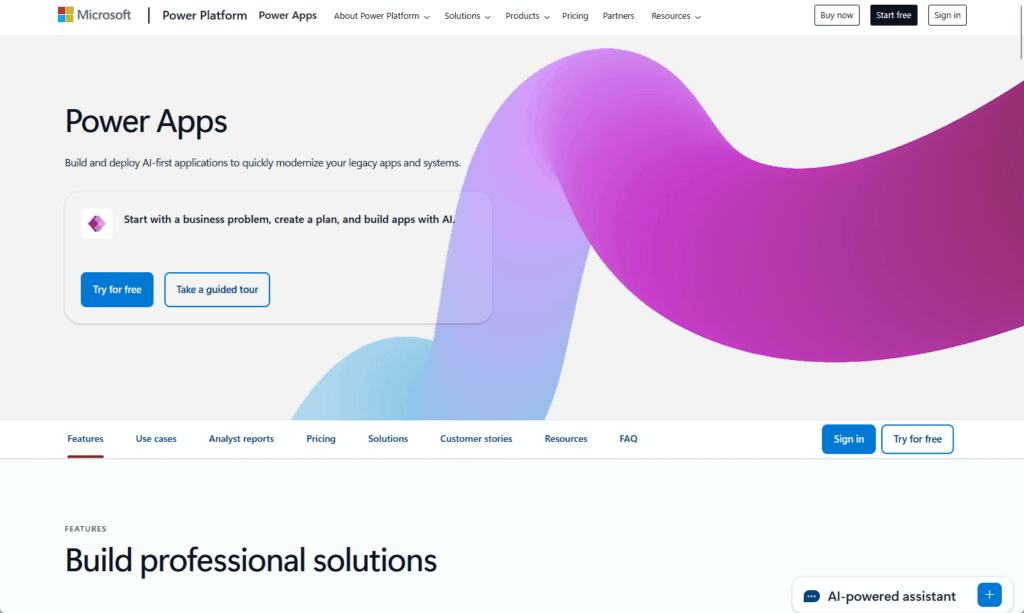
Power Apps was designed to make development accessible. Here’s how it does this:
- Drag-and-drop interface requiring zero coding experience
- Power Fx formula language that works like Excel
- Pre-built templates for common business scenarios
- Native integration with Microsoft 365 and Dynamics 365
Power Apps sit inside the Microsoft Power Platform alongside Power BI and Power Automate. Integration with Microsoft’s ecosystem is native and seamless.
For organizations already using Microsoft products, Power Apps feels natural. It’s an extension of tools people already know and use daily.
The learning curve is gentle because the environment is familiar. Business analysts can build functional apps in days instead of waiting months for IT resources.
OutSystems: Enterprise-Grade Application Engineering
OutSystems launched in 2001 with another mission. The company wanted to help organizations build complex applications faster without losing control.
This platform isn’t for casual creators. It’s designed for professional developers and IT teams building high-stakes applications.
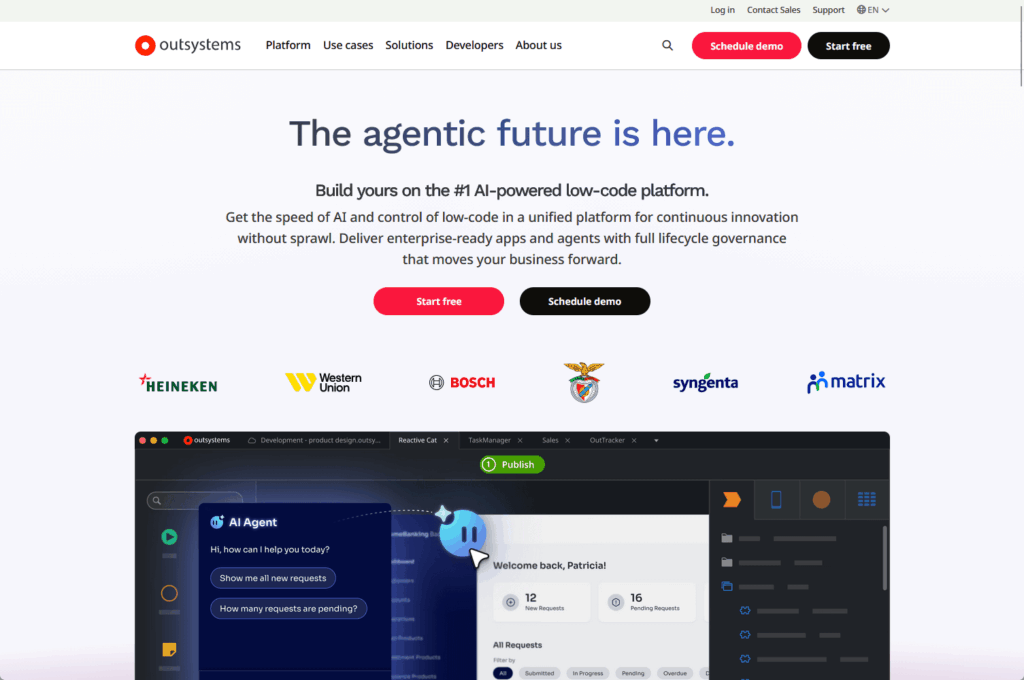
OutSystems was built for professionals who need specific capabilities. These include:
- Full-stack development capabilities from database to user interface
- Enterprise-grade scalability for mission-critical systems
- Flexible deployment options including on-premises and private cloud
- Deep customization through direct code access
The target users are professional developers, IT teams, and enterprise architects. OutSystems doesn’t try to turn business users into developers.
It makes professional developers more productive. Think custom ERP systems, CRM extensions, and customer-facing digital experiences.
The platform provides control over every layer from database to API to user interface. This matters when requirements get complex and stakes are high.
Key Features Comparison: What Each Platform Offers
Philosophy matters, but features matter more for daily work. Let’s see what each platform actually does.
The differences show up in three main areas:
- Development experience affects who can use the platform
- Application capabilities determine what you can build
- Scalability determines how far you can go
Development Experience and Learning Curve
The learning curve tells you who can succeed with each platform. Power Apps offers a gentle path while OutSystems requires more upfront investment.
Power Apps Studio feels like PowerPoint. Anyone who’s built a slide deck will recognize the approach immediately.
The platform makes development accessible in several ways. Key features include:
- Pre-built templates for common scenarios like forms and workflows
- Drag-and-drop interface with familiar controls
- Power Fx formula language based on Excel
- Two development approaches: Canvas apps and Model-driven apps
OutSystems requires more technical knowledge upfront. Service Studio is powerful but assumes you understand programming concepts like variables and data relationships.
The platform isn’t for true beginners. It’s for people with technical backgrounds who want to work faster than traditional coding allows.
Here’s the trade-off worth understanding:
Power Apps gets you to your first app in days, while OutSystems pays off when building multiple connected applications at scale with sophisticated collaboration tools.
Application Capabilities and Customization
Both platforms build web and mobile apps. How they do it differs significantly and affects what’s possible.
Power Apps creates three types of applications:
- Canvas apps provide pixel-perfect control
- Model-driven apps generate interfaces from data models
- Cards are micro-apps for Microsoft Teams
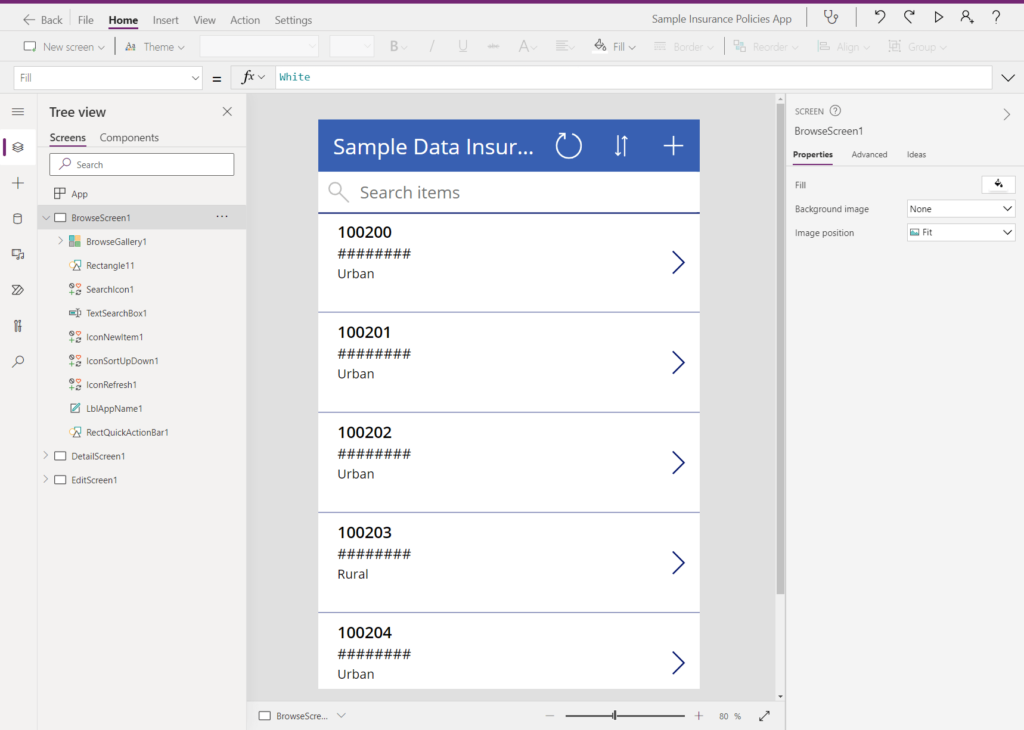
The platform enables different development approaches. These include:
- Canvas apps for custom designs with full UI control
- Model-driven apps for data-heavy applications
- Responsive design that works across browsers and mobile devices
- Integration with the Power Apps mobile client
But customization has limits. The interface works well for business applications but creating consumer-grade experiences is harder.
Some developers report frustrations with component limitations. One common complaint involves limited control over colors and fonts on dark backgrounds.
OutSystems provides what analysts call a richer design environment.
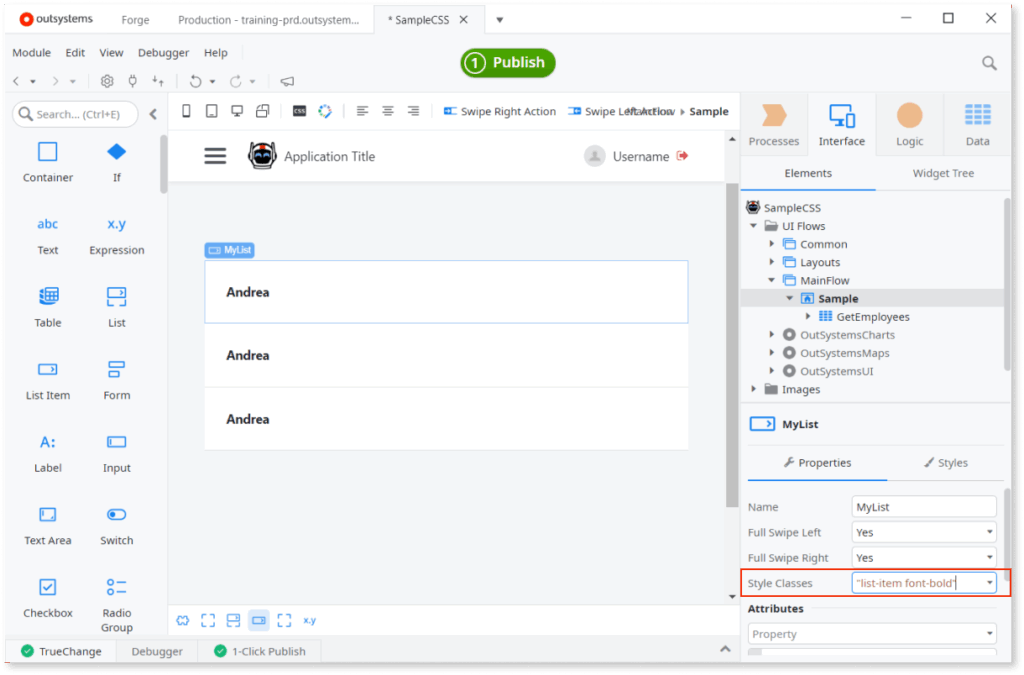
Professional developers get pixel-perfect control through direct use of HTML, JavaScript, and CSS, plus the platform generates true native mobile apps from one codebase.
Scalability and Deployment Options
Architecture determines what you can build today and scale tomorrow. Power Apps live in the cloud while OutSystems offers multiple deployment models.
Power Apps works best for small to medium-sized applications and department tools. Applications deploy through browsers, mobile devices, and Microsoft Teams.
The platform’s cloud architecture includes several components. These are:
- Native Azure cloud deployment for all applications
- On-premises data gateway for secure legacy data access
- Hybrid scenarios through secure bridge technology
- Integration with Microsoft’s existing security infrastructure
But scalability can become a problem for high-load systems. The architecture works well for internal productivity apps but stretches at enterprise scale.
OutSystems handles enterprise-grade workloads from the start. The platform manages high user counts, complex logic, and large data volumes for mission-critical systems.
Deployment flexibility stands out as a key differentiator.
Organizations can choose OutSystems Developer Cloud for managed services, OutSystems 11 Cloud on AWS, or self-managed deployment in their own data centers.
AI and Automation (The Intelligence Factor)
Artificial intelligence is reshaping low-code platforms. Microsoft and OutSystems invest heavily here with different visions of what AI should do.
Microsoft focuses on augmentation through discrete AI tools that business users can easily adopt.
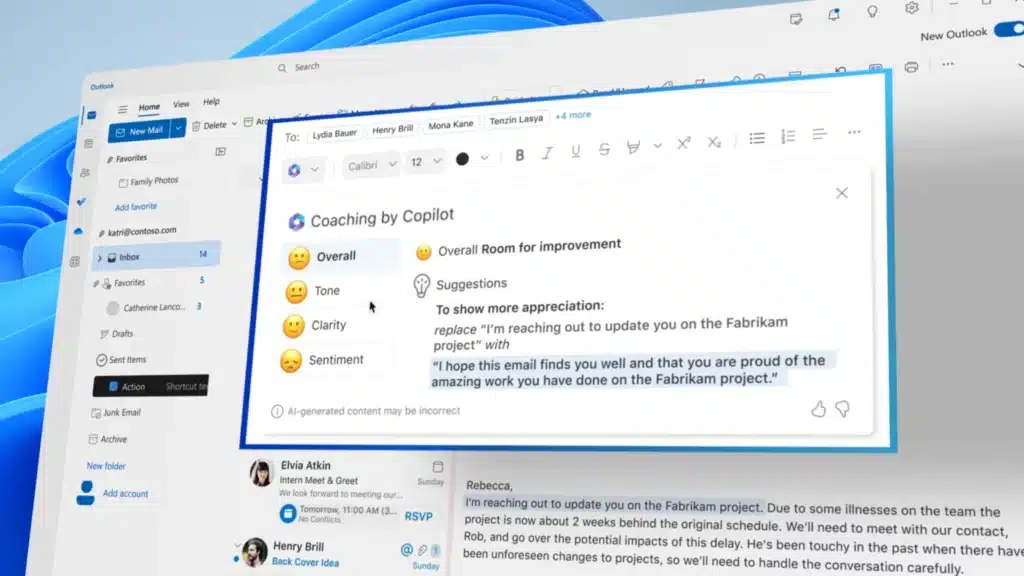
OutSystems takes a more ambitious approach by positioning AI as a partner managing the entire development process.
Both platforms leverage AI differently to accelerate development. Key capabilities include:
- Power Apps uses AI Builder for pre-built models and Copilot for natural language app creation
- OutSystems employs Mentor with specialized AI agents orchestrating the full development lifecycle
- Power Apps integrates Power Automate for workflow automation without coding
- OutSystems generates complete full-stack applications from natural language prompts
Power Apps provides AI Builder with pre-built models for common tasks like sentiment analysis, receipt processing, and business card reading.
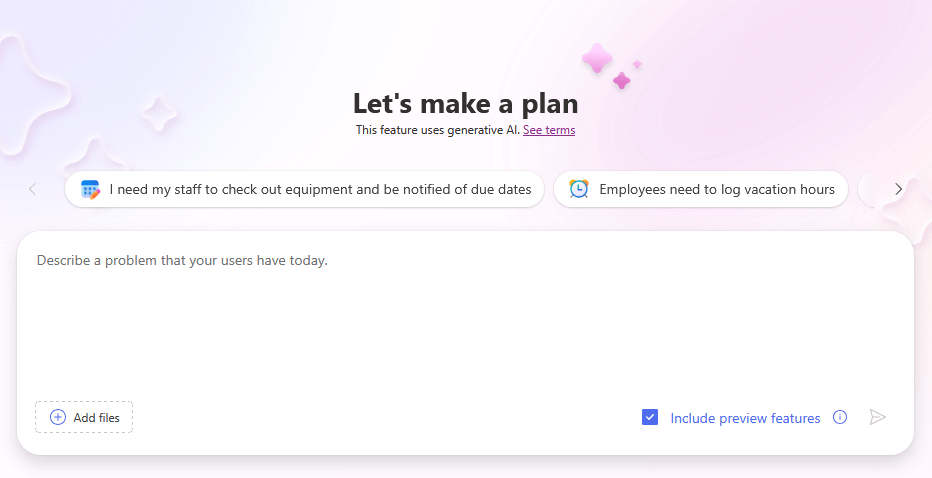
Copilot acts as a pair programmer where you describe what you want in plain English and the AI designs apps, creates database tables, and generates formulas.
Power Automate connects directly to Power Apps as the automation engine. Developers trigger complex workflows from application interfaces without coding individual steps.
OutSystems’ Mentor uses an “agentic AI architecture” where multiple specialized AI agents handle different phases.

The standout capability is full-stack app generation where you provide a prompt or requirements document.
Mentor then creates data models, business logic, and user interfaces automatically while performing security checks and tracking code quality in real-time.
Pricing and Total Cost of Ownership
Cost structures reveal target markets more clearly than marketing materials. These platforms use fundamentally different economic models that reflect their philosophies.
Power Apps Licensing Model
Microsoft designed pricing to lower barriers with multiple entry points. The Developer Plan is free for building and testing in non-production environments.
For production use, organizations have several licensing choices.
The Per App Plan costs $5 per user per app monthly while the Premium Plan runs $20 per user monthly for unlimited apps.
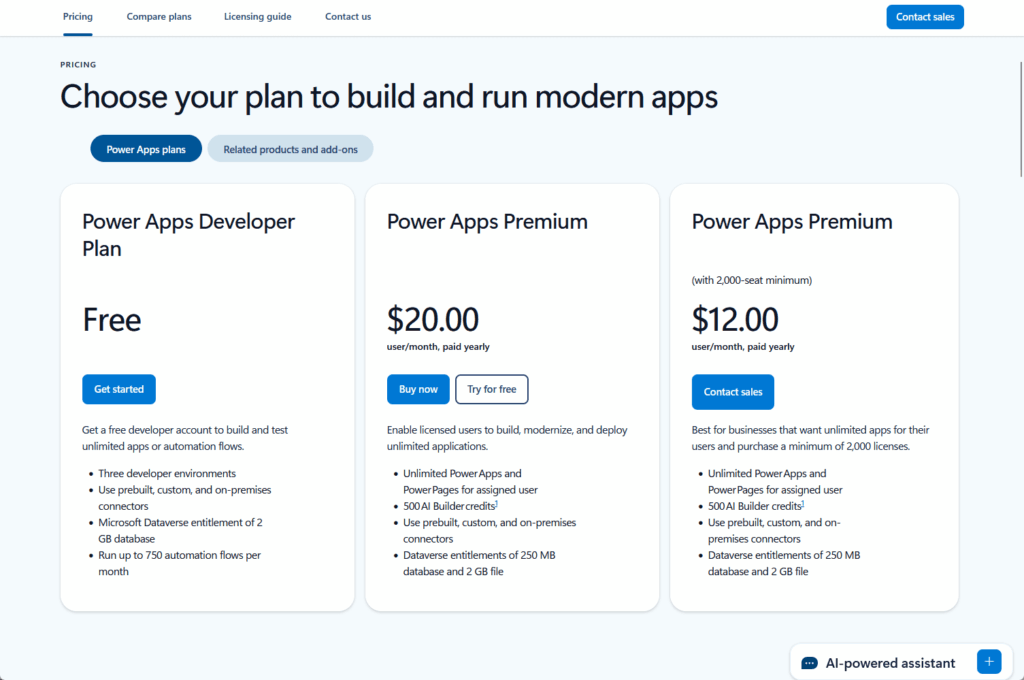
Here’s how Power Apps prices break. Each tier offers different capabilities:
| License Type | Cost | What You Get |
| Developer Plan | Free | Build and test in non-production |
| Per App Plan | $5/user/app/month | One user, one custom app |
| Premium Plan | $20/user/month | One user, unlimited apps |
| Enterprise Premium | $12/user/month | Same as Premium, needs 2,000+ licenses |
The Per App Plan works well for specific solutions. Fifty field technicians using one inspection app costs just $250 monthly, which is both predictable and affordable.
But total costs get complex fast. Base licenses are often just the beginning of what you’ll pay.
Additional costs creep in through premium connectors for non-Microsoft data sources, Dataverse storage overages at $40 per GB monthly, AI Builder credits starting at $500 monthly, and separate Power Automate premium licensing.
OutSystems Subscription Model
OutSystems uses an enterprise subscription model for strategic initiatives. The Personal Edition is free for learning but not for production use.
Production subscriptions are custom-quoted based on your needs. The entry-level ODC Plan starts at $36,300 per year.
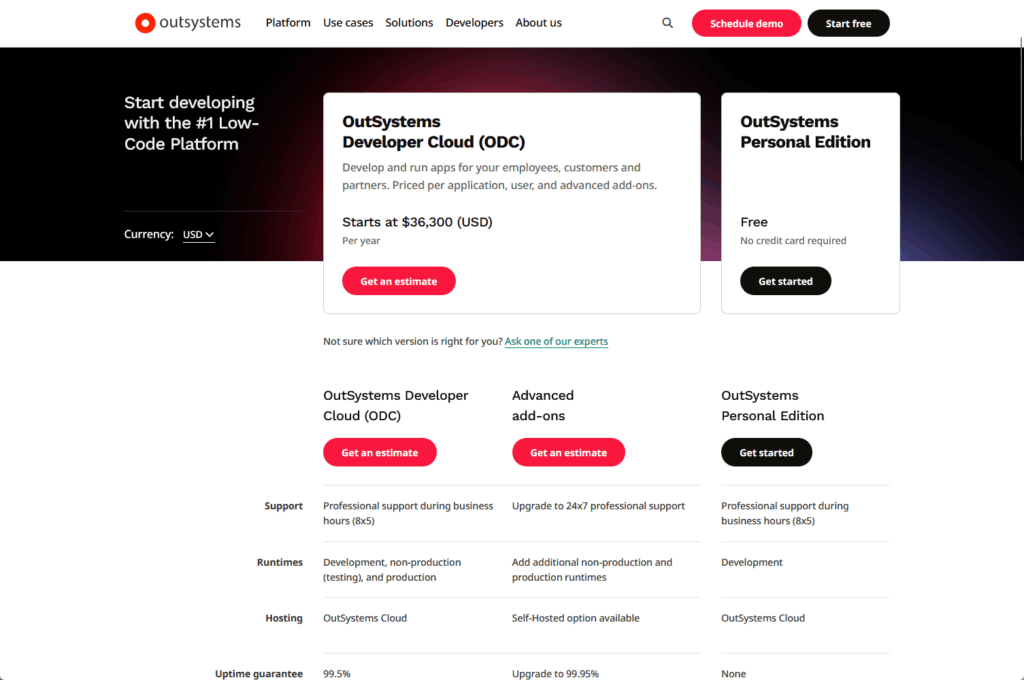
OutSystems pricing is based on different factors. Here’s the breakdown:
| Plan Type | Starting Cost | Key Details |
| Personal Edition | Free | Learning only, max 100 users |
| ODC Plan | $36,300/year | Entry-level production |
| Enterprise Plans | $4,000-$50,000+/year | Custom quotes based on scale |
The pricing model differs completely from Power Apps. OutSystems doesn’t charge per developer, so your development team can be any size.
Instead, costs depend on Application Objects measuring portfolio complexity, end-user count for both employees and customers, and infrastructure add-ons for premium support and compliance certifications.
The high entry cost reflects positioning for strategic, portfolio-level commitments rather than small experiments.
Hidden costs include training investments since OutSystems requires specialized skills.
But the biggest hidden cost is quite strategic:
Migrating off OutSystems requires rebuilding applications completely since the development method is proprietary even though underlying code is standard .NET.
Integration and Ecosystem
A platform’s value multiplies when it connects well with existing systems. Pre-built components also accelerate development significantly.
Both platforms offer strong ecosystems. The character of each ecosystem differs based on their target audiences and strategic focus.
Power Apps and OutSystems provide different ecosystem strengths. These include:
- Power Apps offering 1,400+ pre-built connectors spanning Microsoft and third-party services
- OutSystems Forge providing 7,700+ curated assets including components and solutions
- Power Apps using Microsoft AppSource for templates and partner solutions
- OutSystems community including 872,000+ members with 2-4 hour response times
Power Apps claims one of the industry’s largest connector libraries.
The Microsoft ecosystem integration is unmatched through Dataverse and native connections to SharePoint, Teams, Outlook, and Dynamics 365.
Professional developers get extensibility through Azure Functions, JavaScript, and the Power Apps Component Framework using TypeScript and React.
OutSystems provides robust integration through its dedicated marketplace where assets marked “Trusted” have been validated by community experts.
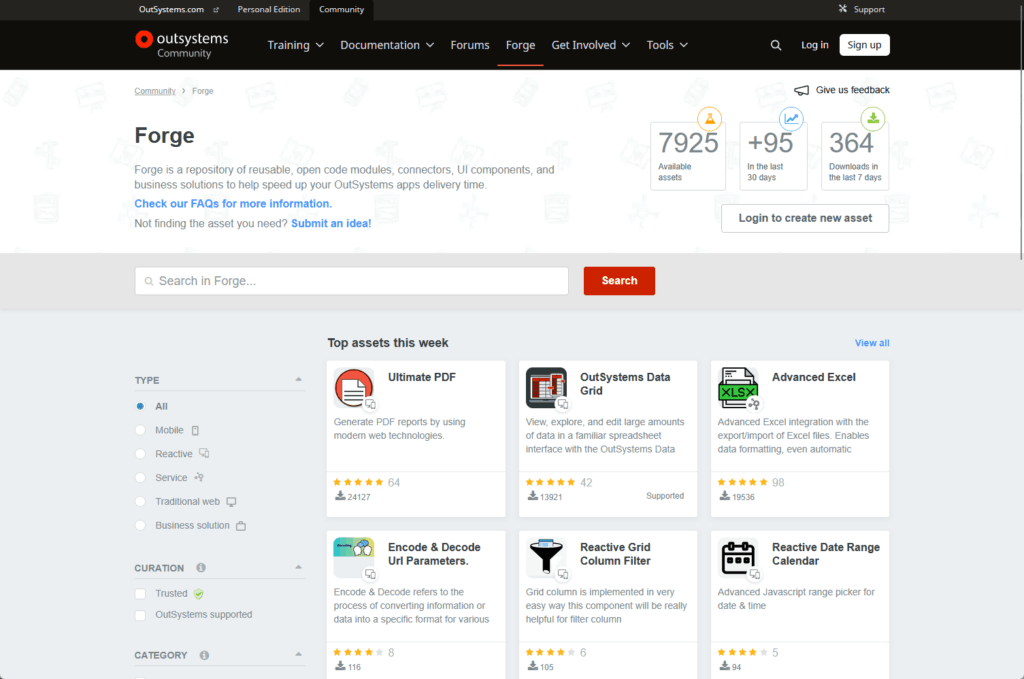
The OutSystems community is highly responsive, with average first-reply times of 2-4 hours, and answers over 90% of questions, aiding the learning curve through active peer support.
When to Choose Each Platform: Strategic Decision Framework
The “better” platform depends entirely on your situation. Context matters more than features when making this strategic decision.
Choose Power Apps If…
Your organization already uses Microsoft products heavily. If Microsoft 365, Dynamics 365, SharePoint, and Azure form your IT backbone, Power Apps makes natural sense.
The native integration is unmatched with built-in security through Azure Active Directory. Users experience consistent interfaces across tools they already know and use daily.
Power Apps fits best when your organization needs certain capabilities. These include:
- Internal productivity tools and department workflow automation
- Citizen developer culture reducing burden on central IT
- Simple to moderately complex applications
- Low initial investment with incremental scaling
- Apps that integrate deeply with Microsoft ecosystem
Your primary goal is internal productivity and department workflows. Power Apps excels at digitizing paper forms, streamlining approval processes, and building data collection tools.
These “long tail” applications solve specific business problems. Hundreds of small but valuable tools add up across the organization.
The gentle learning curve lets business users solve their own problems when IT resources are constrained. Innovation happens across the organization instead of bottlenecking through a small central team.
Choose OutSystems If…
You’re building complex, mission-critical, or customer-facing applications. These applications form the core of business operations and demand enterprise-grade capabilities.
Intricate workflows, high transaction volumes, and primary digital touchpoints need robust architecture. OutSystems is built for these requirements from scratch.
OutSystems fits best when your organization needs specific enterprise capabilities. These include:
- Complex core business systems and mission-critical applications
- Enterprise scalability supporting thousands of concurrent users
- Stringent security and compliance requirements (PCI DSS, SOC2)
- Professional development teams building at scale
- Flexible deployment including on-premises and hybrid cloud
Your development organization consists of professional developers who need speed without sacrificing control. OutSystems is a force multiplier for IT teams.
Legacy modernization and core system replacements benefit from this approach. Professional developers work at low-code speeds while maintaining architectural rigor.
Deployment flexibility matters strategically when hybrid cloud strategies, multi-cloud commitments, or data residency rules apply.
OutSystems handles these scenarios while maintaining centralized DevOps regardless of deployment location.
The Hybrid Approach
Sophisticated enterprises may benefit from a hybrid model using both platforms, acknowledging that app complexity and strategic importance dictate the best tool.
Use Power Apps for department and productivity applications where speed matters most. The “long tail” of small but valuable tools fits this platform perfectly.
Organizations can adopt a two-platform strategy. Key elements include:
- Power Apps for internal productivity and department workflows
- OutSystems for strategic core systems and mission-critical applications
- Clear governance frameworks determining platform selection
- Alignment of tools with application complexity and business importance
Enable business units to solve challenges quickly with Power Apps. Innovation happens at the organization’s edges while central IT pressure decreases.
Reserve OutSystems for strategic core systems forming the enterprise backbone. Critical applications requiring robust governance and high performance justify the higher investment.
This approach combines benefits of both platforms.
Power Apps provides democratizing speed while OutSystems provides engineering rigor for the applications that matter most to business operations.
No Universal Winner, Just the Right Fit
The competition between Microsoft Power Apps and OutSystems isn’t about crowning one champion. These platforms excel in different arenas serving different needs.
Power Apps leads for democratized rapid development within the Microsoft ecosystem.
The accessible interface empowers business users while native integration with Microsoft 365 and Dynamics 365 makes it a natural extension for organizations committed to Microsoft cloud.
Meanwhile, OutSystems is the premier platform for high-performance enterprise engineering.
Professional development teams build mission-critical systems with full-stack capabilities, deployment flexibility, and sophisticated DevOps tools designed for complex work at scale.
Do you have questions about choosing between Power Apps and OutSystems? Let me know below.
For any business-related queries or concerns, contact me through the contact form. I always reply. 🙂




























