How to Create Microsoft Forms: The Definitive Guide

How to Create Microsoft Forms: The Definitive Guide

Table of Contents:How to create a form in Microsoft FormsHow to add questions in Microsoft FormsWhat are the types of questions you can use?1. Choice2. Text3. Rating4. Date5. Ranking6. Likert7. Upload File8. Net Promoter Score9. Section10. Subtitle11. Drop-down12. Branching13. RestrictionsHow to add a theme to your formHow to preview and share your form in Microsoft Forms Need to create a survey, a quiz, or simply a poll? Microsoft Forms has you covered. In this guide, I will show you all the ins and outs of how to create a form using Microsoft Forms and the question types you can use. […]

How to Create Microsoft Forms: The Definitive Guide Read More »

How to Use Microsoft Bookings: The Complete Tutorial

How to Use Microsoft Bookings: The Complete Tutorial

Table of Contents:What is Microsoft Bookings?What are the features of Microsoft Bookings?What are the advantages of Microsoft Bookings?1. Real-time appointment availability2. Smooth website integration3. Automatic notifications and confirmationsHow to create a Microsoft Bookings calendarStep #1: Navigate to the Bookings appStep #2: Create a new Booking calendarStep #3: Invite staff members to the calendarStep #4: Finish the new Bookings calendarHow to configure the settings on Microsoft BookingsCalendarBooking pageCustomersStaffServicesBusiness informationHow to share your Bookings page Feeling overwhelmed with Microsoft Bookings? In this tutorial, I will discuss everything on how to use Microsoft Bookings including how to configure the settings. Let’s get started.

How to Use Microsoft Bookings: The Complete Tutorial Read More »

Admin Guide: How to Create a SharePoint Retention Policy

Admin Guide: How to Create a SharePoint Retention Policy

Table of Contents:What is a retention policy in SharePoint?How to create a SharePoint retention policyStep #1: Navigate to the security and compliance centerStep #2: Go to the retention policies pageStep #3: Create a new retention policyStep #4: Select the type of retention policy to createStep #5: Configure the retention settingsHow does a SharePoint retention policy affect a site collection?1. Creation of the preservation hold library2. Block site deletion3. Can’t delete a folder without deleting its contents firstHow retention works for SharePoint and Microsoft 3651. Deleting items from the target location2. File versions are preserved3. When a user leaves the organization

Admin Guide: How to Create a SharePoint Retention Policy Read More »

SharePoint Library vs Folder: Stay Away From Folders

SharePoint Document Library vs Folder: Stay Away From Folders

Table of Contents:What is a document library?What are folders in SharePoint Online?Why folders are inferior to libraries in SharePoint1. Not good for user experience2. Nest for technical issues3. Not good for security4. Document taggingAlternative: Create another SharePoint document library Curious about whether to use a library or a folder? It’s natural since we all grew up creating folders in our computers to organize our files, right? In this article, I’ll talk about SharePoint libraries and folders and why it’s better to stay away from folders in SharePoint Online. Let’s get started. What is a document library? Before everything else, let’s

SharePoint Document Library vs Folder: Stay Away From Folders Read More »

Everyone Except External Users: Employee SharePoint Access

Everyone Except External Users: Employee SharePoint Access

Table of Contents:What is the everyone except external users group?How to add everyone except external users to a SharePoint site1. Share site2. Site permissions3. PowerShell If only there was a way to add everyone on a site easily… Well, there actually is! Microsoft created default groups that will enable you to quickly add users to a SharePoint site. In this article, I’ll explain the everyone except external users group and how to add this group to a site. Let’s get started. What is the everyone except external users group? The everyone except external users access is perfect for employees (which

Everyone Except External Users: Employee SharePoint Access Read More »

Introduction to Microsoft List: The Modern SharePoint List

Introduction to Microsoft Lists: The Modern SharePoint List

Table of Contents:What is Microsoft Lists?What are the features of Microsoft Lists?1. Column formatting2. Starting templates3. Sharing and commenting4. Show the list as a calendar or a board5. Set up alerts and rules6. Power Apps and Power Automate Integration7. One-Click Power BI VisualsHow to use Microsoft ListsNavigating the Microsoft Lists HomeCreating a list in the Microsoft Lists appEditing entries in Microsoft ListsMicrosoft Lists vs SharePoint ListsHow to add Microsoft Lists to Microsoft Teams Have you heard about Microsoft Lists? It was announced back in 2020 in a Microsoft Build event and was hyped to bring new user experiences to the

Introduction to Microsoft Lists: The Modern SharePoint List Read More »

SharePoint 101: SharePoint Site Owner Definitive Guide

SharePoint 101: SharePoint Site Owner Definitive Guide

Table of Contents:What is a SharePoint site owner?SharePoint site owner: Roles and responsibilitiesSharePoint site owner vs site content ownerSite owner vs site collection administratorSharePoint site owner vs site membersHow to know the site owner in SharePoint OnlineClassic sitesModern sitesPowerShellHow to add/change SharePoint Online site ownersClassic sites and modern communication sitesModern team sitesPowerShell and PnP PowerShell Got some questions about site owners and what they do? I got the idea to create a complete guide about it since some of my clients have been asking all sorts of questions about site owners. In this guide, I want to share everything you

SharePoint 101: SharePoint Site Owner Definitive Guide Read More »

Guide: Show Items With Unique Permissions in SharePoint

Show Items With Unique Permissions in SharePoint (Guide)

Table of Contents:What is the meaning of unique permissions?How to show items with unique permissionsStep #1: Navigate to the permissions pageStep #2: Show content with special permissionsStep #3: Show items with special permissionsHow to delete unique permissions on lists and librariesTake caution with unique permissionsBetter option: Use groups for user management Is there a way to check your files and folders that have unique permissions? Yes, there is a way to see a list of all items in a folder or library that have unique permissions right inside the advanced settings for permissions. This is what I want to show

Show Items With Unique Permissions in SharePoint (Guide) Read More »

Search Guide: SharePoint Search Tips and Tricks Overview

Search Guide: SharePoint Search Tips and Tricks Overview

Table of Contents:How SharePoint search worksSharePoint search tips for more efficient use1. Narrow results using the search tabs2. Expand your search parameters to the whole organization3. Revert to the classic SharePoint advanced search4. Make sure documents and files are accessible5. Include metadata parameters in the search query6. Use the wildcard feature in the SharePoint searchReasons why SharePoint Online search isn’t workingBad naming habitsNot using metadata tagsLocked or hidden files Need help with SharePoint search? SharePoint may have advanced a lot in the past few years, including its search feature. However, there might still be a few peaches left. In this

Search Guide: SharePoint Search Tips and Tricks Overview Read More »

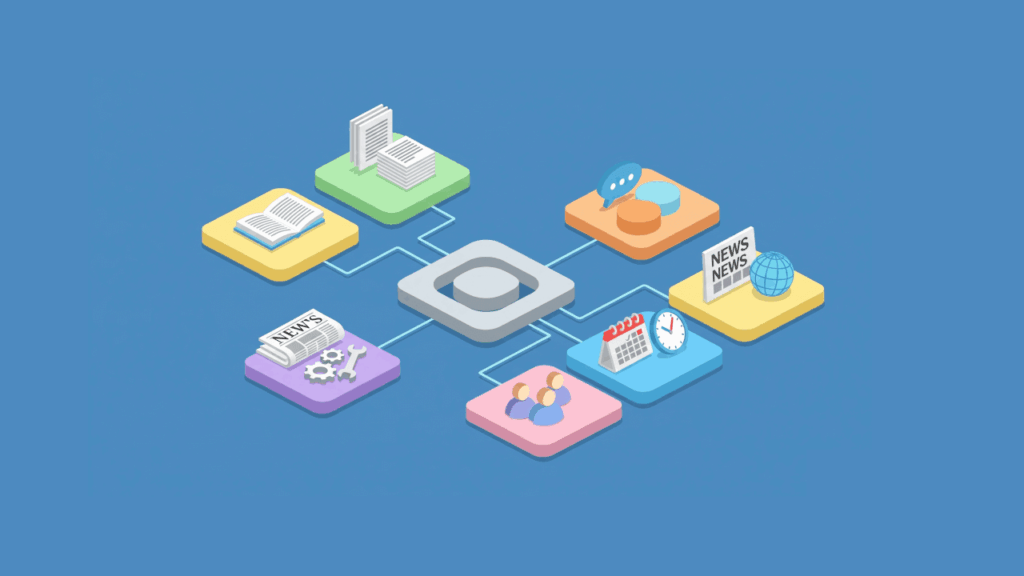
Isometric illustration of a SharePoint hub connecting to different functions like documents, news, and collaboration

SharePoint Online Modern Experience (Introductory Guide)

Table of Contents:What is the modern SharePoint experience?What makes modern SharePoint so enticing?1. The sites look better and modern2. Mobile-ready experience3. Improved list and library usability4. Integrated Microsoft Power Automate5. Site collections and hub sites for hierarchies6. Microsoft Modern Search experience7. Microsoft 365 integration8. Easier page customizability9. Branding flexibility10. New modern web partsMoving from the classic to the modern experience What is the modern experience all about in SharePoint? Well, it’s pretty standard that it will get quite the spotlight that it’s getting. It’s a vast improvement from what the classic experience was like. In this article, I’ll introduce SharePoint

SharePoint Online Modern Experience (Introductory Guide) Read More »

Scroll to Top