Ryan Clark

As the Modern Workplace Architect at Mr. SharePoint, I help companies of all sizes better leverage Modern Workplace and Digital Process Automation investments. I am also a Microsoft Most Valuable Professional (MVP) for SharePoint and Microsoft 365.

A man with short curly hair and a beard is smiling. He is wearing a dark plaid suit jacket, a black shirt, and a dark tie. The background is softly blurred.
How to Create Microsoft Forms: The Definitive Guide

How to Create Microsoft Forms: The Definitive Guide

Need to create a survey, a quiz, or simply a poll? Microsoft Forms has you covered. In this guide, I will show you all the ins and outs of how to create a form using Microsoft Forms and the question types you can use. Let’s get started. How to create a form in Microsoft Forms From the name itself, Microsoft Forms is a freemium tool you can use to create interactive surveys and quizzes. It’s useful for businesses that want to gather feedback from customers or conduct opinion surveys by creating a Microsoft form to collect information. Note: Microsoft Forms is […]

How to Create Microsoft Forms: The Definitive Guide Read More »

How to Use Microsoft Bookings: The Complete Tutorial

How to Use Microsoft Bookings: The Complete Tutorial

Feeling overwhelmed with Microsoft Bookings? In this tutorial, I will discuss everything on how to use Microsoft Bookings including how to configure the settings. Let’s get started. What is Microsoft Bookings? Are you familiar with apps or tools where people can book a meeting with you? That’s what this app is all about. Microsoft Bookings is a tool that clients and customers can use to schedule meetings with you quite easily. Microsoft Bookings has two primary components: Note: If you’re looking for calendar options in Microsoft 365, check out this article: Calendar Options in SharePoint and Microsoft 365. What are the features of

How to Use Microsoft Bookings: The Complete Tutorial Read More »

Admin Guide: How to Create a SharePoint Retention Policy

Admin Guide: How to Create a SharePoint Retention Policy

Do you need an automated system that systematically deletes content in your intranet? In this SharePoint administration guide, I’ll show you how to create a SharePoint retention policy and how it affects the site collection. Let’s get started. What is a retention policy in SharePoint? Organizations today receive so much data that they’re likely to run into storage issues in a few months. Although cloud solutions like OneDrive allow upgrades in storage space, it doesn’t solve the main problem. Many of the data retained in storage drives become unnecessary after a set amount of time. Related: How to Manage SharePoint Storage Limits (Microsoft 365)

Admin Guide: How to Create a SharePoint Retention Policy Read More »

SharePoint Library vs Folder: Stay Away From Folders

SharePoint Document Library vs Folder: Stay Away From Folders

Curious about whether to use a library or a folder? It’s natural since we all grew up creating folders in our computers to organize our files, right? In this article, I’ll talk about SharePoint libraries and folders and why it’s better to stay away from folders in SharePoint Online. Let’s get started. What is a document library? Before everything else, let’s start with defining the terms here, starting with what a document library is. Document libraries are containers of various types of files, and allow you to manage those documents and files in the library. Technically speaking, document libraries are lists. However, they

SharePoint Document Library vs Folder: Stay Away From Folders Read More »

Everyone Except External Users: Employee SharePoint Access

Everyone Except External Users: Employee SharePoint Access

If only there was a way to add everyone on a site easily… Well, there actually is! Microsoft created default groups that will enable you to quickly add users to a SharePoint site. In this article, I’ll explain the everyone except external users group and how to add this group to a site. Let’s get started. What is the everyone except external users group? The everyone except external users access is perfect for employees (which is why I titled this article as it is). This group is one of the default groups created in a Microsoft 365 group (together with the everyone group). From

Everyone Except External Users: Employee SharePoint Access Read More »

Introduction to Microsoft List: The Modern SharePoint List

Introduction to Microsoft Lists: The Modern SharePoint List

Have you heard about Microsoft Lists? It was announced back in 2020 in a Microsoft Build event and was hyped to bring new user experiences to the platform. In this article, I’ll take a closer look at Microsoft Lists like what features it brings to the table and some basics on using it. Let’s get started. What is Microsoft Lists? Remember SharePoint lists? Imagine being able to use it externally outside the context of SharePoint — like an independent app. That’s basically what Microsoft Lists is. It’s a smart app for organizing work, tracking data and info, and managing workflows. You will see

Introduction to Microsoft Lists: The Modern SharePoint List Read More »

SharePoint 101: SharePoint Site Owner Definitive Guide

SharePoint 101: SharePoint Site Owner Definitive Guide

Got some questions about site owners and what they do? I got the idea to create a complete guide about it since some of my clients have been asking all sorts of questions about site owners. In this guide, I want to share everything you need to know about the SharePoint site owner group and answer relevant questions about it. Let’s get started. What is a SharePoint site owner? A SharePoint site owner is an individual who has been assigned permission to manage a specific SharePoint Online site. Site owners can create and manage lists, libraries, and pages within their

SharePoint 101: SharePoint Site Owner Definitive Guide Read More »

Guide: Show Items With Unique Permissions in SharePoint

Show Items With Unique Permissions in SharePoint (Guide)

Is there a way to check your files and folders that have unique permissions? Yes, there is a way to see a list of all items in a folder or library that have unique permissions right inside the advanced settings for permissions. This is what I want to show you in this article. Let’s get started. What is the meaning of unique permissions? In SharePoint Online, there are various permission levels a user can have that can affect how that user can interact with SharePoint. Essentially, all items in a folder or library inherit permissions from the SharePoint site where

Show Items With Unique Permissions in SharePoint (Guide) Read More »

Search Guide: SharePoint Search Tips and Tricks Overview

Search Guide: SharePoint Search Tips and Tricks Overview

Need help with SharePoint search? SharePoint may have advanced a lot in the past few years, including its search feature. However, there might still be a few peaches left. In this article, I’ll share with you some search tips and tricks that I have learned over the years in using SharePoint Online. Let’s get started. How SharePoint search works Google’s search engine and SharePoint work a little similar though not completely the same nor different either. SharePoint search basically crawls the sites you have in your intranet and indexes all the contents in it. In a nutshell, it works like

Search Guide: SharePoint Search Tips and Tricks Overview Read More »

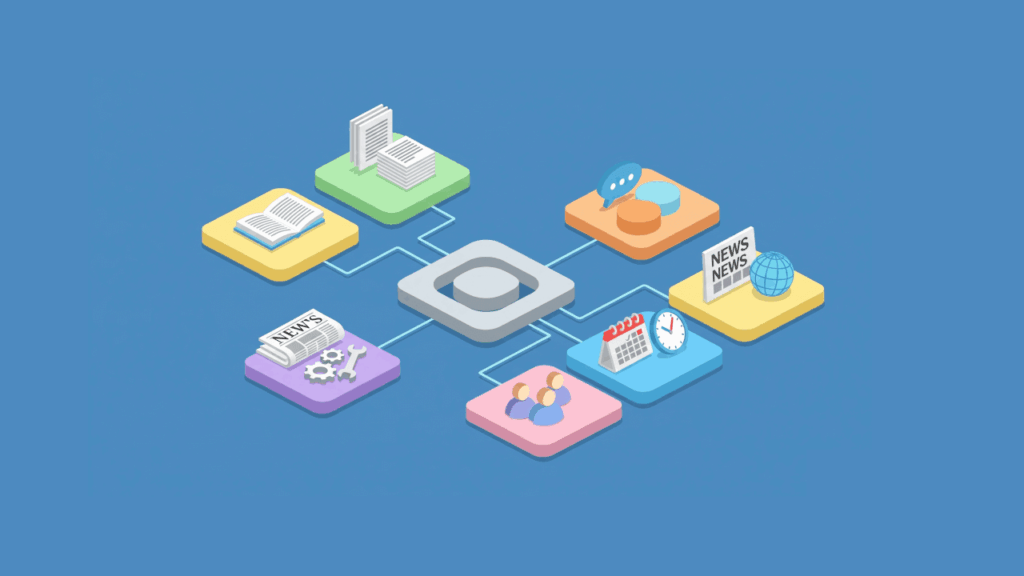
Isometric illustration of a SharePoint hub connecting to different functions like documents, news, and collaboration

SharePoint Online Modern Experience (Introductory Guide)

What is the modern experience all about in SharePoint? Well, it’s pretty standard that it will get quite the spotlight that it’s getting. It’s a vast improvement from what the classic experience was like. In this article, I’ll introduce SharePoint Online’s modern experience and what makes it so enticing. Let’s get started. What is the modern SharePoint experience? Modern experience is a reimagined version of SharePoint, giving users a totally new user experience compared to the classic experience. Some think that the main difference between the classic and modern versions lies in the user interface alone. However, if you look

SharePoint Online Modern Experience (Introductory Guide) Read More »

Scroll to Top