

Last Updated on August 27, 2025
Wondering what Microsoft Entra is and how it’s different from Azure AD?
In this guide, I’ll explain what Microsoft Entra is, break down its key products, and show you how it helps.
Let’s get started.
What Is Microsoft Entra?
Microsoft Entra is Microsoft’s product family for identity and access management.
Its main job is to help organizations make sure the right people can connect to their applications and resources from anywhere.
It’s designed to:
- Secure access to all applications
- Protect every user identity
- Ensure connections are verified and safe
This is all handled through a unified suite that manages this via various security products, including Azure Active Directory.
This approach simplifies security by protecting every identity and securing every point of access (kind of a complete solution).
Sign up for exclusive updates, tips, and strategies
Is Microsoft Entra Replacing Azure AD?
Yes, Microsoft Entra is the new name for Microsoft’s identity and access solutions.
And as part of that change, Azure Active Directory (Azure AD) is now called Microsoft Entra ID.
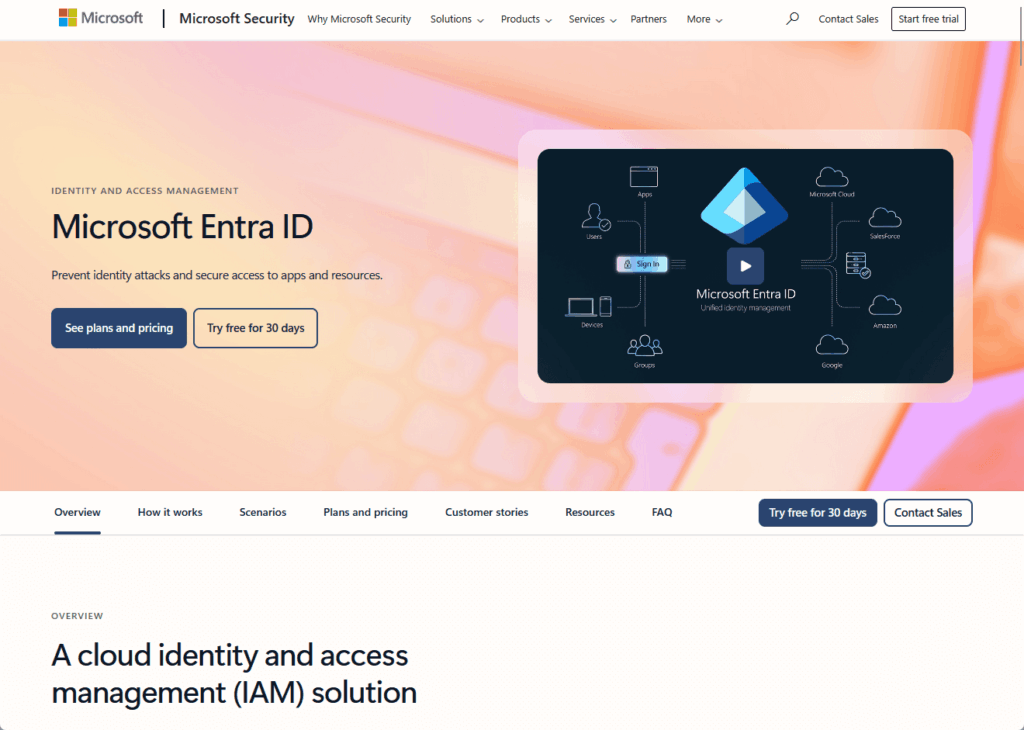
The core functions of Azure AD that millions of organizations rely on are still there.
The new name reflects a bigger strategy to provide a more complete identity and network access solution.
This new suite is built to work not just with Microsoft’s cloud.
But across different platforms, including on-premises servers and other clouds like AWS and Google Cloud.
The Microsoft Entra Product Family Explained
Microsoft Entra isn’t a single product but a suite of tools designed to handle different aspects of identity and access management.
Think of it as a toolkit where each tool has a specific job. 🔨
1. Microsoft Entra ID (Formerly Azure AD)
This is the foundation of the Microsoft Entra suite.
As a cloud-based identity and access management service, its main role is to manage user identities and verify who they are.
It provides essential security features that businesses use every day, including:
- Single Sign-On (SSO): Lets users sign in once to access many different SaaS apps and resources.
- Multifactor Authentication (MFA): Adds a layer of security to the sign-in process.
- Conditional Access: Creates rules that control access based on user, location, or device health.
It acts as the central directory for all users, groups, and devices, connecting to thousands of pre-integrated applications.
This simplifies access management for both IT teams and end-users, making secure access strategy possible for the entire organization.
2. Microsoft Entra ID Governance
This service helps automate identity governance, ensuring that people only have the access they truly need.
It helps enforce least privilege access by regularly reviewing user permissions and automatically adjusting them as roles change.
Useful for processes like employee onboarding, where new employees get the right access from day one, and it’s removed when they leave.
3. Microsoft Entra External ID
This part of the suite focuses on managing access for users outside of an organization, like customers and business partners.
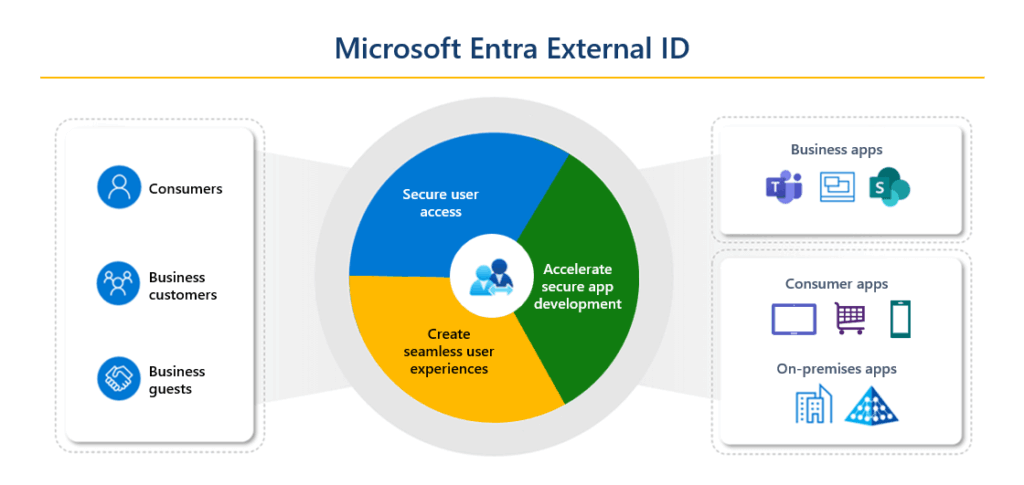
It allows companies to create secure and user-friendly sign-in experiences for their public-facing applications.
This helps manage these external identities without compromising security, making collaboration with external resources safer.
4. Microsoft Entra Verified ID
Microsoft Entra Verified ID uses the concept of decentralized identities.
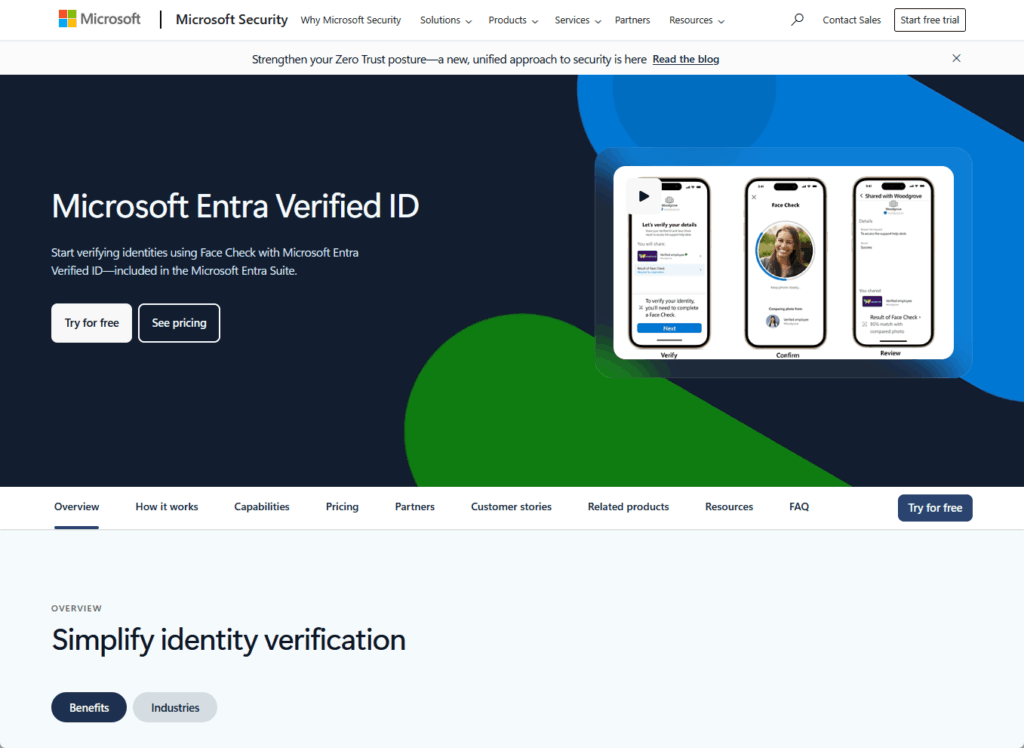
It allows organizations to issue and verify digital credentials that users control.
Think of it as a secure, digital wallet for identity.
Where users can present verifiable credentials (like proof of employment or education) without sharing unnecessary personal data.
5. Microsoft Entra Permissions Management
This is a specialized tool that helps organizations manage permissions across multiple cloud environments.
It discovers, monitors, and controls access for any identity, whether it’s a person or a service, across:
- Microsoft Azure
- Amazon Web Services (AWS)
- Google Cloud Platform (GCP)
This helps reduce the risk of data breaches caused by excessive permissions in cloud resources.
Special note: This product though is scheduled to be discontinued on October 1, 2025 (more info here).
6. Microsoft Entra Workload ID
Security isn’t just for people.

Microsoft Entra Workload ID is designed to manage identities and access for:
- Applications
- Scripts
- Other non-human services
It helps secure these “workload identities” by assigning them their own credentials and controlling their access to other resources.
Entra’s Global Secure Access
A key part of the Microsoft Entra strategy is to combine identity with network access controls.
This is done through a set of features called Global Secure Access, which is built on Zero Trust principles.
What is Microsoft Entra Private Access?
Microsoft Entra Private Access is a modern alternative to traditional VPNs.
It provides Zero Trust Network Access (ZTNA) to an organization’s internal resources and on-premises applications.
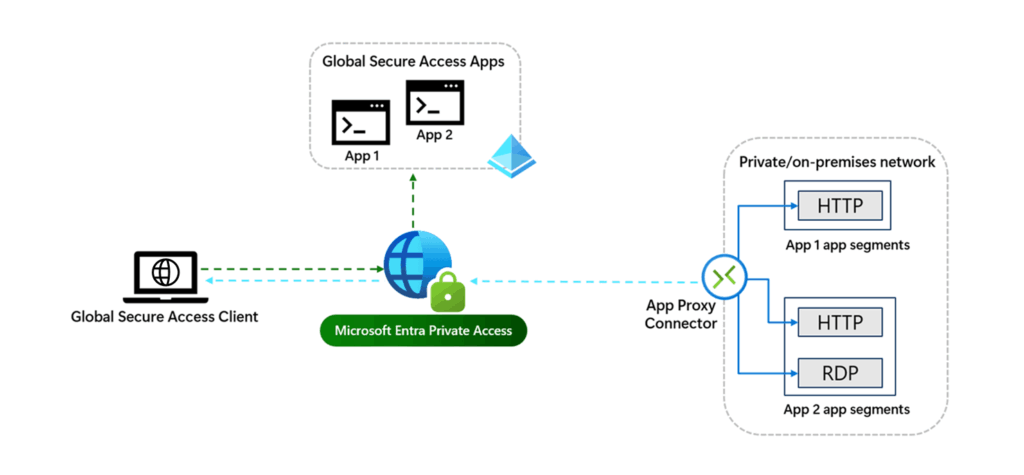
It provides secure, authorized access to specific private apps, rather than the entire local network.
This approach limits risk, as a compromised account can’t be used to move freely across the network.
It’s a much more granular and secure way to manage access for remote and hybrid workers.
What is Microsoft Entra Internet Access?
Microsoft Entra Internet Access acts as a Secure Web Gateway (SWG) to protect users when they access the public internet and SaaS apps.
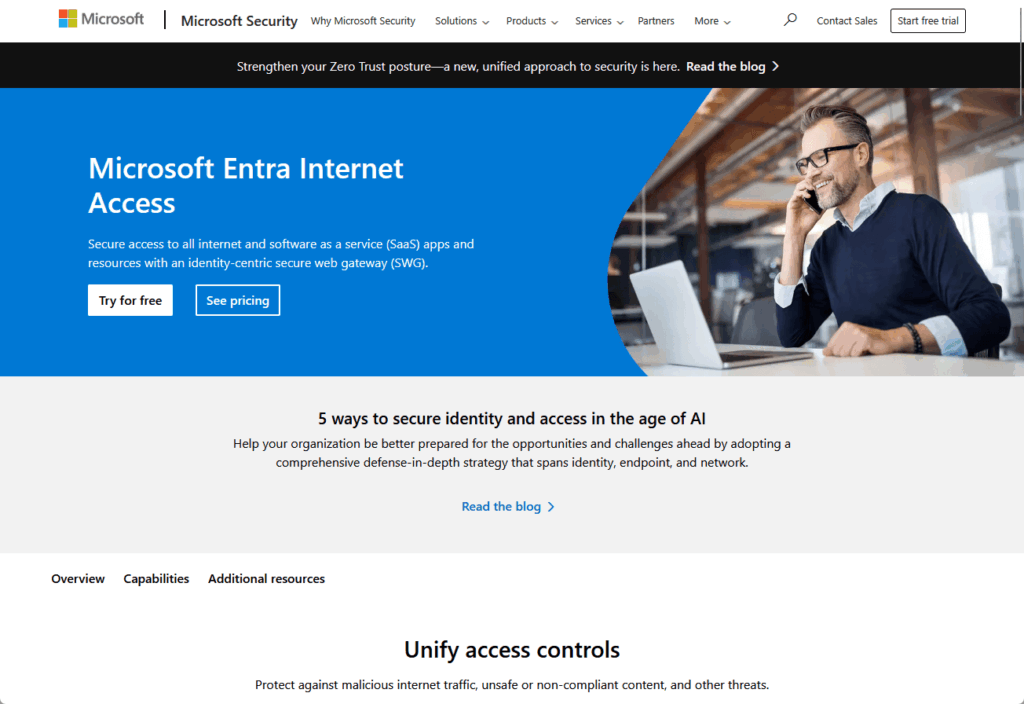
It works by routing internet traffic through a secure service that inspects it for threats and enforces company policies.
This service offers a unified set of access controls for all outbound traffic through integration with:
- Conditional Access policies
- Microsoft Defender for Cloud Apps
This gives organizations better visibility and protection against online threats.
Key Features and Management
The power of the Microsoft Entra suite comes from its ability to unify policies and simplify administration.
Universal Conditional Access
The most powerful feature of Microsoft Entra is how it extends Conditional Access to cover all traffic.
Traditionally, these policies were applied only at the moment of sign-in.
Now, they can be applied to any access attempt.
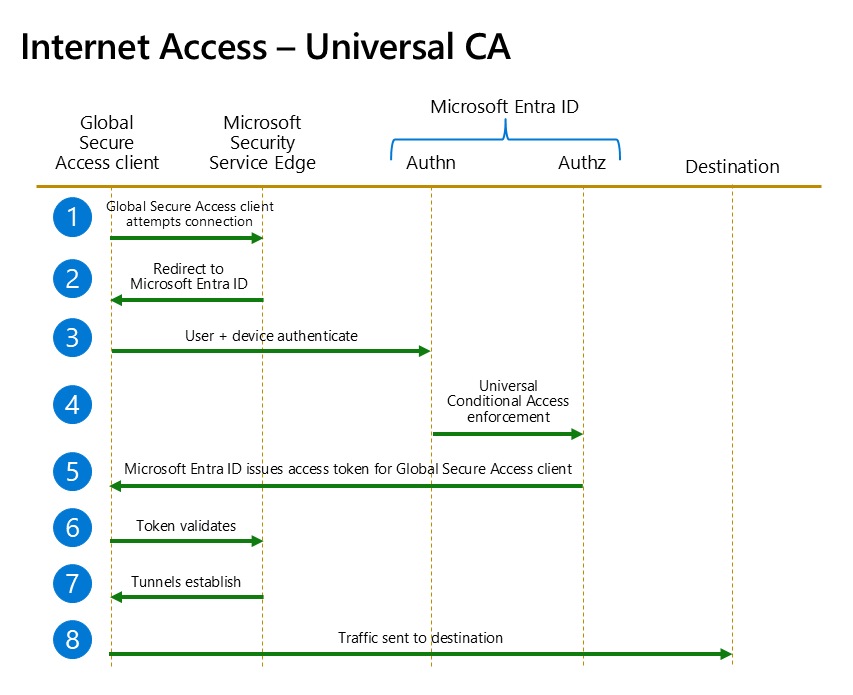
For example, an organization can create a rule that blocks access to all corporate apps and resources.
Unless the user is connecting from a company-managed, compliant device.
This makes conditional access policies the central engine for enforcing secure access across the entire digital environment.
The Microsoft Entra Admin Center
All of these tools and policies are managed from the Microsoft Entra admin center.
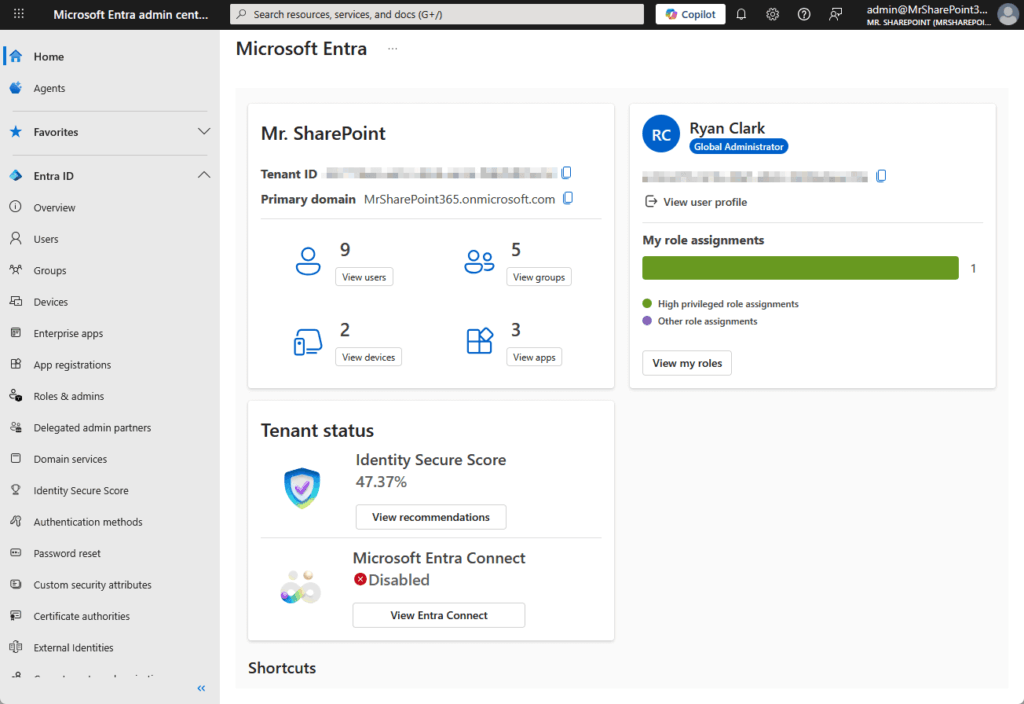
This unified portal gives administrators a single place to:
- Manage identities
- Monitor activity
- Configure access requests
This simplifies the job of security teams by bringing identity and network access controls together.
The admin center also integrates with Microsoft Security Copilot.
It’s an AI assistant that helps administrators investigate issues and manage policies more efficiently using natural language.
Frequently Asked Questions about Microsoft Entra
Here are some questions about Entra:
What’s the difference between Azure and Microsoft Entra?
Azure is Microsoft’s massive cloud computing platform, offering services like virtual machines, databases, and storage.
Microsoft Entra is the specific product family within Microsoft’s security portfolio that’s focused exclusively on identity and access management.
While Entra is a cloud service that runs on Azure, it’s a distinct offering.
Is Microsoft Entra part of Microsoft 365?
Microsoft Entra ID is the identity system that powers Microsoft 365, so it’s a core component.
Many Microsoft Entra features are included with Microsoft 365 licenses (like the Microsoft Entra ID P1 plan in Microsoft 365 E3).
However, the full Microsoft Entra suite includes advanced services that can be purchased separately.
Which two key services does Microsoft Entra provide?
While the Microsoft Entra suite contains many services, two of its most important pillars are:
- Microsoft Entra ID: The foundational service for managing user identities and authentication.
- Global Secure Access: The newer set of services (Microsoft Entra Private Access and Microsoft Entra Internet Access) that unifies identity and network access.
Unified Approach to Security
Microsoft Entra isn’t just a new name for Azure Active Directory; it’s a full platform for managing digital access.
It brings together a full range of identity and network access tools, helping organizations build a true Zero Trust security model.
Its goal is to make every access attempt secure, verified, and compliant, no matter where it comes from.
Do you have any questions about Microsoft Entra, its key products and features? Let me know below!
For any business-related queries or concerns, contact me through the contact form. I always reply. 🙂




























