

Table of Contents:
When Atlassian killed Jira Server in February 2024, a lot of IT leaders had a budget conversation they weren’t planning to have.
Two options emerged:
- Move to Jira Cloud and absorb the recurring SaaS fees
- Rip the bandage off and switch platforms entirely
That second option is more popular than people expect. If your team is already on M365, you’re probably paying for tools you haven’t fully turned on.
Azure DevOps, Power BI, Power Automate, the whole Power Platform sitting there waiting. For M365 shops, the “Jira alternative” question is really an activation question.
Why Teams Are Looking Beyond Jira
Jira works. It’s the gold standard for a reason, and G2 reviewers give it 4.3/5 across 7,500+ reviews.
Reviews consistently flag Jira’s ease of setup as lower than competitors. Admins often spend two to four hours configuring the tool before a new team can start work.
That complexity compounds. Every team adds their own layer:
- Custom fields
- Statuses
- Workflows
- Automations
- Boards
Over a few years, the instance becomes a museum of decisions nobody remembers making. Then there’s the licensing pressure.
Atlassian ended Jira Server licensing in February 2024, forcing on-prem users to migrate to Jira Cloud or move off the platform entirely.
For orgs already paying for M365, the math shifted. And the tool sprawl problem keeps growing. Each integration is a maintenance surface.
A typical Jira shop also runs Confluence for docs, Bitbucket or GitHub for source, a separate CI/CD platform, and a reporting layer bolted on top.
APMIC’s industry report flags reporting burden among the most underweighted factors in agile tool selection. Every manual export, every reformat, every dashboard rebuild is friction the team pays for.
Sign up for exclusive updates, tips, and strategies
What to Look for in a Jira Alternative
Before comparing tools, get clear on what you’re actually evaluating. APMIC’s framework covers five dimensions worth using as a checklist:
- Adoption friction. How many steps before a new team member is productive? If the interface is heavy, adoption decays no matter how good the demos look.
- Reporting burden. How many manual export, clean, and reformat steps does a sprint review still require?
- Ecosystem rationalization. Does adding this tool reduce or increase the total number of systems you’re running?
- CI/CD integration. For dev teams, the tool must connect directly to build and release pipelines, not through fragile middleware.
- Total cost of ownership. Licensing is the headline. Training, admin overhead, plugin costs, and migration costs are the real bill.
The fifth dimension is often the most complex. Beyond per-seat pricing, you must factor in plugin costs, migration consulting, and the significant administrative time required for ongoing maintenance.
Look, in my experience the orgs that pick well start with their existing stack. They ask what they already own before shopping for what’s new.
That single move eliminates half the bad outcomes.
The Best Jira Alternatives for Development Teams
Here’s the quick view before the deeper writeups:
| Tool | Best For | Starting Price |
|---|---|---|
| Azure DevOps | M365-first orgs wanting one integrated platform | Free for 5 users, then $6/user/month |
| Linear | Small-to-mid product engineering teams | $10/user/month |
| Shortcut | Teams needing structure without Jira’s weight | $8.50/user/month |
| Monday.com | Cross-functional teams spanning dev and non-dev | $9/user/month |
| ClickUp | Teams replacing both Jira and Confluence | Free; $7/user/month (Unlimited) |
| GitLab Issues | Teams already on GitLab for repos and CI/CD | Free; $29/user/month (Premium) |
1. Azure DevOps
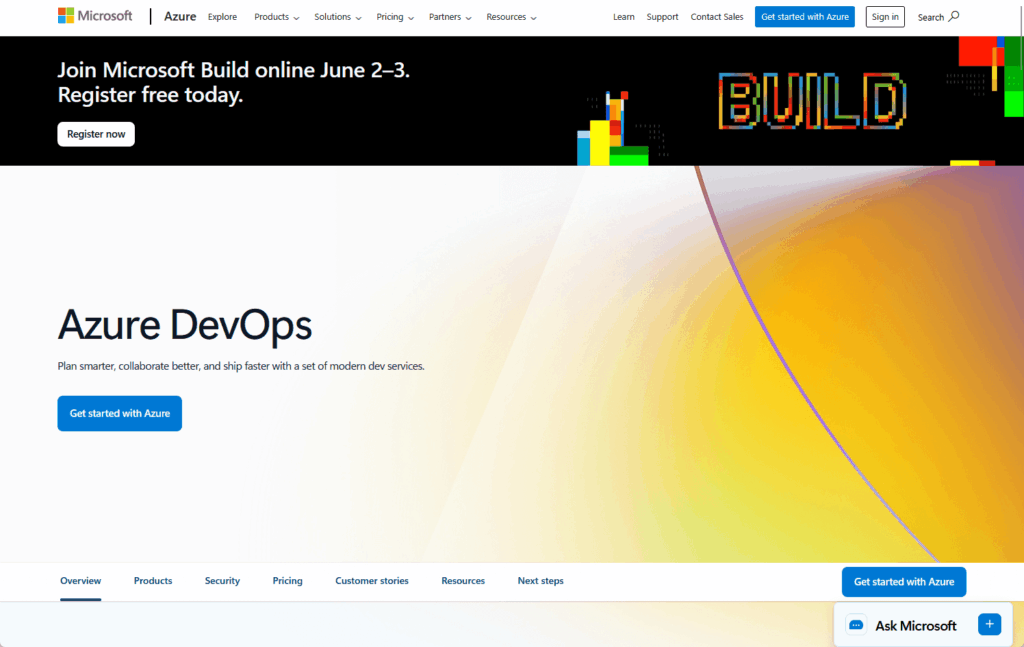
Azure DevOps is the closest thing to a feature-for-feature Jira replacement, with a much bigger surface area.
It covers Boards (sprint planning, backlogs, Kanban), Repos (Git source control), Pipelines (CI/CD), Test Plans, and Artifacts. All under one service, one login, one admin model.
Source: https://azure.microsoft.com/en-us/products/devops
For M365-first orgs, the integration story is the differentiator.
Native connections to Teams, SharePoint, Visual Studio, Azure cloud, and the entire Power Platform. No middleware, no third-party connectors to babysit.
Key features worth knowing:
- Azure Boards for backlogs, sprints, Kanban, and portfolio-level work tracking
- Native Git repos with branch policies, pull requests, and code review
- Pipelines that run on Microsoft-hosted or self-hosted agents
- Stakeholder access free with no user cap (read-only participants don’t cost anything)
- Power BI integration via OData queries against Azure DevOps Analytics
Pricing is refreshingly simple. The tiers:
- First five users: free
- Basic Plan: $6/user/month
- Basic + Test Plans: $52/user/month
- Stakeholder access: free with no cap (read-only visibility for execs and PMs costs nothing)
That last point matters more than it looks. The University of Toronto’s EASI division migrated from Jira Server to Azure DevOps in January 2024 ahead of the EOL deadline.
They cited cost savings over Jira Cloud, alignment with their technical roadmap, and “more visibility into work effort, resulting in improved workload management, expectation management, and improved insights for strategic decision making.”
That last part is the quiet win. Better dashboards translate to better decisions.
Real talk: Azure DevOps is a full DevOps platform, not just a project tracker. Teams that only want sprint boards may find it over-engineered.
The depth pays off when you use the whole stack.
Pick this if: you want one platform for planning, source control, CI/CD, and reporting, and your org already lives in M365.
2. Linear
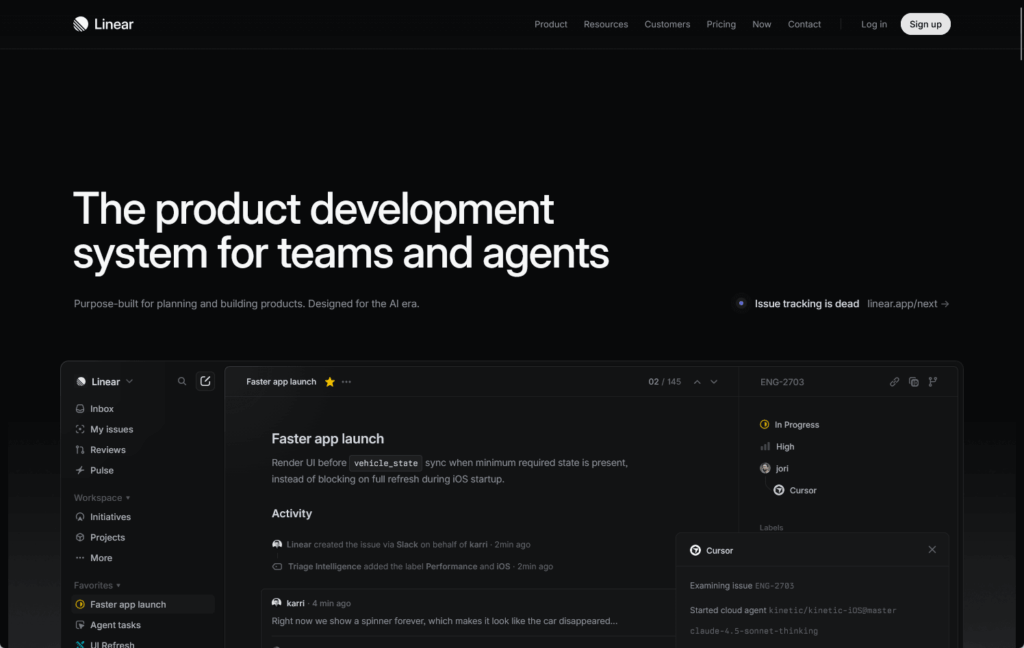
Linear made its name by being everything Jira isn’t: fast, keyboard-driven, and almost aggressively minimal. The UX is genuinely best-in-class.
Source: https://linear.app/
Key features:
- Sub-second page loads and keyboard shortcuts for everything
- Cycles (their version of sprints) with built-in velocity tracking
- Native git integration with GitHub, GitLab, and Bitbucket
- Roadmaps and projects layered on top of issues
- Slack and Figma integrations are first-class, not afterthoughts
Linear is ideal for product engineering teams who want zero admin overhead and minimal configuration. Its opinionated workflows ensure new members are productive in minutes.
Pricing starts at $10/user/month for the Basic plan, landing close to Jira but with less ongoing config tax.
Zapier’s roundup positions Linear squarely at software product companies. That’s accurate.
Enterprise IT shops with compliance requirements, custom workflows, and heavy integration needs will hit Linear’s opinionated edges fast.
Pick this if: you’re a nimble engineering org that wants zero admin overhead and your workflows can adapt to the tool, not the other way around.
3. Shortcut
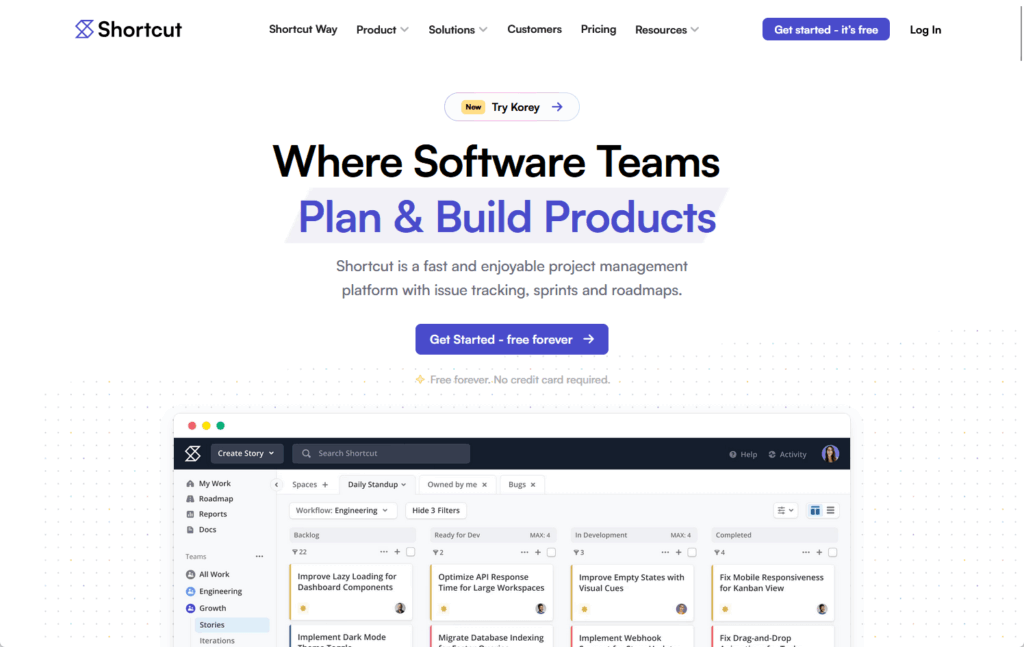
Shortcut slots between tools like Linear and a full platform like Jira. You get sprints, stories, and epics with a cleaner interface than Atlassian’s.
Source: https://www.shortcut.com/
Key features:
- Stories, epics, and milestones for hierarchical planning
- Iterations (sprints) with burndown and velocity reports
- Native GitHub, GitLab, and Bitbucket integrations
- Built-in docs feature reduces the need for a separate Confluence
- Workflows are simple to customize without admin certifications
The pitch is honest: Jira-class structure at roughly half the complexity.
I’ve seen teams that bounced off both Linear and Jira find their footing here.
Pricing starts at $8.50/user/month, which is close to Jira’s standard tier but without the admin overhead.
Pick this if: you want Jira’s structure at half the complexity and your team is in the 20-to-200 person range.
4. Monday.com
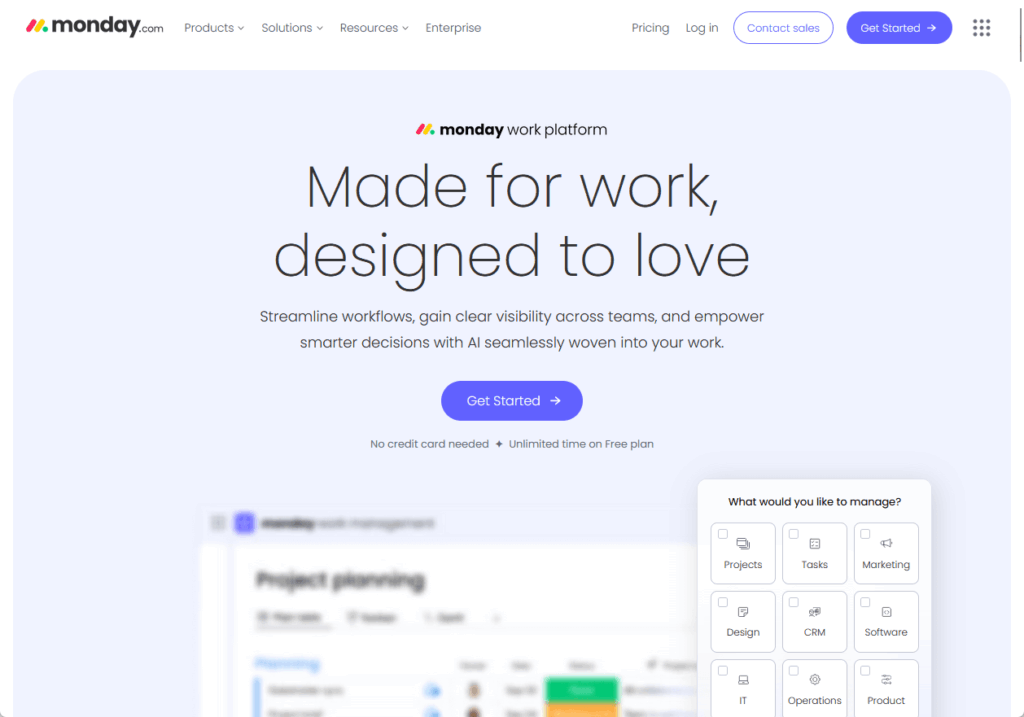
Monday.com is a general-purpose work OS that’s expanded into dev territory. Sprints, backlogs, roadmaps, and dashboards all live here.
Source: https://monday.com/
The cross-functional appeal is the differentiator. When product, marketing, and engineering need visibility into the same work, Monday handles it in a way Jira wasn’t designed to.
Key features:
- Sprint boards and Kanban with customizable automation recipes
- Timeline views and portfolio-level roadmaps
- GitHub, GitLab, and Jira integrations for dev handoffs
- Dashboards pulling from multiple boards for exec-level visibility
- 200+ pre-built workflow templates
The flexibility that makes Monday good for cross-functional teams is also what makes it feel soft for dev-focused ones. It’s general-purpose first, project tracker second.
CI/CD integration runs through connectors, not direct pipeline hooks. For engineering teams that live in their IDE, that gap matters.
Pricing starts at $9/user/month for the Basic plan, $12 for Standard. There’s no free tier for teams.
Pick this if: your work spans dev and non-dev, and you need one place where everyone can see what’s happening.
5. ClickUp
ClickUp markets itself as the one app to replace them all. Tasks, docs, goals, sprints, time tracking, and whiteboards are all built in.
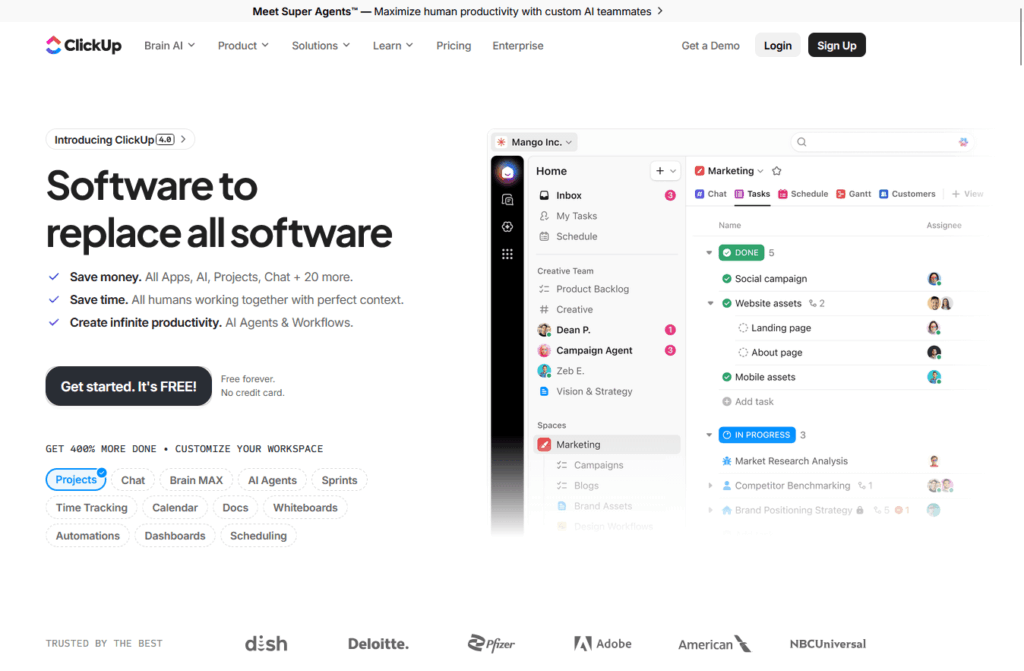
Source: https://clickup.com/
It’s worth a hard look if you’re replacing both Jira and Confluence. The consolidation math works out for teams already paying for two platforms.
Key features:
- Custom views: list, board, Gantt, calendar, and timeline
- Docs and wikis built in, which reduces the Confluence dependency
- Sprints with burndown charts and workload views
- 1,000+ integrations including GitHub, GitLab, Slack, and Figma
- Free plan with generous limits for small teams
I’ve seen teams migrate from Jira to ClickUp and discover they’ve traded one complex tool for another. The density is both the pitch and the problem.
The default state is overwhelming. Getting ClickUp configured for your team’s actual workflow takes real admin investment upfront.
Once it’s set up, the free plan gives you room to test before committing. Paid plans start at $7/user/month for Unlimited.
Pick this if: you want to replace both Jira and Confluence and you’re willing to invest in proper setup.
6. GitLab Issues
GitLab Issues only makes sense if your team is already on GitLab for source control and CI/CD. Inside that ecosystem, it’s tightly integrated and hard to beat.

Source: https://gitlab.com/
Outside that ecosystem, there’s no compelling reason to choose it over the other tools here. The argument for GitLab Issues lives entirely within the GitLab platform.
Key features:
- Issues linked natively to merge requests, pipelines, and milestones
- Boards, epics, and roadmaps at the project and group level
- GitLab CI/CD is first-class, not bolted on
- Time tracking and weight estimates built in
- Free for public projects and small private teams
The native CI/CD connection is the whole argument. When a developer closes an issue, the pipeline runs automatically, with no middleware or webhooks to maintain.
The trade-off is ecosystem lock. Everything assumes you’re using GitLab for repos, not GitHub or Azure Repos.
Pricing is free for public projects and up to 5 private users. The Premium tier runs $29/user/month, which is steep compared to most alternatives here.
Pick this if: your team is already on GitLab for repos and CI/CD, and you want issues and pipelines under the same roof.
The Microsoft-Native Path: Power Platform + Azure DevOps
Here’s where things get interesting for M365 orgs. Azure DevOps as a standalone tracker is solid.
Azure DevOps wired into the Power Platform is a different category entirely.
Start with reporting. Microsoft’s Power BI integration with Azure DevOps Analytics connects via OData queries, which means your sprint dashboards, velocity charts, and portfolio reports refresh automatically.
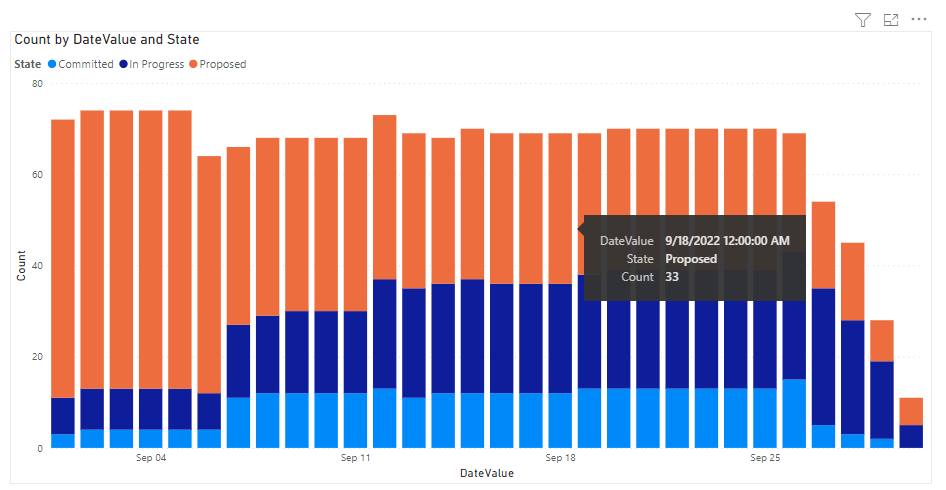
Source: https://learn.microsoft.com/en-us/azure/devops/report/powerbi/sample-boards-sprintburndown?view=azure-devops
No more weekly export-clean-reformat cycle for the Monday review. To be fair, OData isn’t plug-and-play.
Microsoft’s docs warn that the simplest connector path is for small accounts only, and large accounts will hit “long refresh times and time-outs.”
Configured properly, though, the difference is night and day.
Power Automate handles the workflow piece. The Azure DevOps connector is a premium feature, so factor that into licensing math.
Without custom code, it can handle:
- Approval routing in Teams
- Status notifications
- Ticket creation triggered by SharePoint list updates
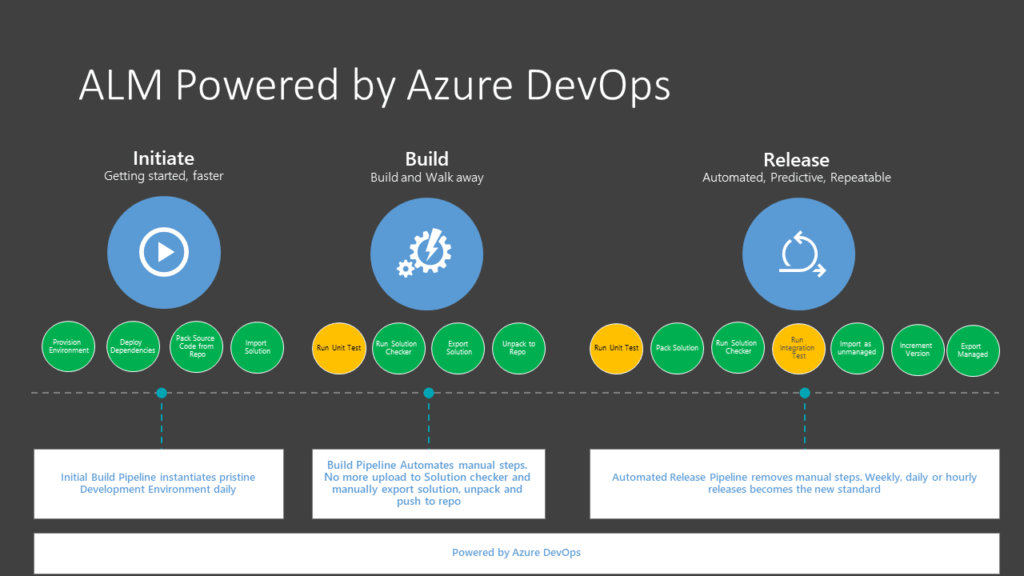
For teams building on the Power Platform, Microsoft Power Platform Build Tools extend Azure Pipelines to manage canvas apps, model-driven apps, Dynamics 365 solutions, virtual agents, and AI Builder models through the same dev-test-production pipeline your code team uses.
Source: https://learn.microsoft.com/en-us/power-platform/alm/devops-build-tools
The pipeline has four stages: Initiate, Export from Dev, Build, and Release. It requires a Dataverse database, so orgs without one will need to provision it.
What I tell clients: this stack is genuinely integrated, not just “Microsoft tools that talk to each other.”
Visibility goes up, manual handoffs go down, and the licensing math usually favors orgs already on M365.
I’ve configured this setup for organizations migrating off Jira, and the recurring theme is consolidation. One platform replaces three or four.
The maintenance burden drops. The reporting layer becomes self-service. That’s where the real value lives.
Making the Switch Without Losing Your Team
Migrations sound clean on paper. They rarely are.
Start with an audit of everything in the instance:
- Custom fields
- Workflow logic
- Integrations and automations
- Historical data and attachments
- Permission models
Document what’s actually in use versus what’s accumulated. A surprising amount is dead weight nobody will miss.
Test management is the gotcha. Kovair’s case study on Jira Zephyr to Azure DevOps shows test data requires format transformation, not a straight lift.
Source: https://www.kovair.com/case-studies/data-migration-from-jira-zephyr-to-azure-devops-using-quicksync/
Plan for it or accept that test history won’t come along. And don’t underestimate adoption friction. APMIC’s framework is direct: the tool only works if the team uses it.
A practitioner quoted in Nuclino’s comparison put it plainly:
“What we used before were several products that were all installed internally (maintenance nightmare). It’s a lot easier to maintain and learn how to use just one product.”
In practice, the orgs that nail it run a pilot team first and invest in upfront training. The ones that fail try to lift-and-shift in a weekend.
Pick the Stack You Already Own
The best Jira alternative reduces complexity. It doesn’t add to it.
For M365 organizations, that answer is likely already in your licensing:
- Azure DevOps for planning, source control, and CI/CD
- Power BI for reporting and sprint dashboards
- Power Automate for workflow and approvals
- The Power Platform for everything you build on top
You don’t need to evaluate ten vendors. You need to honestly assess what you already own and what it would take to turn it on properly.
Most M365 organizations are already paying for this stack. The gap is configuration, not licensing.
I’ve helped organizations make this switch, and the recurring theme is consolidation. One platform replaces three or four, the maintenance burden drops, and reporting becomes self-service.
Stuck evaluating Jira alternatives while your team is already paying for Azure DevOps?
I help organizations set up and integrate the Microsoft DevOps stack so teams can move faster without adding more tools. Reach out and let’s talk.




























