
Table of Contents:
- What is digital process management in practical terms?
- Why organizations invest in digital process management
- The core components of digital process management
- What digital process management is not
- Common use cases across the business
- Where Microsoft 365 fits
- How to approach digital process management successfully
- What good results look like
Last Updated on May 26, 2026
A process usually does not break all at once. It starts with a missing approval, a spreadsheet nobody trusts, an email thread that becomes the system of record, or a handoff that depends on one person remembering what to do next. If you are asking what is digital process management, you are probably already dealing with some version of that problem.
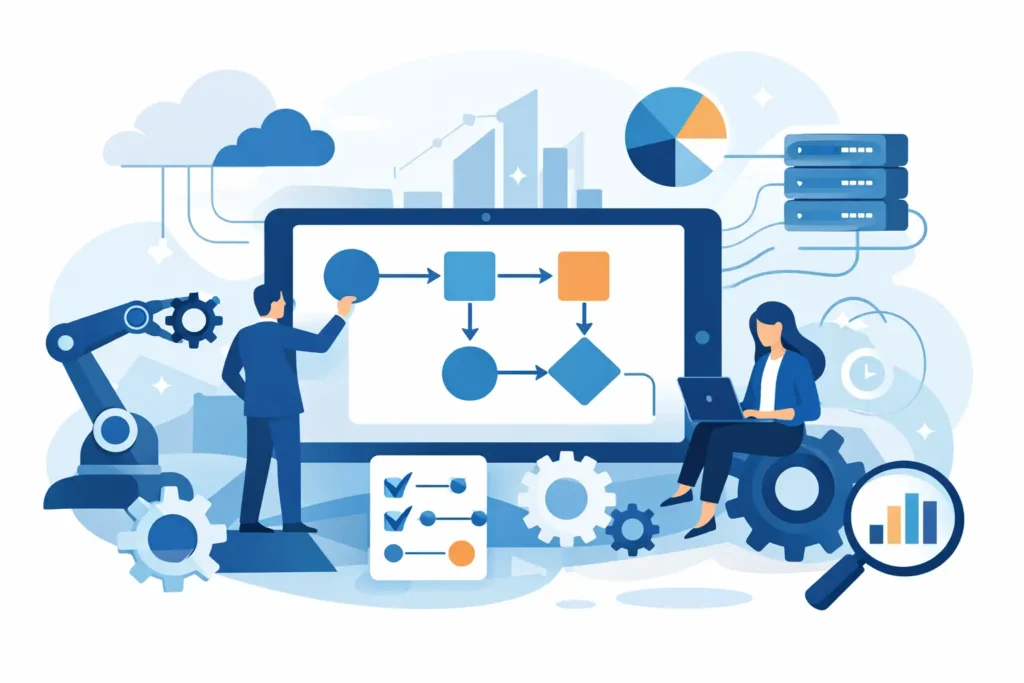
Digital process management is the practice of designing, automating, monitoring, and improving business processes using digital tools. The goal is not simply to replace paper forms or move requests into email. It is to create repeatable, measurable workflows that reduce delays, improve accountability, and help teams operate with more consistency.
For business leaders, that means fewer bottlenecks and better visibility. For IT and operations teams, it means less manual work, stronger governance, and a more reliable way to support how the business actually runs. Done well, digital process management helps organizations get more value from platforms they already own, especially within Microsoft 365 and the broader Power Platform ecosystem.
What is digital process management in practical terms?
In practical terms, digital process management takes a business activity such as employee onboarding, contract approval, invoice routing, policy acknowledgment, service requests, or document review and turns it into a structured digital workflow. That workflow defines who does what, when they do it, what data is required, what rules apply, and how progress is tracked.
That sounds straightforward, but the value comes from the details. A good digital process does not just move a task from person to person. It enforces the right sequence, captures information in a usable format, triggers alerts when action is overdue, and creates an audit trail that leadership can trust.
This is why digital process management is broader than simple workflow automation. Automation is one component. Process management includes process design, governance, reporting, exception handling, user adoption, and ongoing optimization. If a workflow sends notifications faster but still routes bad data to the wrong team, the process has not really improved.
Sign up for exclusive updates, tips, and strategies
Why organizations invest in digital process management
Most organizations do not pursue digital process management because they want new technology. They pursue it because their current processes are expensive, slow, inconsistent, or hard to scale.
Manual processes create hidden costs. Staff spend time chasing approvals, re-entering information, searching for the latest document version, and correcting avoidable mistakes. Managers have limited visibility into where work is stuck. Compliance becomes harder because records are incomplete or scattered across systems.
Digital process management addresses those issues by standardizing how work moves. It reduces dependency on tribal knowledge and gives teams a clearer operating model. That matters even more in growing organizations where the old approach may have worked with 20 people but starts to fail at 200 or 2,000.
There is also a financial argument. Many companies already pay for Microsoft 365 but use only a fraction of what is available. Digital process management can help turn existing investments into measurable operational gains rather than adding another disconnected tool to the stack.
The core components of digital process management
A mature digital process management approach usually includes several connected elements. First, there is process mapping. Before anything is automated, the organization needs a clear picture of how the work currently happens, where decisions are made, and where delays or rework occur.
Next comes workflow design. This is where business rules, approvals, conditions, and notifications are defined. A strong design reflects real operating needs, not an idealized version that ignores exceptions.
Then there is the user experience. Forms, task screens, and document access must be simple enough that employees actually use them correctly. Poor adoption is one of the most common reasons process initiatives underperform.
Data and reporting are equally important. If leaders cannot see turnaround times, approval patterns, backlog trends, or failure points, they cannot improve the process over time. Visibility is one of the biggest reasons to digitize in the first place.
Finally, governance matters. Permissions, retention, audit history, and change control should not be afterthoughts, especially in regulated or high-volume environments.
What digital process management is not
It helps to be clear about what digital process management is not. It is not just scanning paper into PDFs. It is not building a form with no business logic behind it. It is not an inbox rule that forwards requests to someone else. And it is not a one-time project that gets launched and forgotten.
Many organizations have what looks like digital work on the surface but still rely on manual intervention at critical points. A request may be submitted online, but someone still copies the data into another system, sends follow-up emails, and updates status manually. That is a partial improvement, not full process management.
There is also a trade-off to consider. Not every process should be heavily automated. If a process changes constantly, has low volume, or depends on nuanced judgment at every step, a lightweight solution may be better than a complex workflow. Good process management is disciplined, but it is also practical.
Common use cases across the business
Some of the strongest candidates for digital process management are processes with repeatable steps, multiple participants, and a clear need for oversight. HR teams often use it for onboarding, offboarding, employee changes, and policy workflows. Finance teams apply it to invoice approvals, expense reviews, and purchasing requests.
Operations teams use digital process management for issue tracking, maintenance requests, inventory workflows, and internal service delivery. Legal and compliance teams use it for document review, contract routing, policy attestation, and controlled approvals.
These use cases vary by department, but the pattern is the same. If work moves through a defined path, requires decisions, and creates risk when it is handled inconsistently, it is a candidate for digitization.
Where Microsoft 365 fits
For many organizations, the most practical path to digital process management starts with tools already in place. Microsoft 365, Power Automate, Power Apps, Teams, and SharePoint can support a wide range of business processes when they are designed with the right structure and governance.
That does not mean every process belongs in a default template or low-code app. Some scenarios need custom development, stronger integration, or more advanced case management. But for many internal workflows, the Microsoft ecosystem offers a solid foundation that can reduce software sprawl and improve adoption.
The real question is not whether the tools are available. It is whether the process has been designed correctly and implemented in a way that aligns with business goals. Technology alone does not fix process confusion.
How to approach digital process management successfully
The most successful organizations start with business pain, not platform features. They identify a process that is visible, important, and fixable. That might be a slow approval cycle, a high-friction employee request, or a compliance process with poor documentation.
From there, they map the current state honestly. This is where many teams get into trouble. They skip discovery, automate too quickly, and end up digitizing the mess instead of improving it. A better approach is to simplify first, then automate.
It also helps to define success early. Faster turnaround time, fewer manual touches, stronger compliance, better reporting, or reduced dependency on email are all valid outcomes, but they should be agreed on before implementation starts.
Stakeholder involvement matters as well. Process owners, end users, IT, and leadership often view the same workflow differently. Bringing those perspectives together early leads to a better result and fewer adoption issues later.
What good results look like
When digital process management is working, the change is noticeable. Requests are easier to submit. Approvals move faster because the right people are notified at the right time. Data is captured once instead of re-entered across systems. Managers can see where work stands without asking for a manual update.
Just as important, the process becomes less dependent on individual memory. That reduces risk when staff change roles, teams grow, or workload increases. Consistency improves, and with it, confidence in the process.
For executives, the payoff is usually measured in efficiency, control, and scalability. For operations leaders, it shows up as fewer delays and less rework. For IT, it often means fewer support headaches caused by disconnected tools and unclear ownership.
A lot of organizations know they have process issues but struggle to define the path forward. That is where experienced guidance matters. A tailored approach can make the difference between a workflow that looks good in a demo and one that actually improves operations in the real world.
Digital process management is ultimately about making work easier to run, easier to govern, and easier to improve. If your teams are still relying on inboxes, spreadsheets, and institutional memory to keep critical work moving, that is usually the sign to start.




























